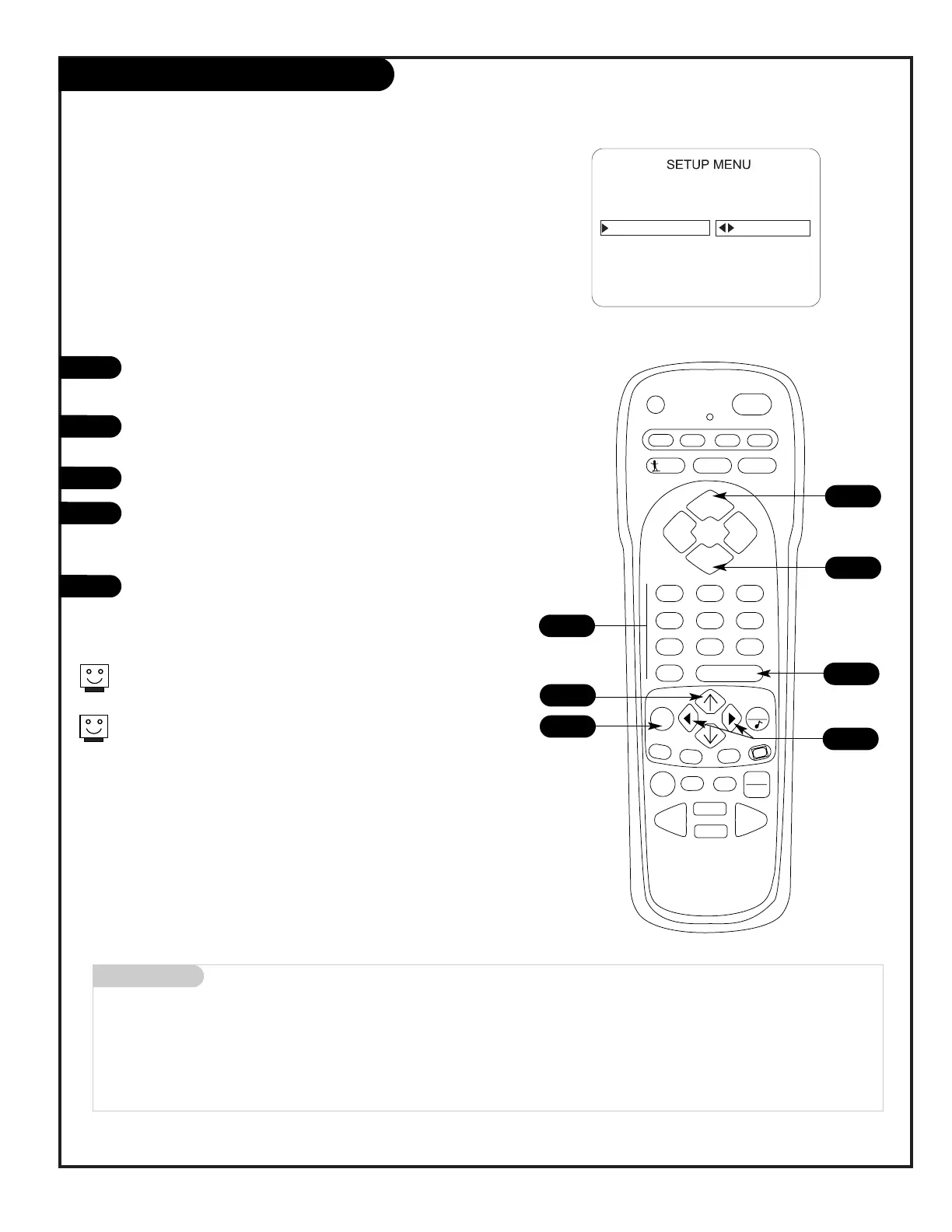
Using Preset Channel Labels
Customizing channel names with the Preset Channel Labels
(Or, see the next page to create your own custom channel
labels)
Using either the NUMBER keypad or the Channel Up/Down
arrows on the remote, select a channel.
Press MENU on the remote repeatedly until the Setup menu
appears.
Choose the Ch Labels option using the Up/Down arrow.
Pressing either the Right/Left arrow repeatedly, pick the
label you want from the available preset selections;
such as A & E.
To continue channel labeling, select another channel or if
you are finished, press ENTER to remove menu.
1
2
3
4
3
Mini glossary
- - - - The 4 dashes will allow a channel label to appear; if one is provided by the broadcaster.
NONE Prevents any channel label from appearing.
LAB 1, Are the 20 programmable labels. These 20 labels can be customized with 5 characters spaces available for
thru each label, see next page.
LAB 20,
4
5
2
Some channels already provide a channel label which is included
with the broadcast signal.
Labeling the channels helps the identify which familiar nationwide
channels are available. i.e., A & E -Arts and Entertainment, CNN -
News, ESPN - Sports, HBO - Movies and so on...
1
1
5
1




 To Next Page