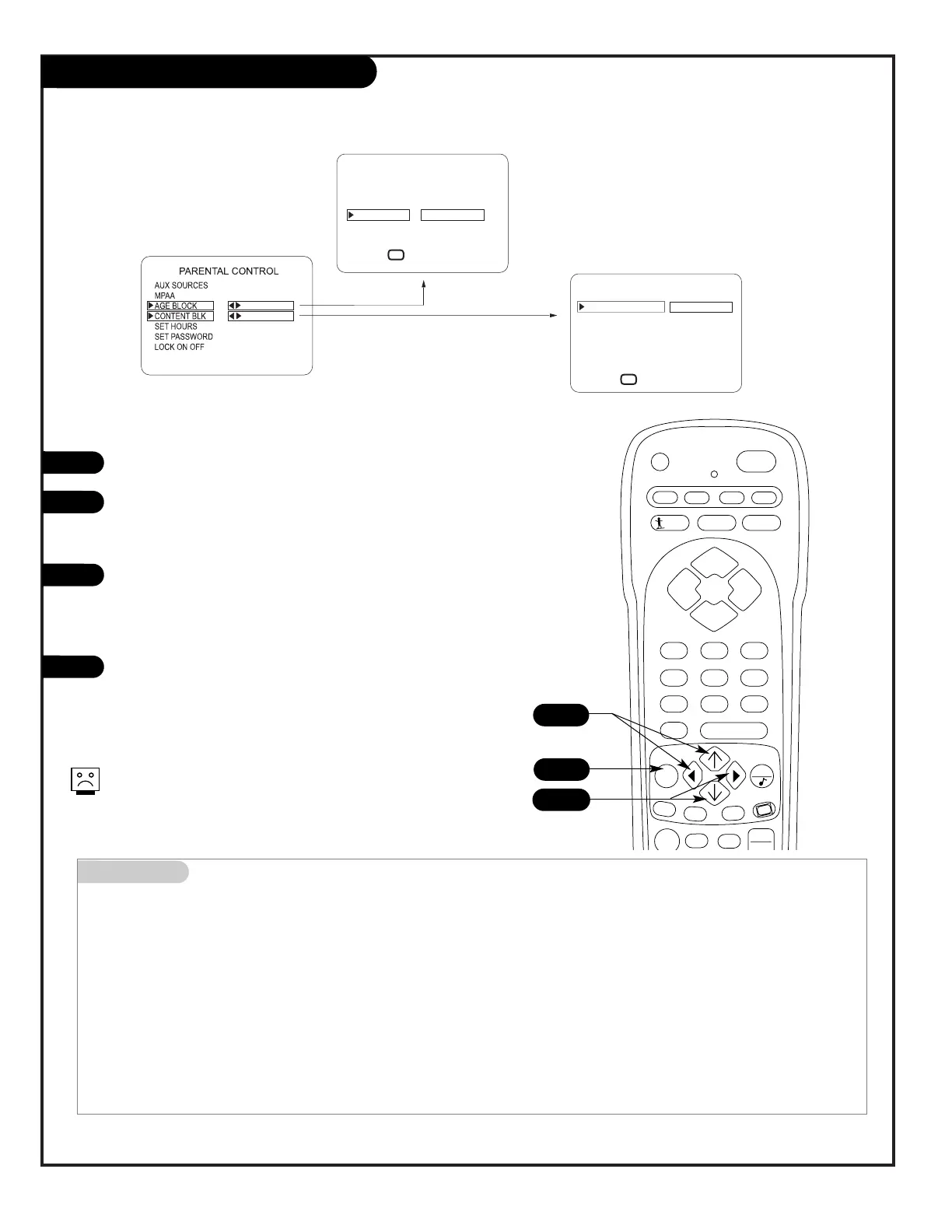
Parental Control Menu
Mini glossary
TV PARENTAL GUIDELINE RATING SYSTEM
TV-G General Audience Considered suitable for all audiences; children may watch unattended.
TV-PG Parental Guidance Suggested Unsuitable for younger children, may contain: Suggestive Dialog, Bad Language, Sex, and Violence Scenes.
TV-14 Parents Strongly Cautioned Unsuitable for children under 14, may contain: Strong Dialog, Bad Language, Sex, and Violence Scenes.
TV-MA Mature Audience Only Adults only, may contain: Strong Dialog, Bad Language, Sex, and Violence Scenes.
CHILDREN’S CLASSIFICATIONS
TV-Y Children Considered suitable for all children under 7 years old.
TV-Y7 Children 7 and over Considered suitable for children over 7, may contain Fantasy Violence Scenes.
Press MENU repeatedly to go to the Parental Control menu.
As shown above, with the Parental Control menu on-screen,
use the Up/Down arrow to highlight an option like Content
Block, then press the Right arrow.
Use the Up/Down/Left/Right arrows to select and adjust or
set the rating for an option. For Sex Scenes for example, use
the “From TV-PG” setting. (See the Mini Glossary, Ratings
Charts on this and the previous page for rating definitions.)
After you have selected and adjusted the parental control
menu options to your preferences:
- Set the hours you want Parental Control active.
- Set a 4-number password.
- Set the Lock On/Off option to either On or Off.
No Rating means the broadcast does not include rating infor-
mation. You can choose to block broadcasts without rating
data.
After you have read the preceding page, follow instructions below to set up and activate Parental Control




 To Next Page