YS-S4 Multi-rotor Autopilot User Manual V1.4
20
Step2
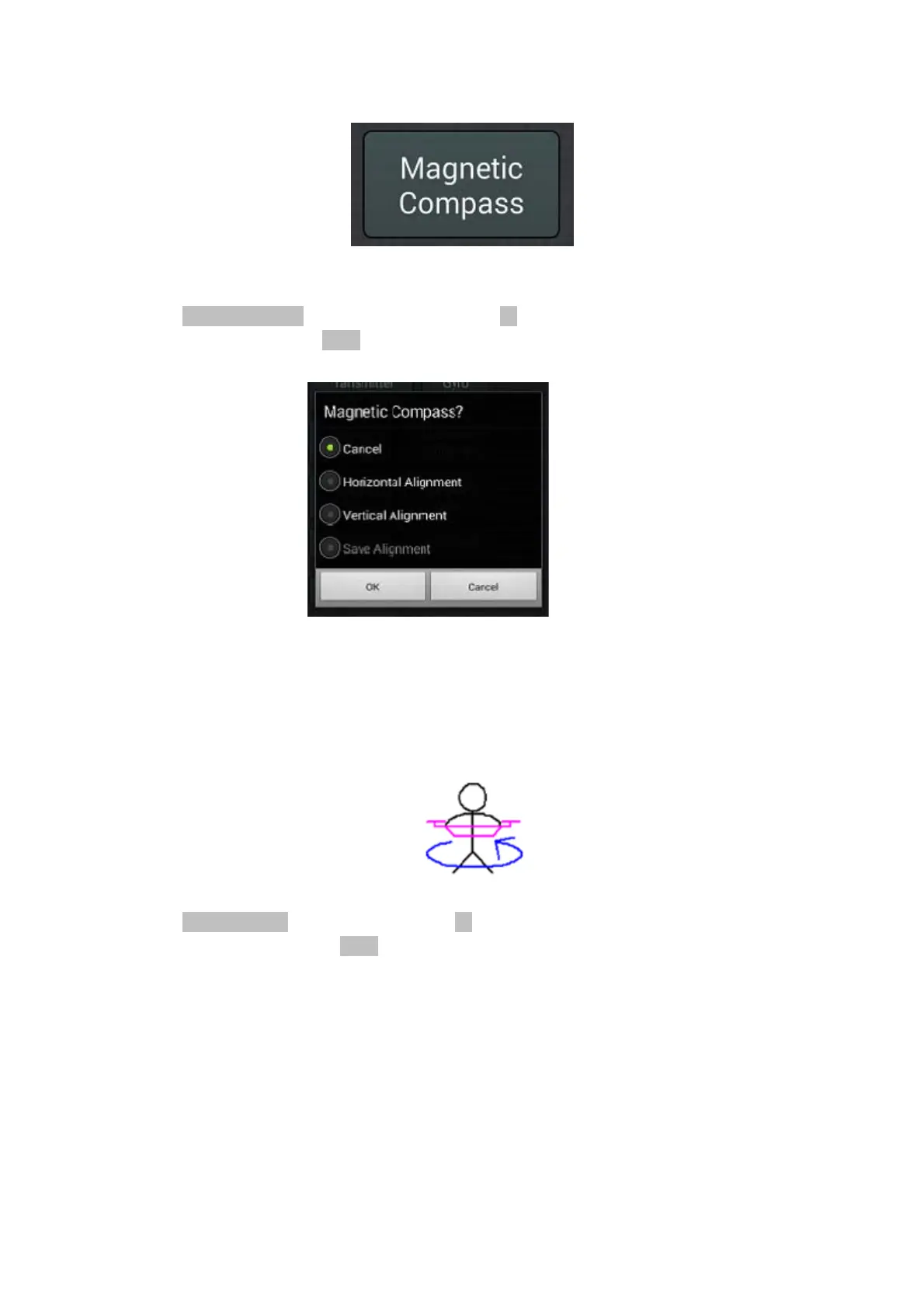
Select"HorizontalAlignment"inthedialogbox,andthenclick"OK"buttontostartlevelcalibration.Ifyoudon't
wanttokeepcalibratingselect"Cancel"andconfirm“OK”.
Step3
Levelyouraircraftandcarefullyturnaroundhorizontallythreetimes.ENSUREthattheGREENLEDlightremains
ONduringthisprocedure.IfitturnsOFF,thatmeanstheaircraftisnothorizontal.Adjustthepositionuntilthe
GREENLEDisbackONandcontinuewiththerotation.
Step4
Select"VerticalAlignment"inthedialogbox,andclick"OK"buttontostarttheverticalcalibration.Ifyoudon't
wanttokeeponcalibratingselect"Cancel"andconfirm“OK”.
Step5
Carefullyrotatetheaircraft3timesasshownbelow,alwayskeepingtheaircraftnosedown.EnsuretheGREEN
LEDremainsONthroughouttheturn.IftheLEDturnsOFF,adjustpositionuntiltheGREENLEDisbackON
and
continuewiththerotation


 To Next Page