SW3
GIGABIT/FAST ETHERNET SWITCH TYPE SW3 (DIN) 71/122
USER GUIDE - M0SW3D1905Iv04 - V04 May 2019
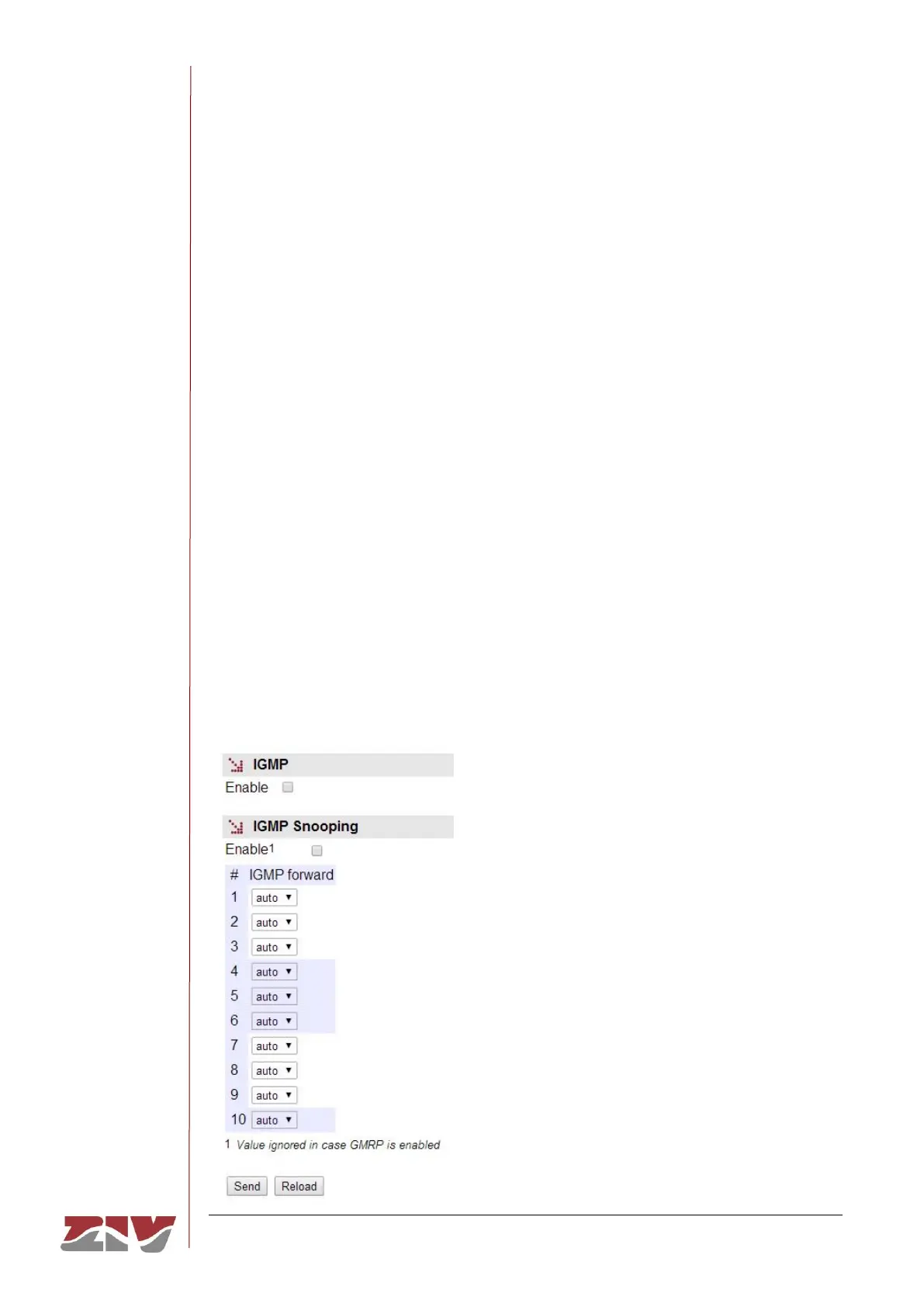
The configuration parameters are the following:
IGMP:
There is a single parameter that determines whether the emulation as IGMP router is active
or not:
• Enable. A simple CheckBox parameter to set if the IGMP periodic consultation
service is active or not.
IGMP Snooping:
It is a feature that permits the switch to analyze the multicast traffic between devices and
routers in order to identify the ports where there are devices actively participating in
multicast groups; the objective is to limit selective data transmission based on the obtained
information.
• Enable. A simple CheckBox to set if the IGMP periodic consultation service is active
or not.
• #. It sets the equipment physical port number.
• IGMP forward. It sets the treatment of the multicast messages in the corresponding
port. Configured in on, the port transmits all the multicast messages, while it does
not transmit anything when it is off. Configured in auto, the port will selectively
transmit the multicast messages if there are client devices registered in the
corresponding group.
FIGURE 40 IGMP configuration page of Multicast menu



 To Next Page