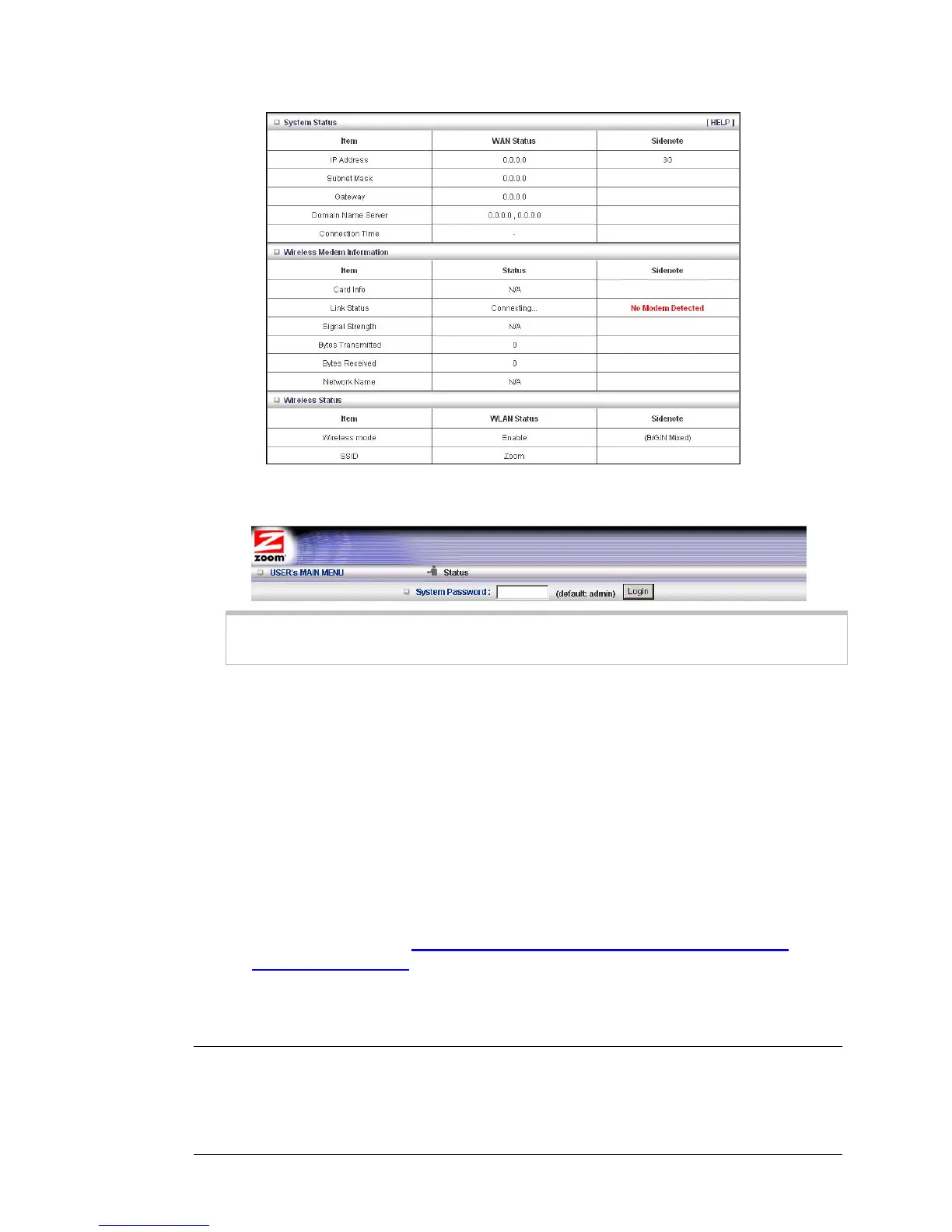
4 On the Toolbar, type
admin (the default password) in the System Password field,
then click
Login.
Note: Later, if you change the System Password, you will use the new password to
log in.
When you log in, the Configuration Manager opens its Main Menu.
• You should probably use the Configuration Manager's Setup Wizard program if
you want to change the router's default settings. See Launching the
Configuration Manager’s Setup Wizard below.
• If you wish to use WPS to set up your wireless connection. Go to Chapter 3:
Wireless and Wireless Security Setup. (You should probably use the
Configuration Manager's Setup Wizard program first if you want to change the
router's default settings.)
• If you are experienced with networking devices and their configuration, you
can use the Advanced configuration program to tailor the router's configuration
to your needs. Go to
Chapter 4: Using the Configuration Manager's
Advanced Program on page 33.
Launching the Configuration Manager's Setup Wizard
When you start the Configuration Manager (http://192.168.1.1 on your Web browser)
and log in, the ADMINISTRATOR'S MAIN MENU opens.
12 Travel Router with Wireless-N User Manual



 To Next Page