• Authentication
Set to Auto, by default. Optionally, click Password Authentication Protocol
(PAP), or Challenge Handshake Authentication Protocol (CHAP), if supported
by your service provider.
•
Primary DNS and Secondary DNS
Identifiers for the Domain Name Servers. These identifiers are provided by
your service provider.
•
Connection Control
Specifies the method for connecting or disconnecting the WAN session
based on network activity.
Auto Reconnect (always on) is the default. Other
options are
Connection-on-Demand or Manual.
•
Maximum Idle Time
Specifies the duration (in seconds) of inactivity before the device
disconnects. The default is
0, which disables this feature.
•
Keep Alive
Disabled by default. Select LCP Echo Request to keep the connection alive.
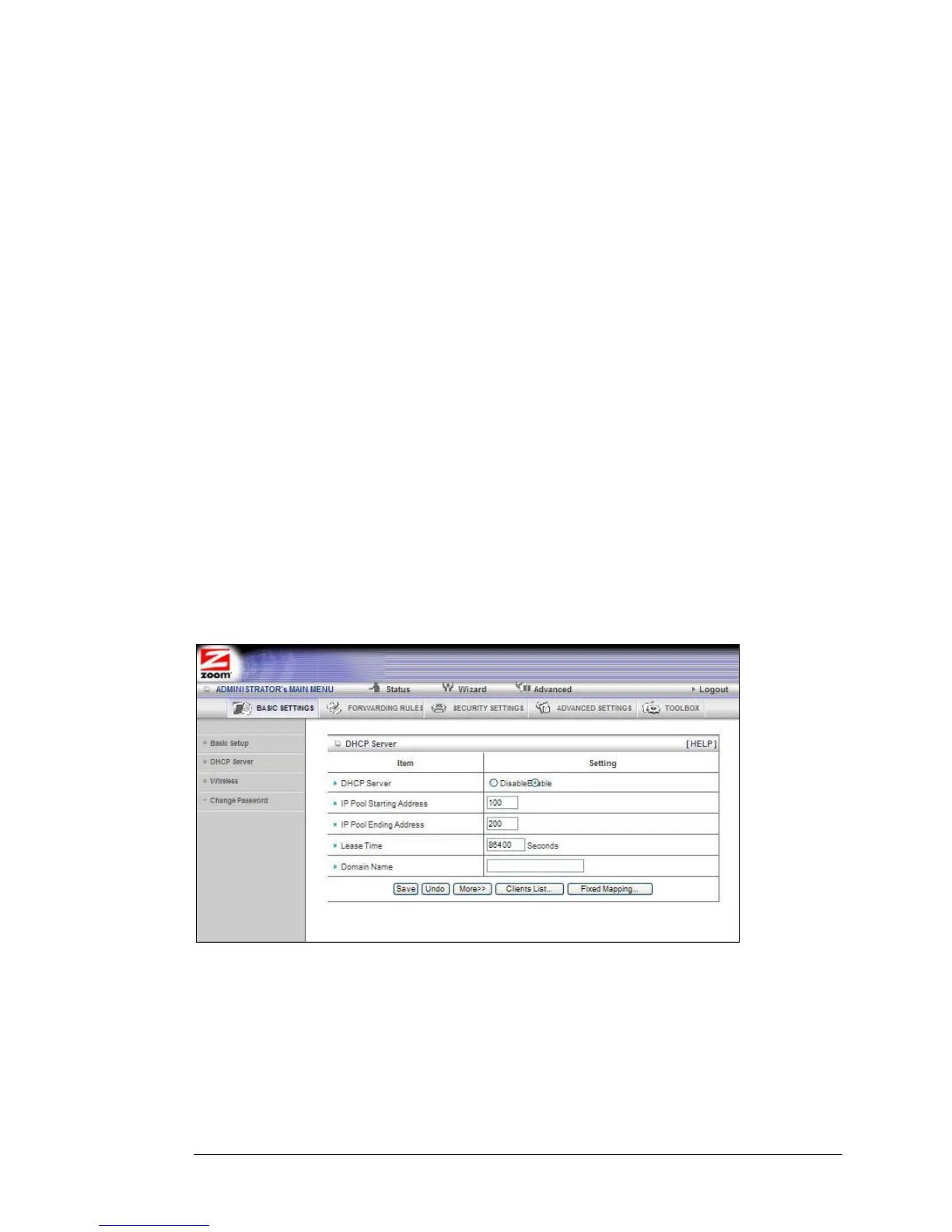
The DHCP Server Page
You can use the DHCP Server page to configure your DHCP server. If you want to
change the default values, please click [HELP], which opens a page that describes
each item and the recommended values.
The Wireless Setting Page
You can use the Wireless Setting page to configure your wireless LAN setup. If you
want to change the default values, please click [HELP], which opens a page that
describes each item and the recommended values.
38 Travel Router with Wireless-N User Manual



 To Next Page