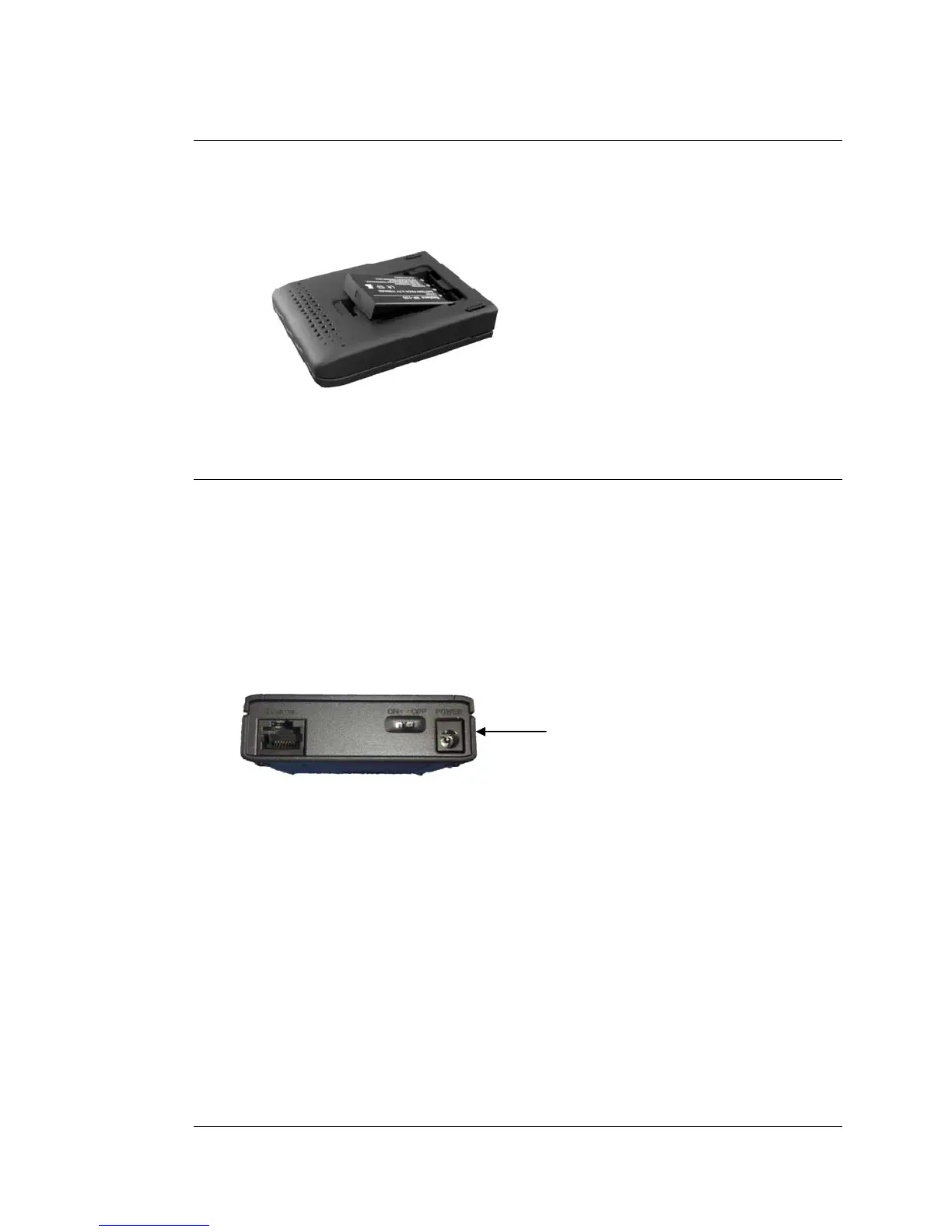
Installing the Battery
You need to install the battery one time before you use your router. To install the
battery, please follow these steps:
1 Remove the battery cover on the bottom of the router and slide the Li-ion battery
into the router's battery holder.
2 Replace the battery cover.
Powering Your Router
If the Zoom Travel Router’s battery is charged, you can use the router without
plugging it into AC power. After it’s fully charged, the battery will typically power the
router for 3 hours or more, depending on how actively you’re using mobile broadband
and wireless n/g/b. When you’re not using the router, you should switch it OFF.
Using AC Power
To use AC power, plug the router’s power cube into an AC outlet and into the POWER
jack on the back of the router.
POWER
jack
Then you can use the router AND charge the battery at the same time automatically,
or you can only charge the battery. If you’re only charging the battery, it’s best to have
the router switched OFF. Charging typically takes about 2 ½ hours when the router is
switched OFF.
Reading the Power Indicator (LED)
The Power indicator (LED) tells you the following when the router’s power switch is
ON:
•
•
•
•
Solid Green: The power cube is plugged in and the battery is fully charged.
Flashing Green: Power is being provided by the battery, not the power cube.
Amber: The power cube is charging the battery.
Red: The battery is low and the power cube is not plugged in.
6 Travel Router with Wireless-N User Manual



 To Next Page