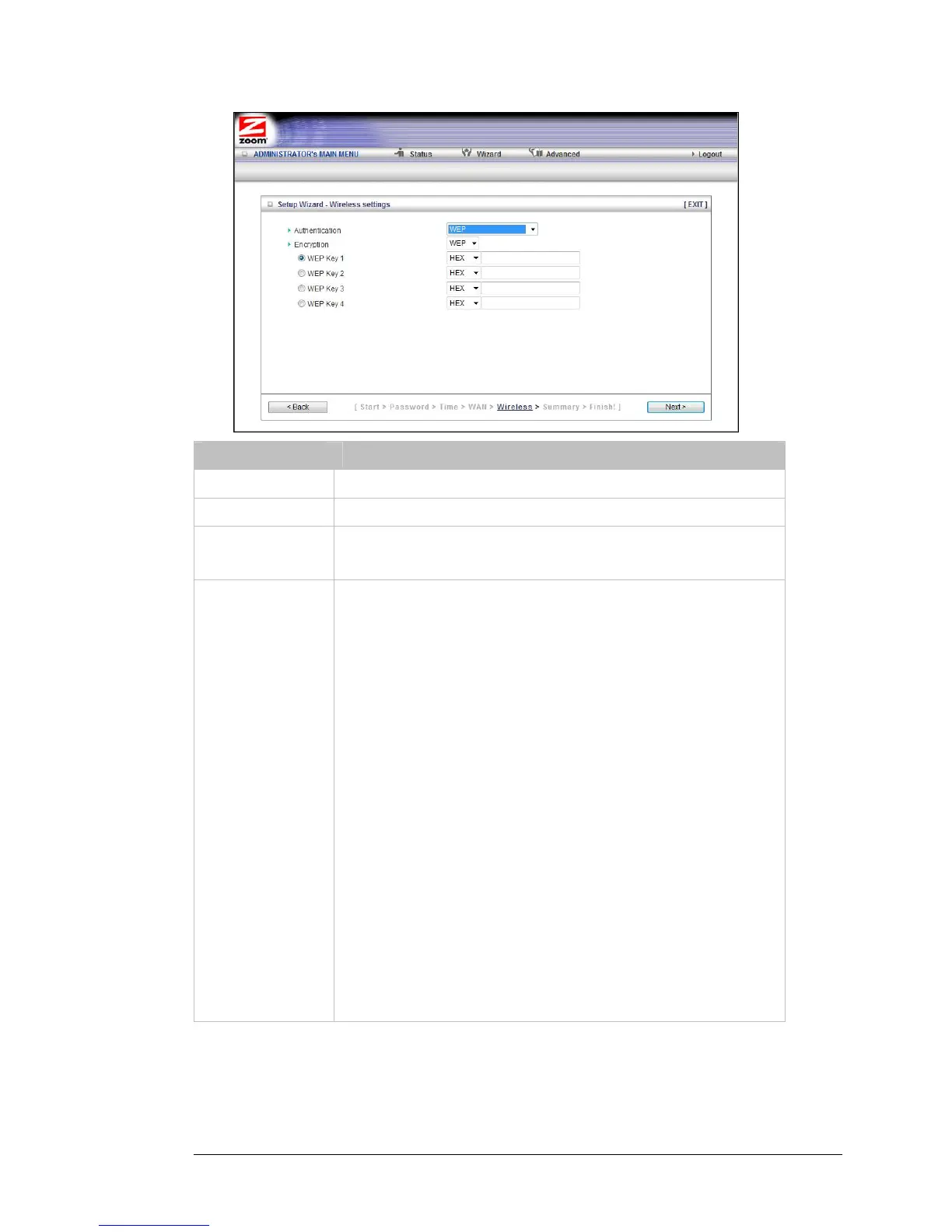
Field Entry
Authentication Select WEP
Encryption Select WEP
If all the wireless devices in the network are Zoom products, select
Hex. Otherwise, select ASCII. Although Zoom products support both
Hex and ASCII, we recommend using Hex.
Encryption
WEP Key 1, 2, 3, 4
If you selected Hex format and you chose a 128-bit key length, 26
hexadecimal values are required. Write the 26-hexadecimal key in the
space below for future reference, and then enter it in the Key 1 box.
— — — — — — — — — — — — —
— — — — — — — — — — — — —
If you selected Hex format and you chose a 64-bit key length, 13
hexadecimal values are required. Write the 13-hexadecimal key in the
space below for future reference, and then enter it in the Key 1 box.
— — — — — — — — — — — — —
If you selected ASCII format, and you chose a 128-bit key length, 13
ASCII characters are required. Write the 13-ASCII-character key in the
space below for future reference, and then enter it in the Key 1 box.
— — — — — — — — — — — — —
If you selected ASCII format, and you chose a 64-bit key length, 5
ASCII characters are required. Write the 5-ASCII-character key in the
space below for future reference, and then enter it in the Key 1 box.
— — — — —
24 Travel Router with Wireless-N User Manual



 To Next Page