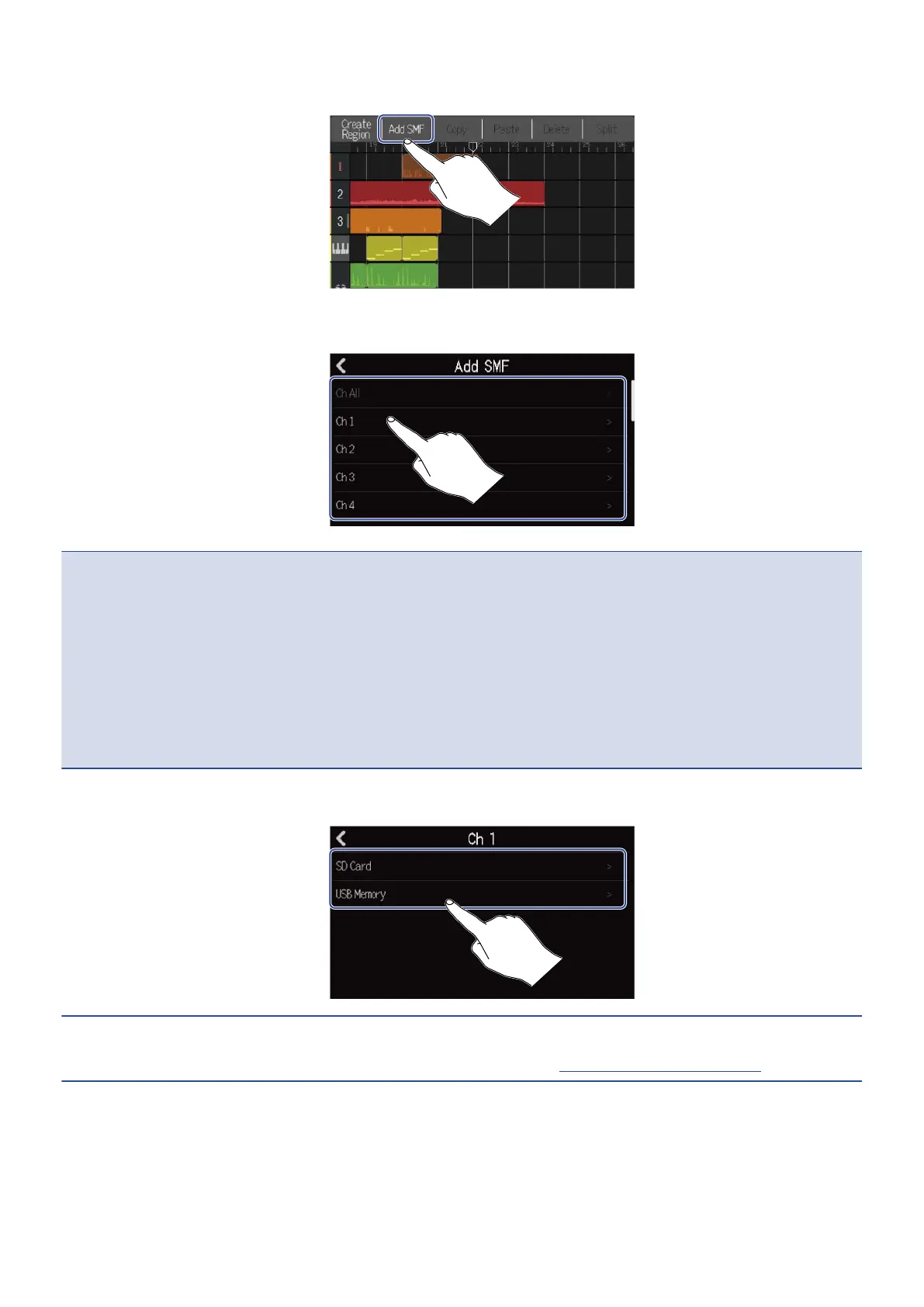
4. Tap “Add SMF”.
5. Tap the channel in the SMF that you want to load.
NOTE:
• This loads the notes in the selected channel.
• When loading SMF files that have multiple channels, selecting “Ch All” will create a region with the notes
from those channels on the R20 synth track. In this case, the timbre of each channel will be automatically
assigned from their program change numbers.
• The notes in the synth regions that have been loaded using “Ch All” cannot be edited.
• “Ch All” cannot be selected if the synth track already has regions. Moreover, other regions cannot be
added if there is an SMF that was loaded using “Ch All”.
6. Tap “SD Card” to load from an SD card, or tap “USB Memory” to load from a USB flash drive.
HINT:
When loading from a USB flash drive, connect it to the USB port. (→ Connecting USB flash drives)
86



 To Next Page