Configuration & User Manual: 2N IP Intercoms and CCURE 9000
COPYRIGHT © 2022 2N Telekomunikace a.s. All rights reserved
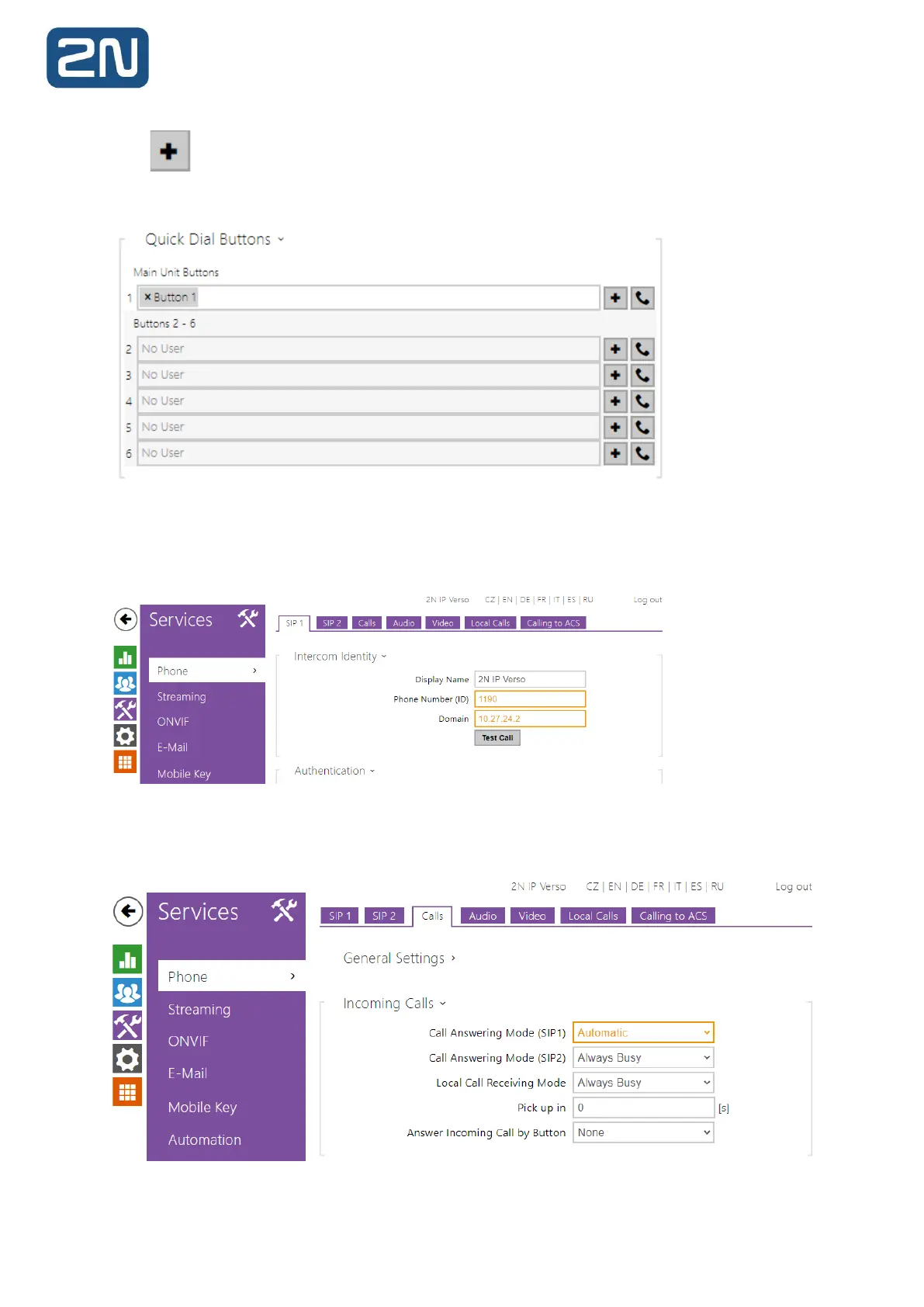
Click , select the User and press Add to add a user to the editing field. To search a user in
the list, use the fulltext field and the username. One quick dial button can be shared by multiple
users (16 users max).
5. The Phone Number (ID) field is used to identify the intercom in the Master Station. This
will allow you to call the intercom directly from the Stations’ call log or get a video preview and
door unlock button.
6. If you’d like the intercom to pick up calls (from the 2N Master Station) automatically,
change Call receiving mode (SIP1) to Automatic.



 To Next Page