System Tab
7
To disable password protection, deselect the Enable checkbox and click SAVE.
To safeguard your network against unauthorized users, it is also a good practice to periodically change your
password.
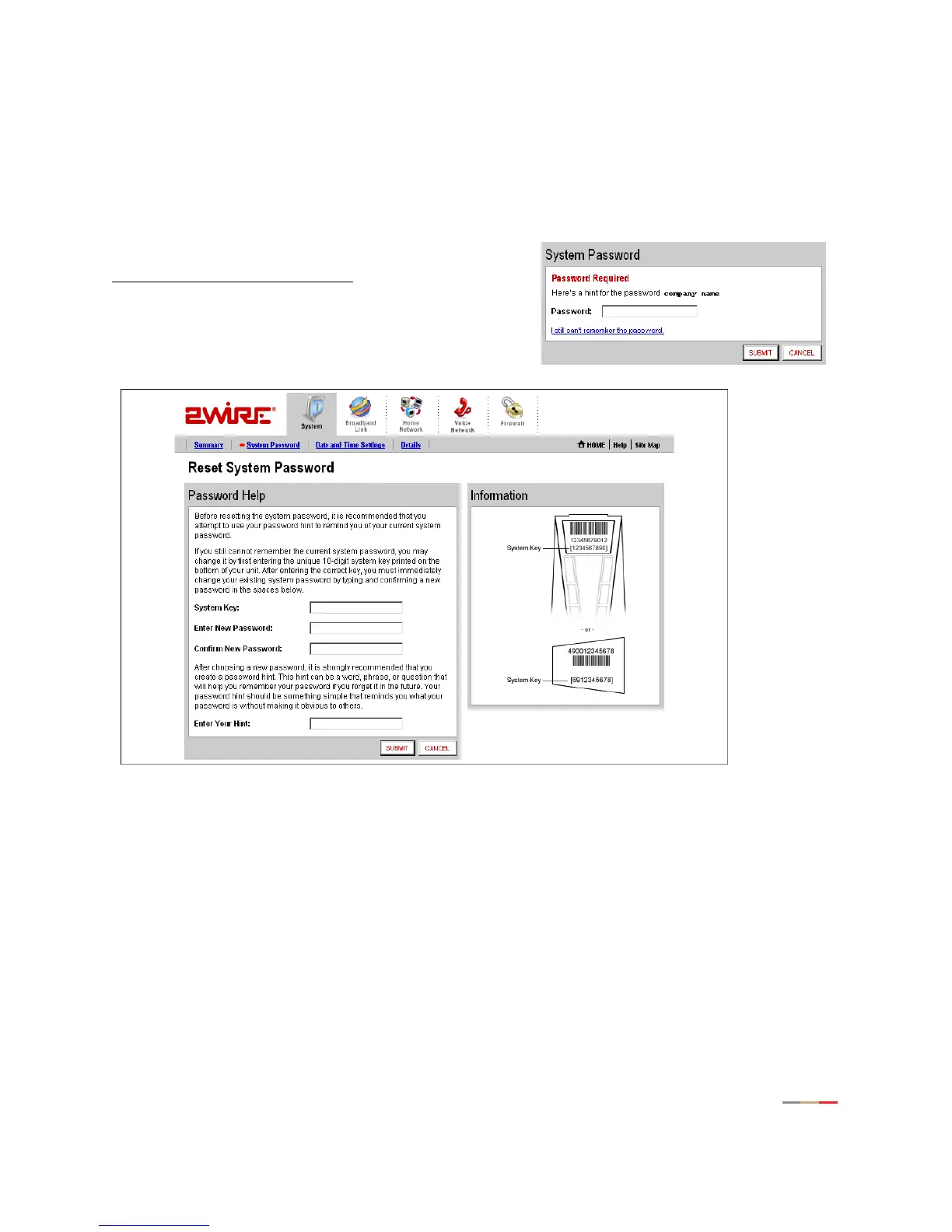
Resetting the System Password
If you forget your password and still cannot remember it
after seeing your hint, click the
I still can’t remember the password
link.
The Reset System Password page opens.
Figure 4. Reset System Password Page
To obtain access to your system:
1. In the System Key field enter the 10-digit system key located on the bottom of your gateway.
2. In the Enter New Password field, enter a new system password. In the Confirm New Password field, re-
enter the system password.
3. In the Enter Your Hint field, enter an appropriate hint as described under “Setting a System Password”
on page 6.
4. Click Submit.



 To Next Page