Management and Diagnostic Console
76
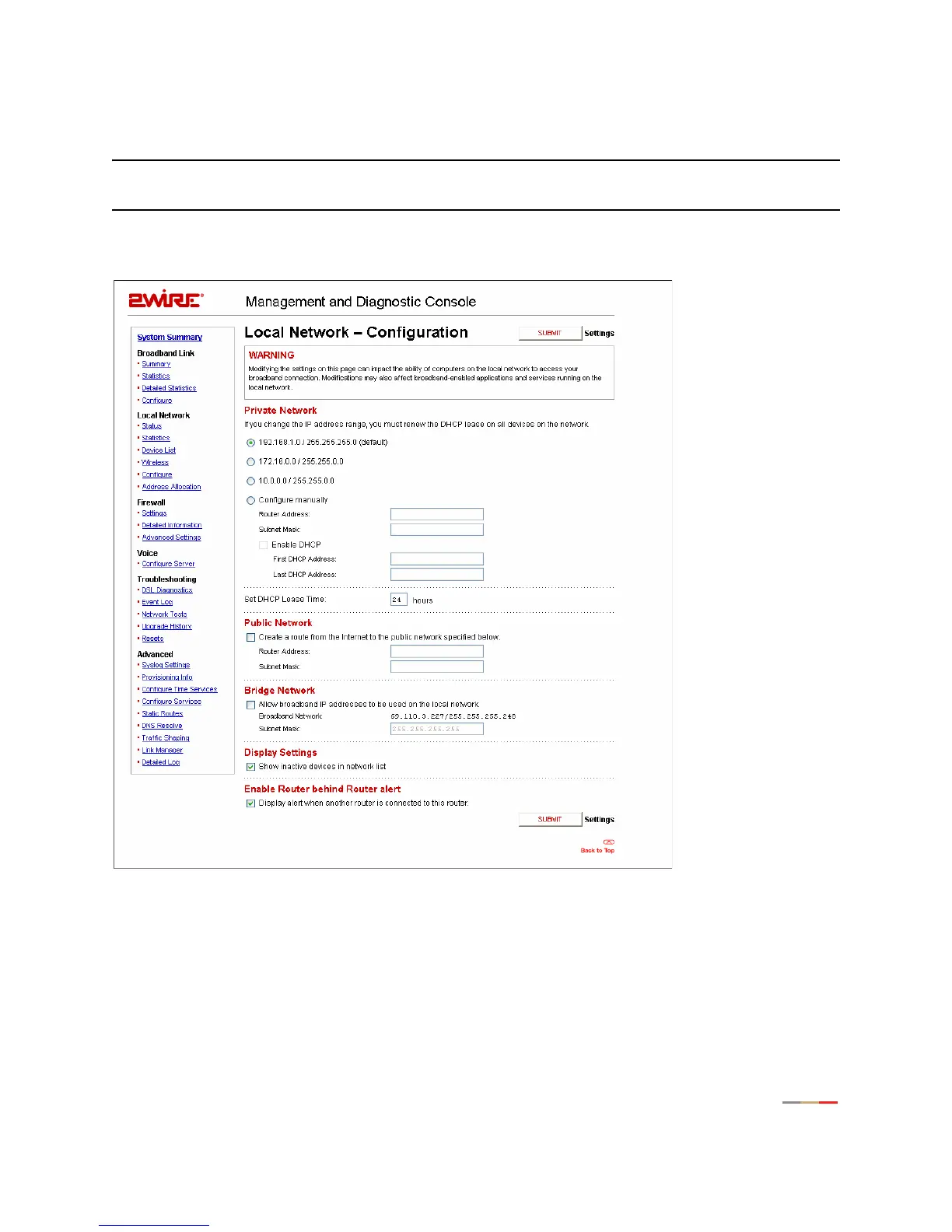
Local Network - Configuration Page
Note: To access this page, your organization must have the Remote Management feature enabled. If the
feature is not enabled, an error message will display when you click the link to access this page.
The Local Network - Configuration page allows you to change the gateway’s default local network settings.
You must click the
Submit button for changes to take effect.
Figure 33. MDC Local Network Configuration Page
Private Network Settings
By default, the gateway uses the 192.168.0.1/255.255.0.0 IP address range. The Private Network pane
allows you to change the IP address range used by the local network. You can choose from three standard
configuration options, or configure the network settings manually.



 To Next Page