32
VoIP Network Tab
This chapter describes the 2Wire gateway VoIP Network features, and provides detailed instructions on
setting up a VoIP network.
Configuring the VoIP Phones
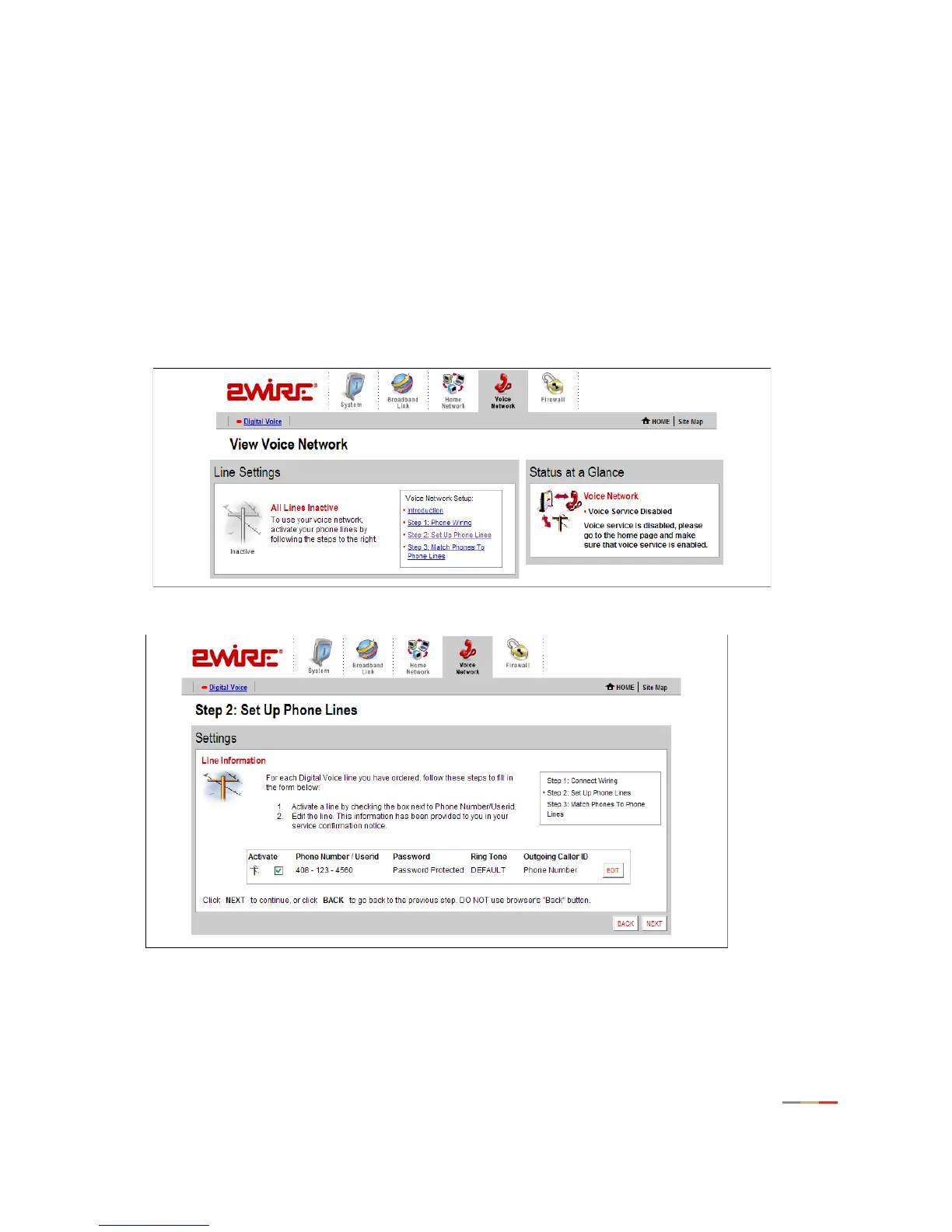
To configure VoIP via the gateway user interface, follow these steps.
1. Access the gateway user interface by opening a web browser and entering http://2wire.gateway.net.
Click the Voice Network tab. The View Voice Network page opens.
2. Click Step 2: Set Up Phone Lines. Click EDIT to change the settings.



 To Next Page