Firewall Tab
48
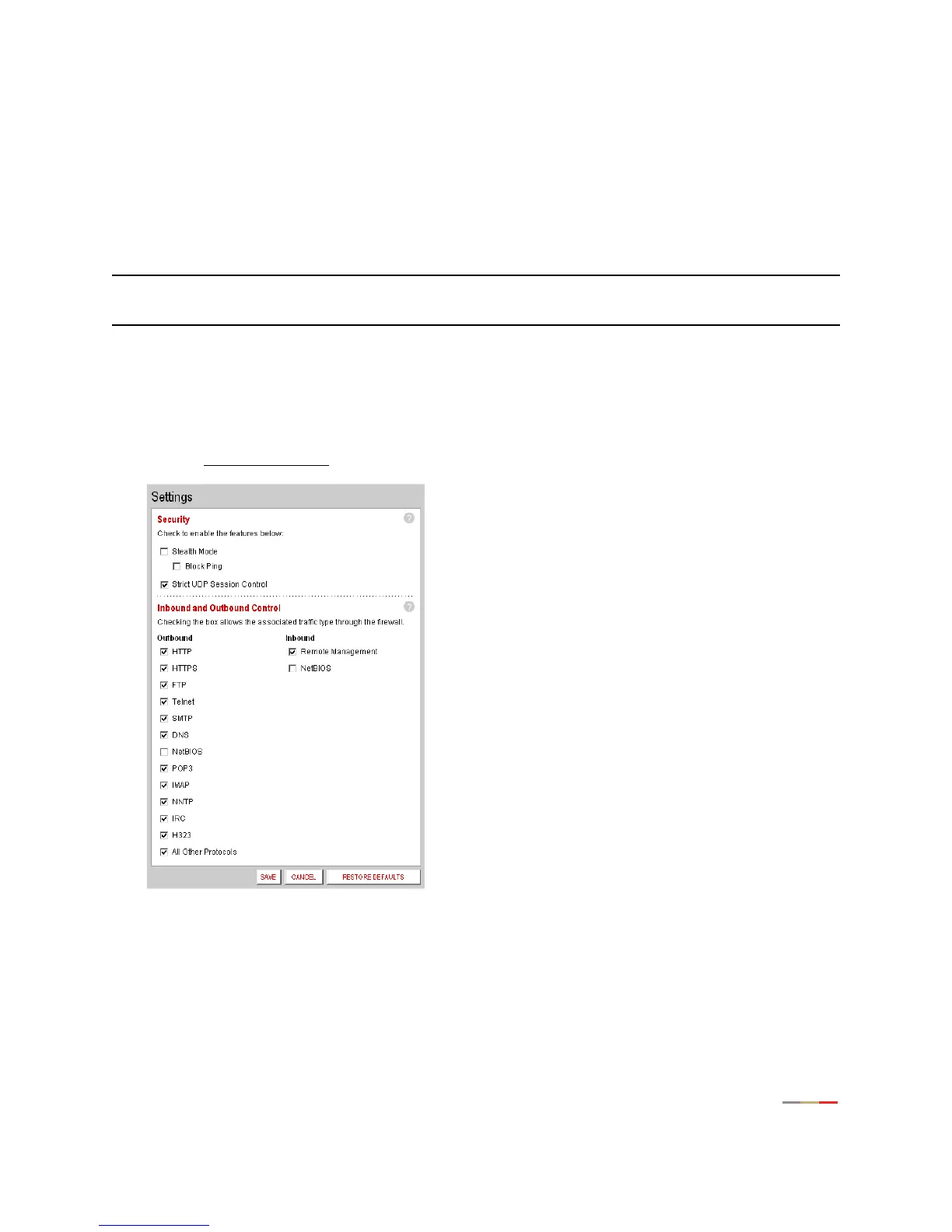
Strict UDP Session Control
Enabling this feature provides increased security by preventing the 2Wire gateway from accepting packets
sent from an unknown source over an existing connection.
Strict UDP instructs the 2Wire gateway to be more restrictive about what packets are allowed to transmit
over an established connection from a local network computer to the Internet. In addition to relying on
information about the destination (3-tuple), the 2Wire gateway will also use information about the source of
the connection (5-tuple).
Note: The ability to send traffic based on destination only is required by some applications. Enabling this
feature may not allow some on-line applications to work properly.
To enable strict UDP session control:
• Open a Web browser and access the 2Wire gateway user interface by entering
http://2Wire.gateway.net.
• Click the
Firewall tab.
• Click the Advanced Settings
link under the tab to open the Edit Advanced Firewall Settings page.
1. In the Security pane, click the Strict UDP Session Control checkbox.
2. Click SAVE.



 To Next Page