Broadband Link Tab
20
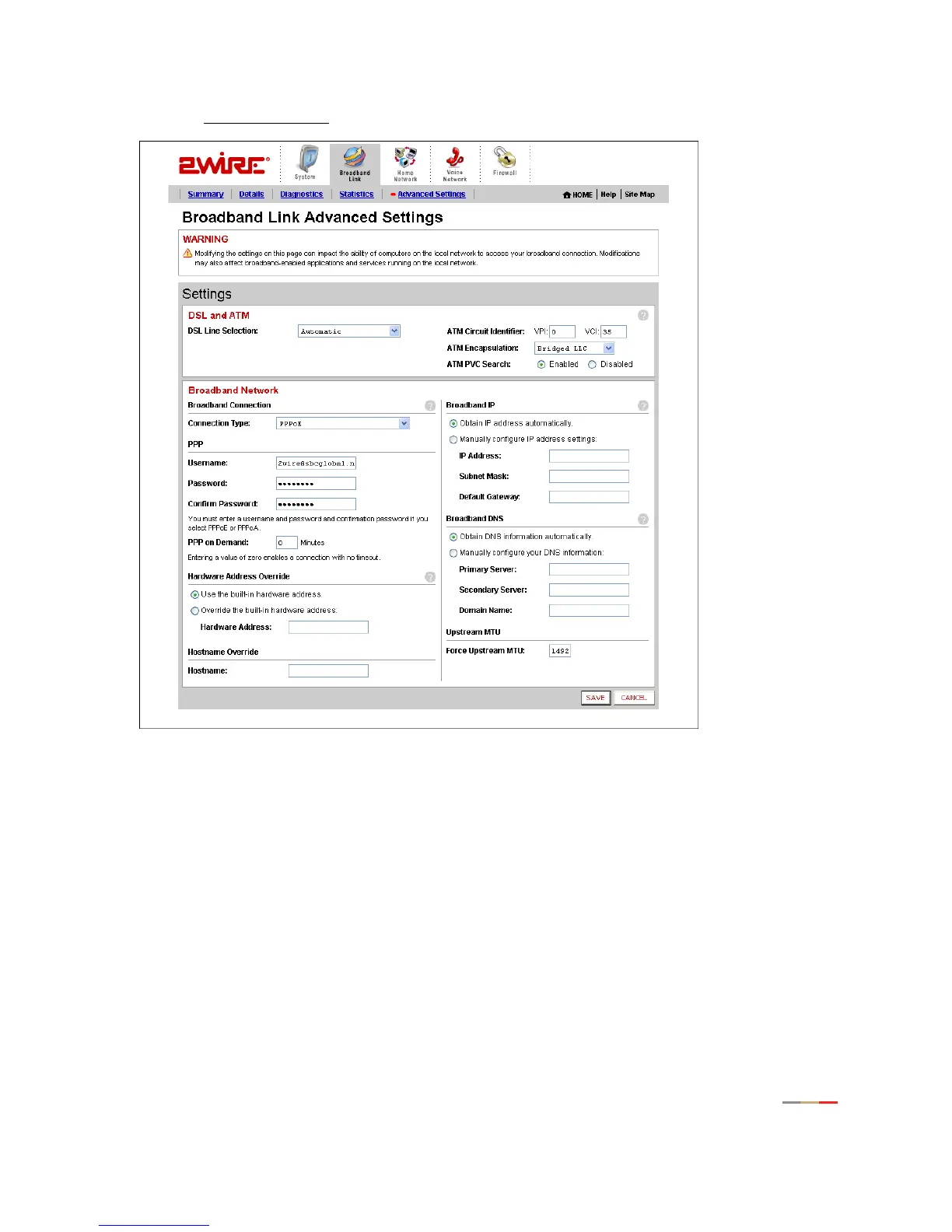
• Click the Advanced Settings link under the tab to open the Broadband Link Advanced Settings page.
Figure 11. Broadband Link Advanced Settings Page
Modifying DSL and ATM Settings
By default, the gateway automatically detects which DSL line to use. The DSL and ATM panel allows you to
select a DSL line and manually configure your ATM settings.
1. From the DSL Line Selection drop-down menu, select Automatic, Line 1 (inner pair), or Line 2 (outer
pair).
2. In the ATM Circuit Identifier VPI and VCI fields, enter the VPI and VCI you want the gateway to use to
connect to your ISP.
3. From the ATM Encapsulation drop-down menu, select Bridged LLC, Bridged VC-Mux, Routed LLC, or
Routed VC-Mux.



 To Next Page