Broadband Link Tab
12
Connection Details
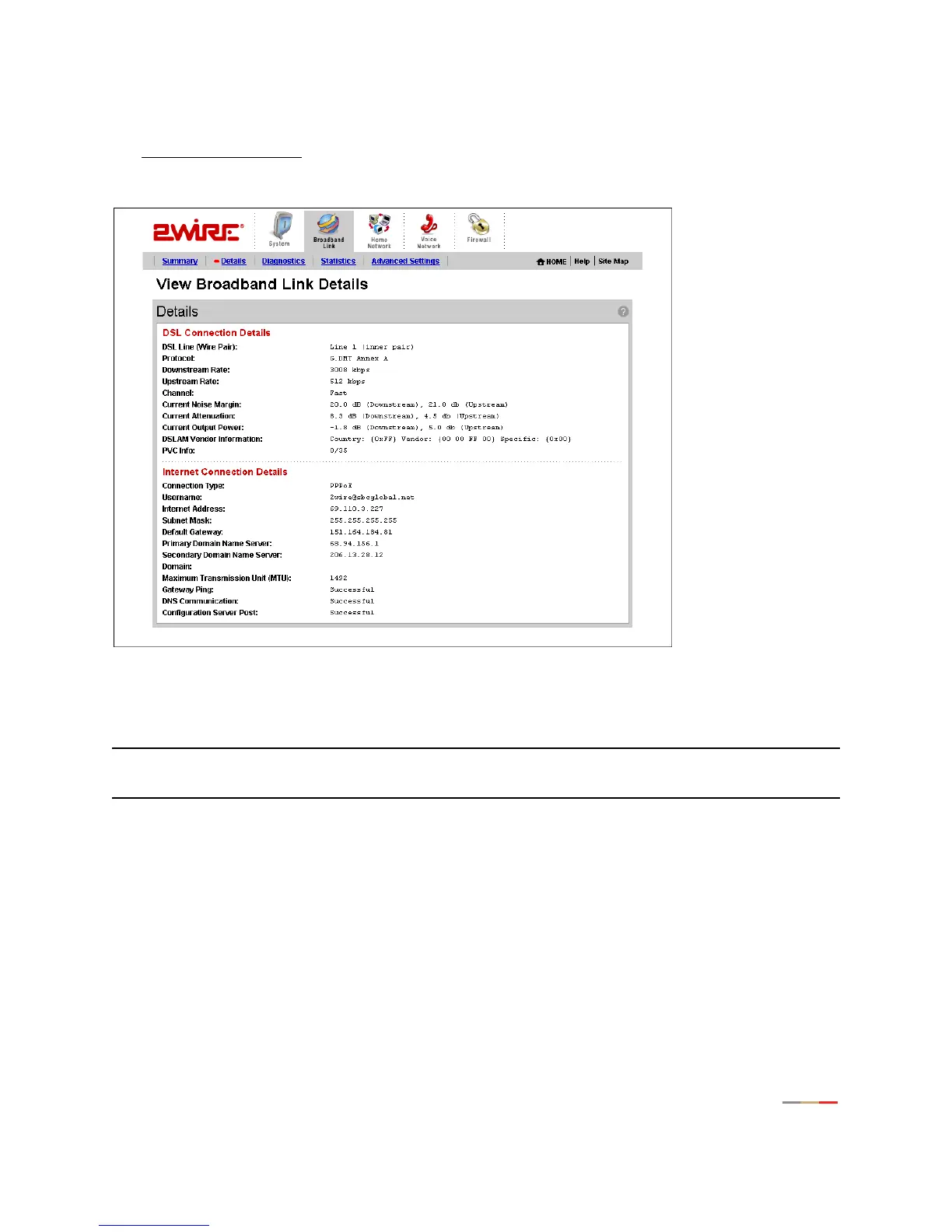
The View connection details link accesses the Broadband Link Details page, which displays technical
information about your broadband connection. Technical support representatives use this information to
help troubleshoot problems with your broadband connection.
Figure 8. View Broadband Link Details Page
The following table shows the information that may be displayed on the Broadband Link Details page.
Note: The information displayed depends on the type of broadband service you have and your gateway
model.
Item Description
DSL Connection
DSL Line (Wire Pair) The DSL signal can be transmitted on Line 1 (inner pair) or
Line 2 (outer pair). During installation, the gateway automati-
cally detects on which line the DSL signal is being transmit-
ted.
Protocol Displays which DSL protocol is being used to communicate
between your system and your service provider.



 To Next Page