VoIP Network Tab
33
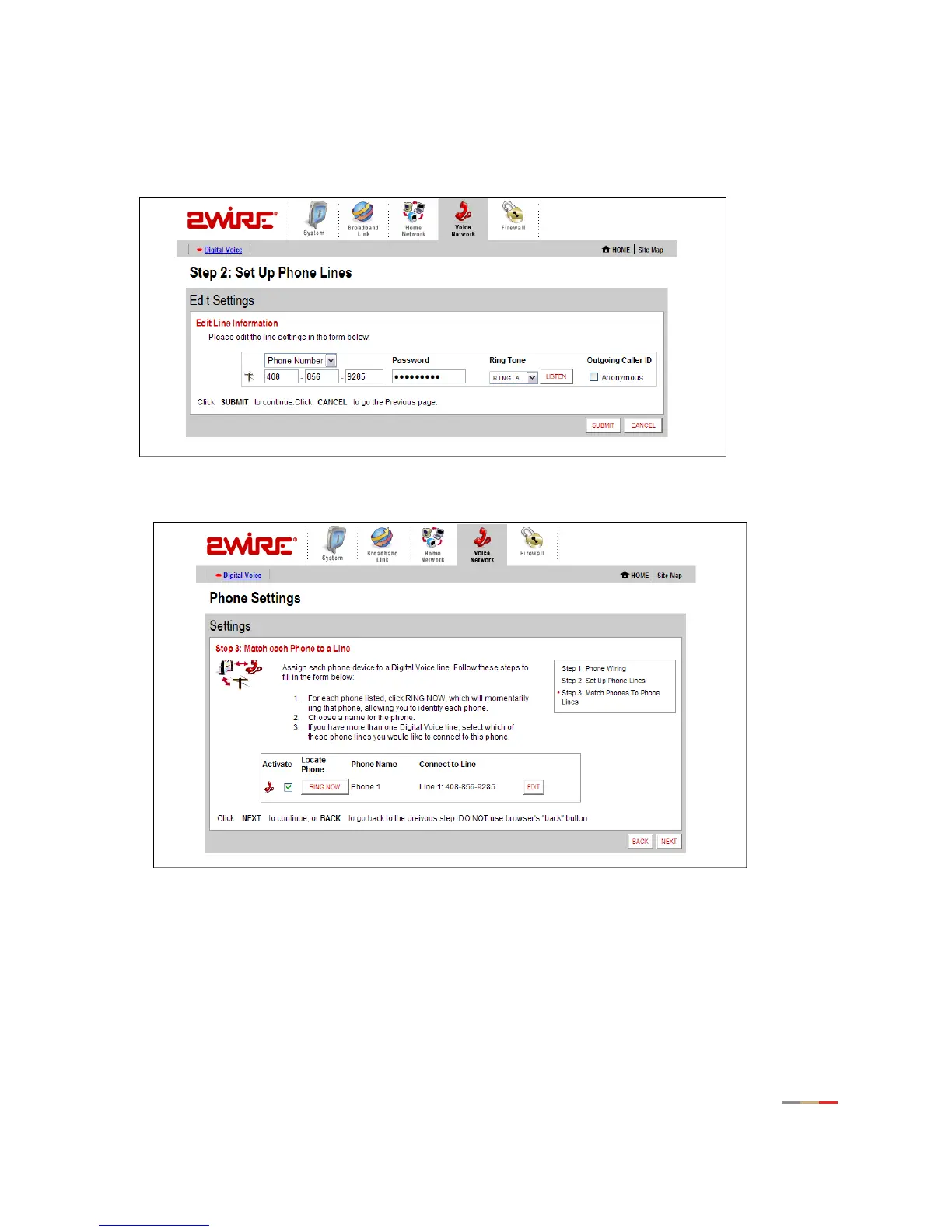
3. The account is based on username or phone number. To change this setting, from the pull-down menu
select Username or Phone Number. To ensure that the settings cannot be changed, in the Password
field enter a password. From the Ring Tone pull-down menu, select the tone you wish to associate with
the phone. To block the outgoing caller ID, click the
Anonymous checkbox. Click SUBMIT.
4. The Phone Settings page allows you to match each phone to a line.To do so, click EDIT.



 To Next Page