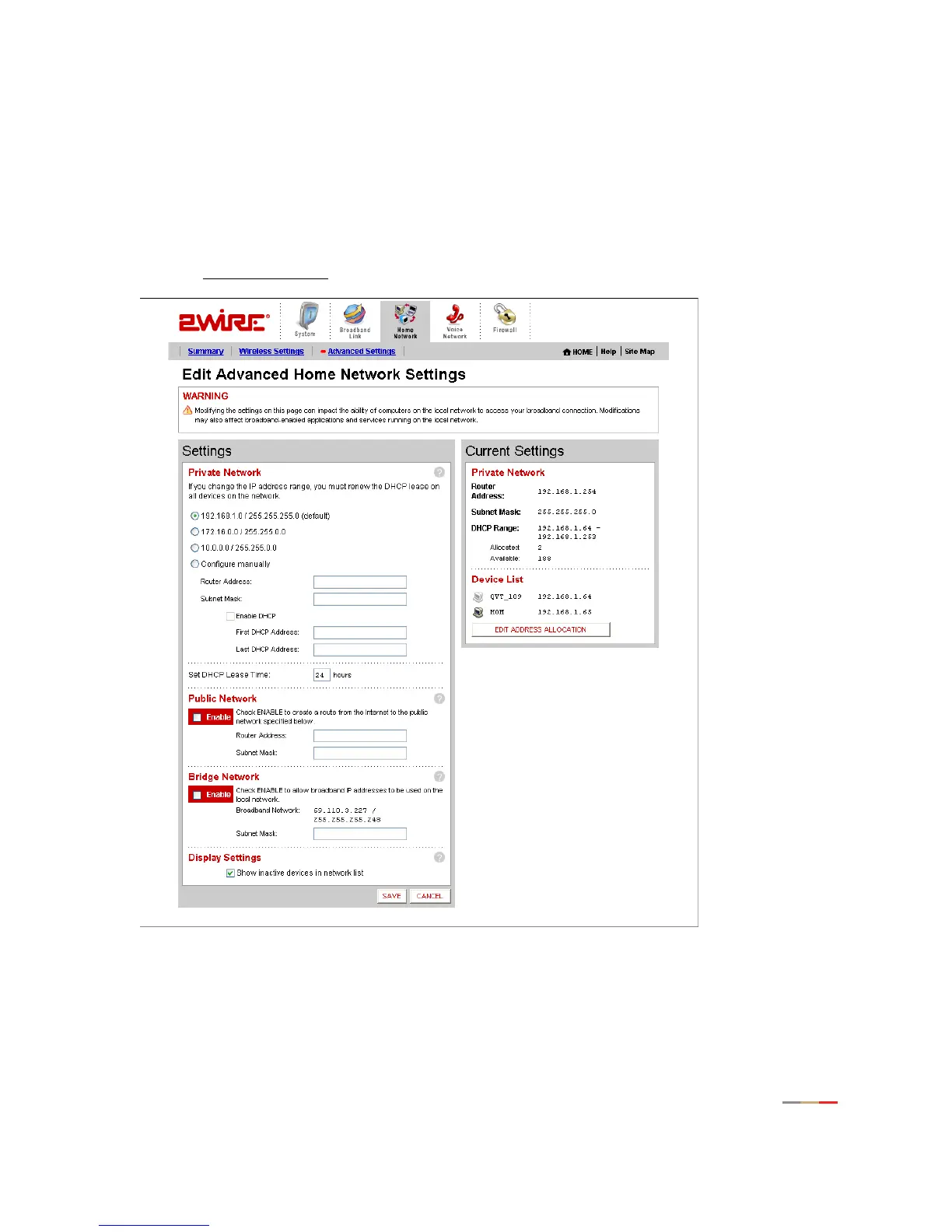
Home Network Tab
29
these settings ONLY if you thoroughly understand IP internetworking, because an incorrect configuration can
cause unpredictable results.
To set up a private network:
• Open a Web browser and access the 2Wire gateway user interface by entering
http://2Wire.gateway.net.
• Click the
Home Network tab.
• Click the Advanced Settings
link under the tab to open the Edit Advanced Home Network Settings page.
Figure 14. Advanced Home Network Settings Page



 To Next Page