Firewall Tab
38
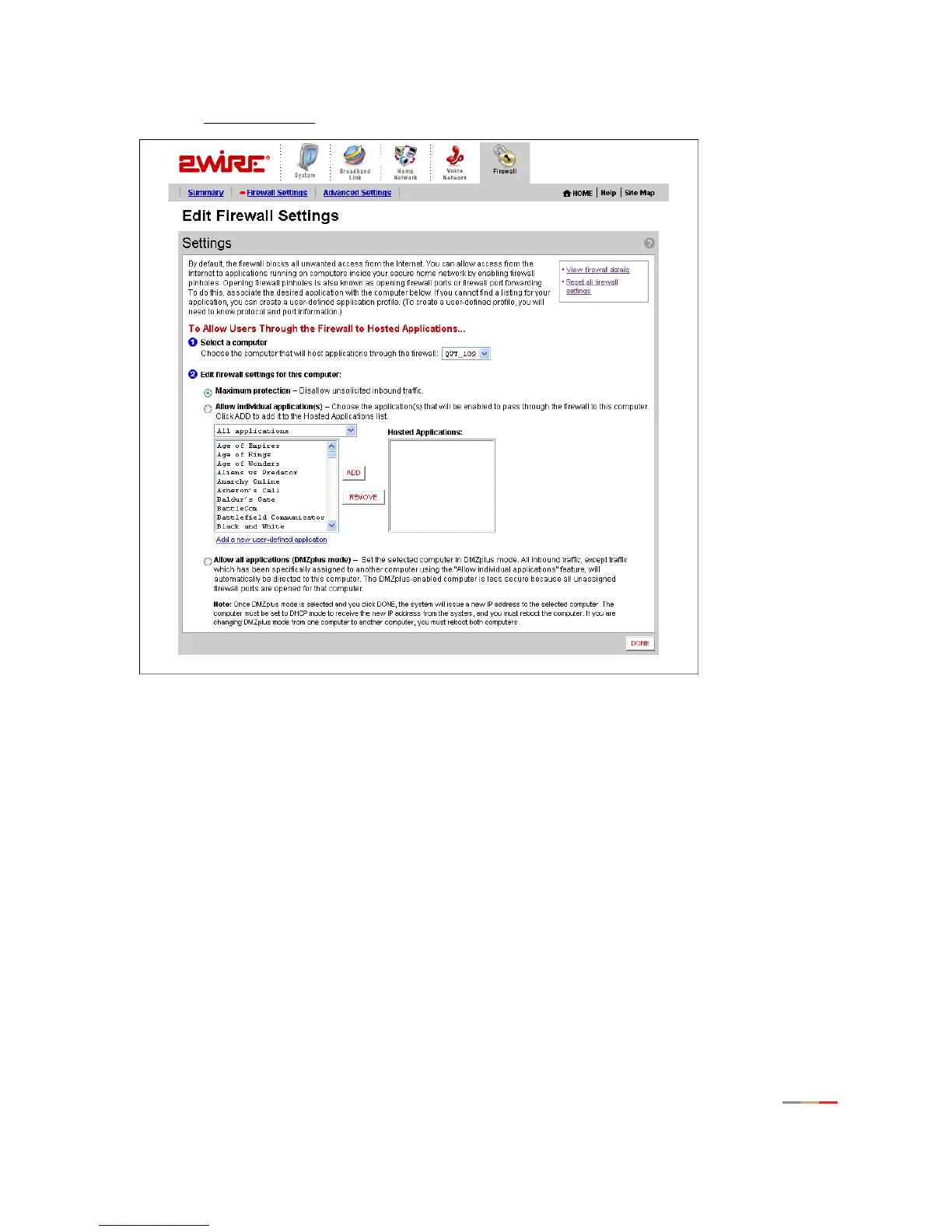
• Click the Firewall Settings link under the tab to open the Edit Firewall Settings page.
Figure 17. Edit Firewall Settings Page
1.
From the Select a computer pull-down menu, select the computer that you wish to host the application.
2. Click the Allow individual application(s) radio button.
3. In the Applications panel, select an application.
4. Click the ADD > button. The application you selected now appears in the Hosted Applications pane.
5. Click DONE.
To stop hosting an application:
1. In the Hosted Applications panel, select the application you wish to stop hosting.
2. Click the < REMOVE button.
3. Click DONE.



 To Next Page