Firewall Tab
42
Note: DMZplus can only be configured for one computer on your home network at a time.
To configure DMZplus:
• Open a Web browser and access the 2Wire gateway user interface by entering
http://2Wire.gateway.net.
• Click the
Firewall tab.
• Click the Firewall Settings
link under the tab to open the Edit Firewall Settings page.
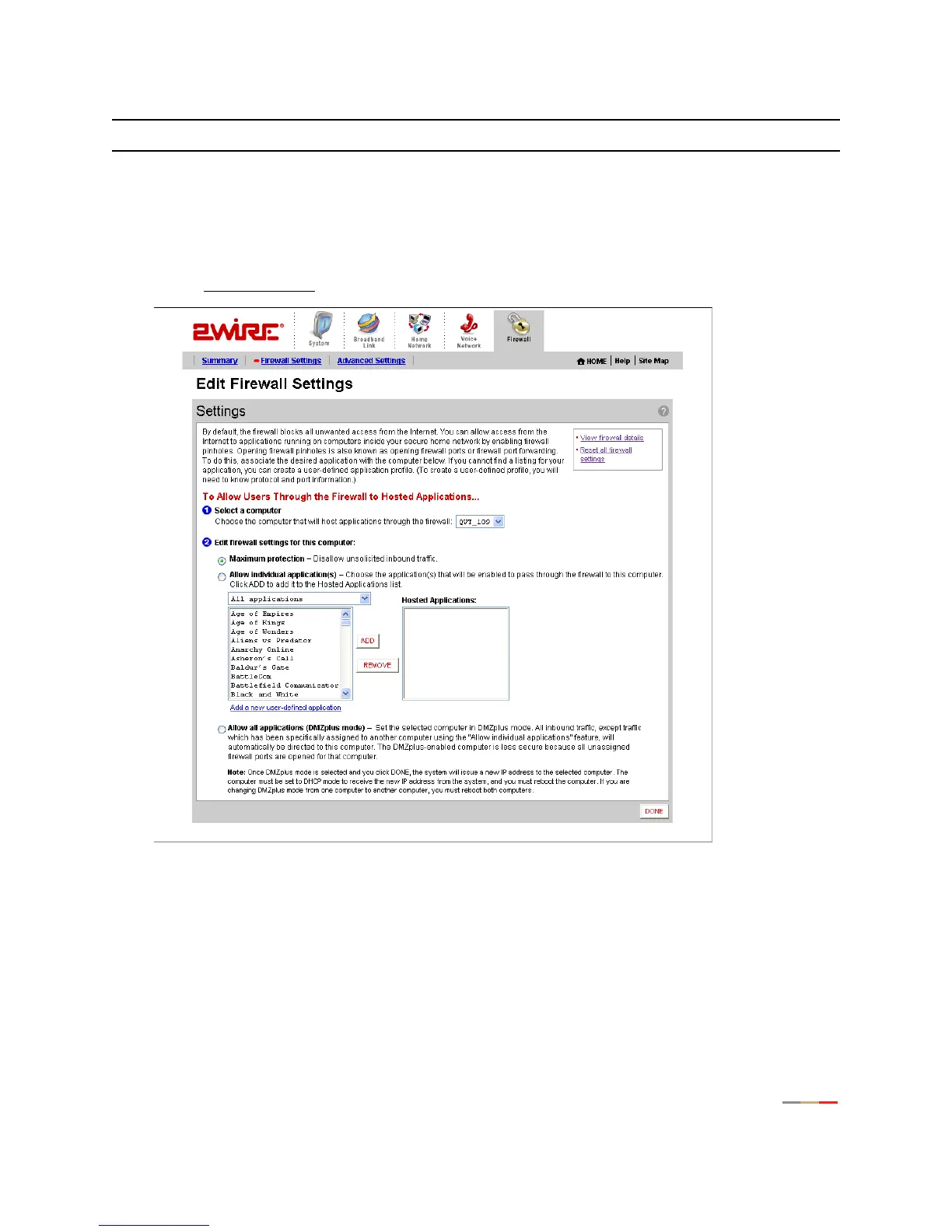
Figure 20. Edit Firewall Settings Page
1.
From the Select a computer pull-down menu, select the computer to which you would like to have all data
sent.
2. Click Allow all applications (DMZplus mode).
3. Click DONE.



 To Next Page