628 CHAPTER B: RADIUS SERVER AND RADIUS CLIENT SETUP
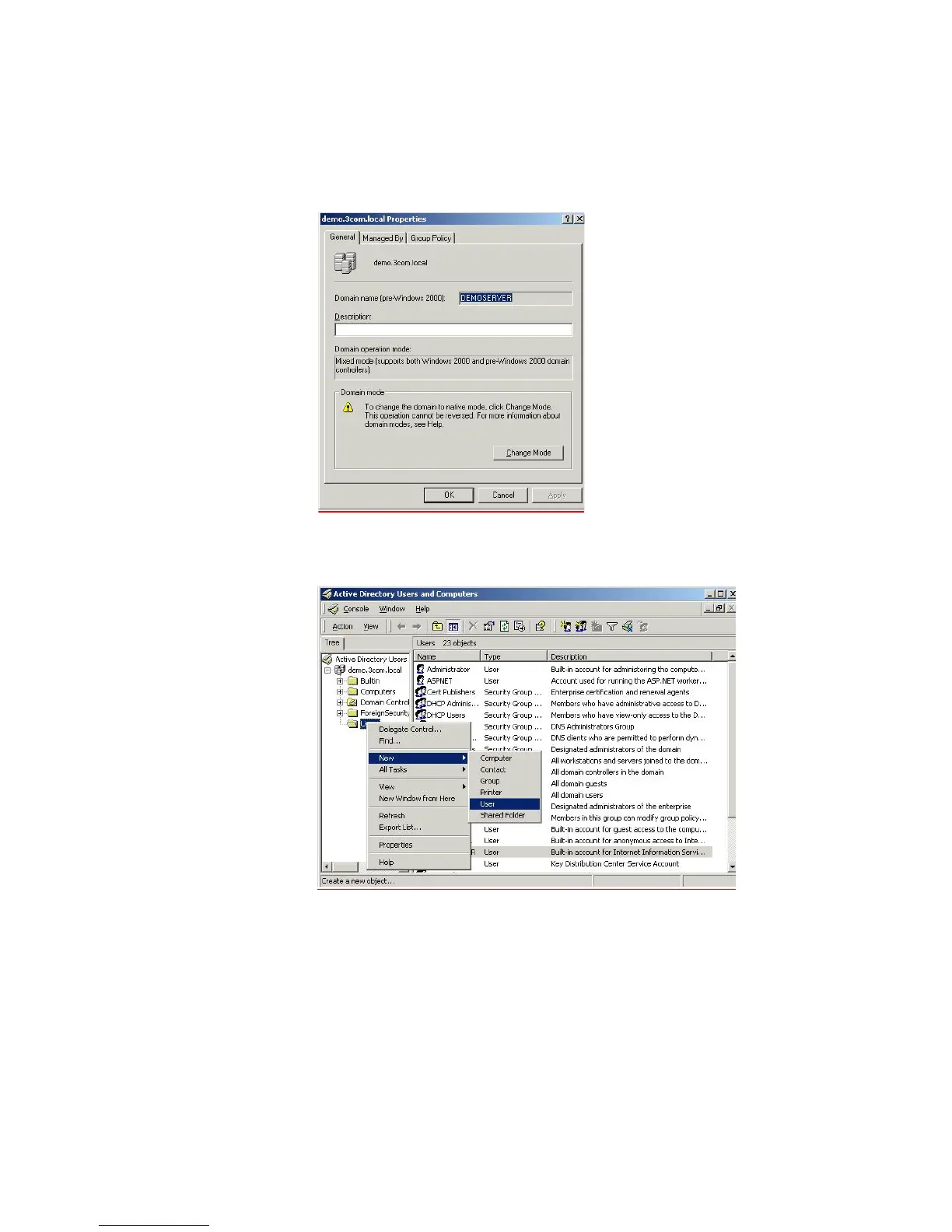
b The server will need to run in Native mode in order to support EAP-TLS which is
not available in Mixed mode. To change mode go to the Active Directory Users
and Computers
window, right-click Domain and choose Properties, select
Change Mode.
c Add a user that is allowed to use the network. Go to Active Directory Users and
Computers, from the left hand window right-click the Users folder and choose
New > User, as shown below.















 To Next Page