DLDP Configuration Example 95
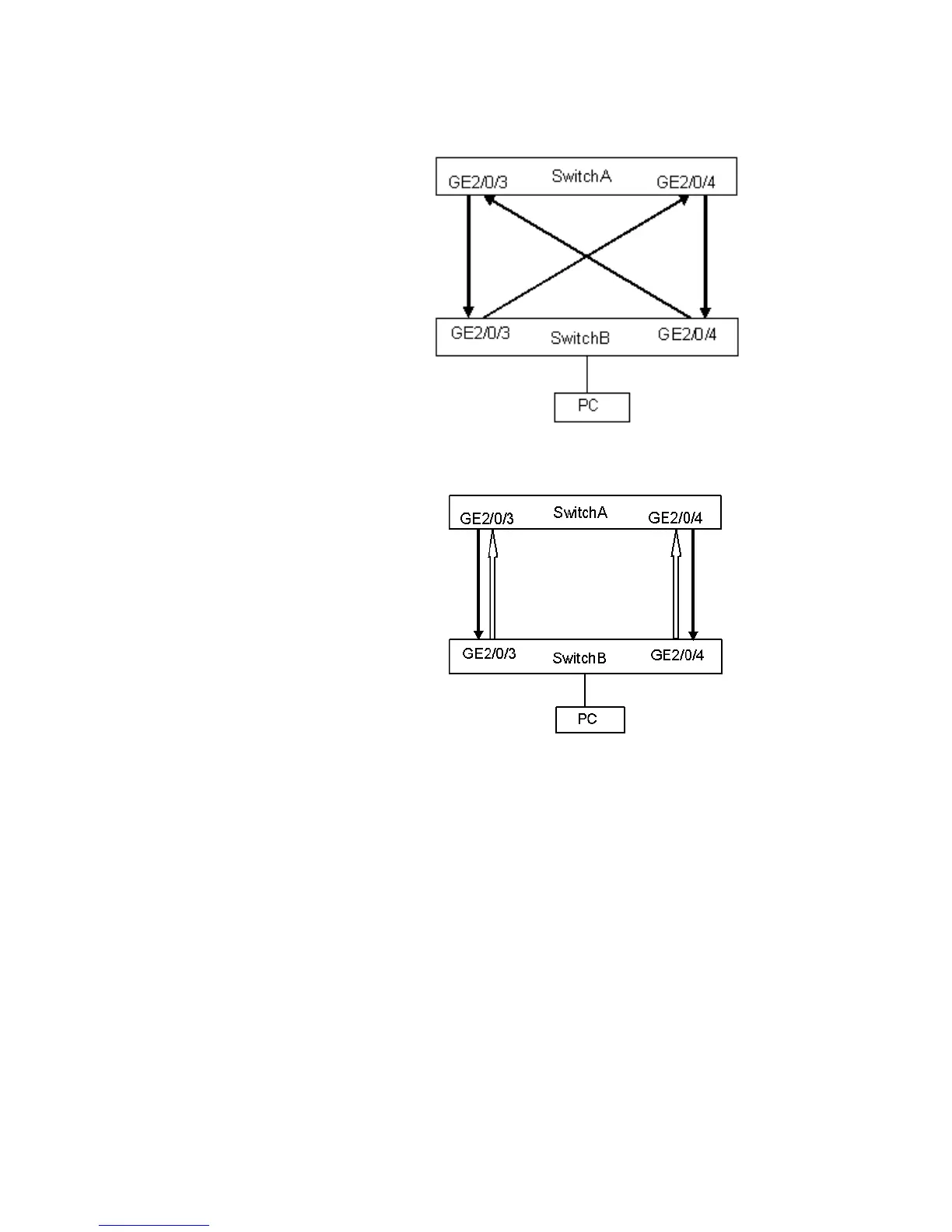
Network diagram
Figure 21 Fiber cross-connection
Figure 22 Correct connection/disconnection in one direction
Configuration procedure
1 1Configure SwitchA
a Configure the ports to work in mandatory full duplex mode
<S5500A> system-view
[S5500A] interface gigabitethernet 2/0/3
[S5500A-GigabitEthernet2/0/3] duplex full
[S5500A-GigabitEthernet2/0/3] speed 1000
[S5500A-GigabitEthernet2/0/3] quit
[S5500A] interface gigabitethernet 2/0/4
[S5500A-GigabitEthernet2/0/4] duplex full
[S5500A-GigabitEthernet2/0/4] speed 1000
[S5500A-GigabitEthernet2/0/4] quit
b Enable DLDP globally
[S5500A] dldp enable
c Set the time interval for sending DLDP packets to 15 seconds
[S5500A] dldp interval 15
d Configure DLDP to work in enhanced mode
[S5500A] dldp work-mode enhance















 To Next Page