662 CHAPTER C: AUTHENTICATING THE SWITCH 5500 WITH CISCO SECURE ACS
Adding a 3Com
Switch 5500 as a RADIUS
client
Once logged into the Cisco Secure ACS interface, follow these steps:
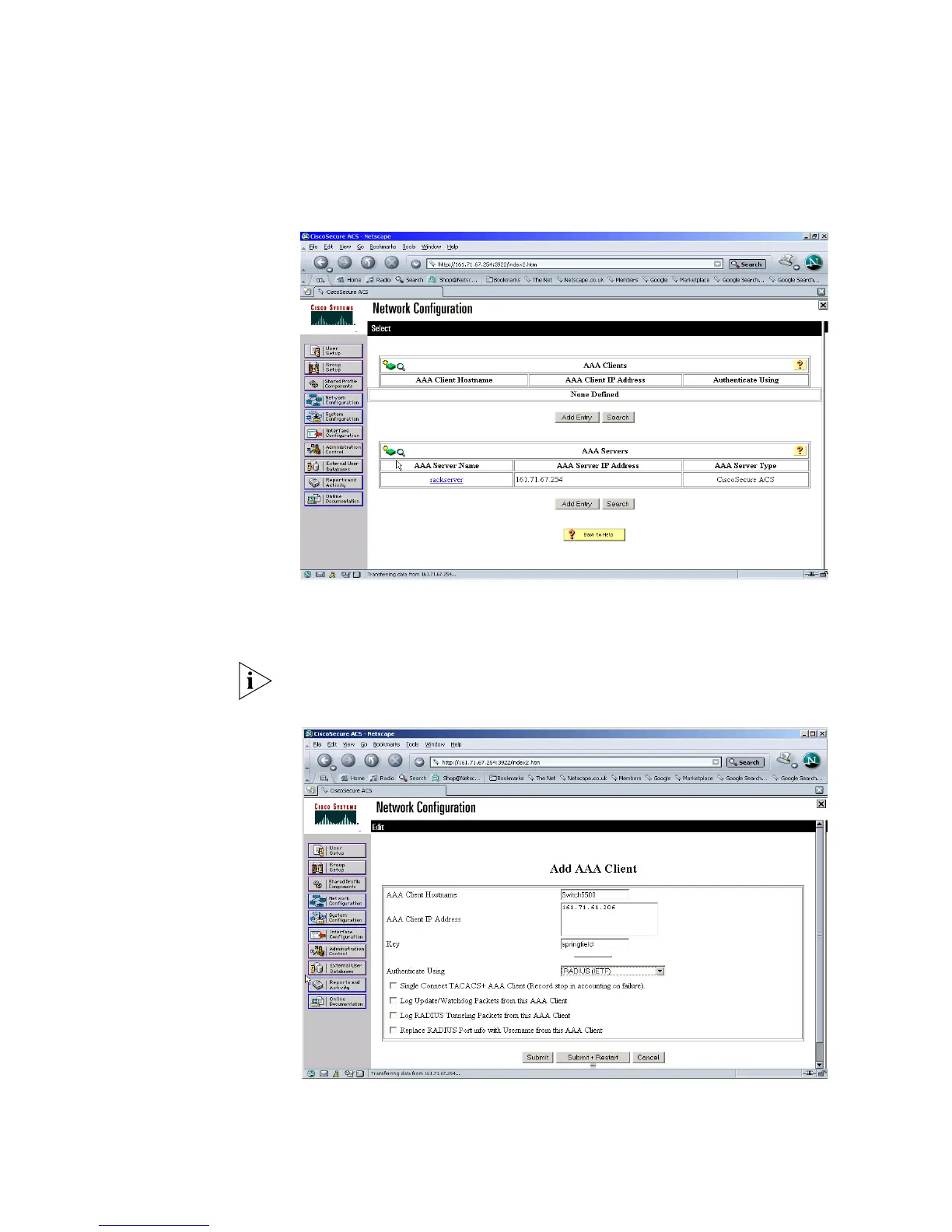
1 Select Network Configuration from the left hand side
2 Select Add Entry from under AAA Clients.
3 Enter the details of the 3Com switch.
Spaces are not permitted in the AAA Client Host name.
An example is shown below
4 Select Submit. Do not restart the ACS server at this stage















 To Next Page