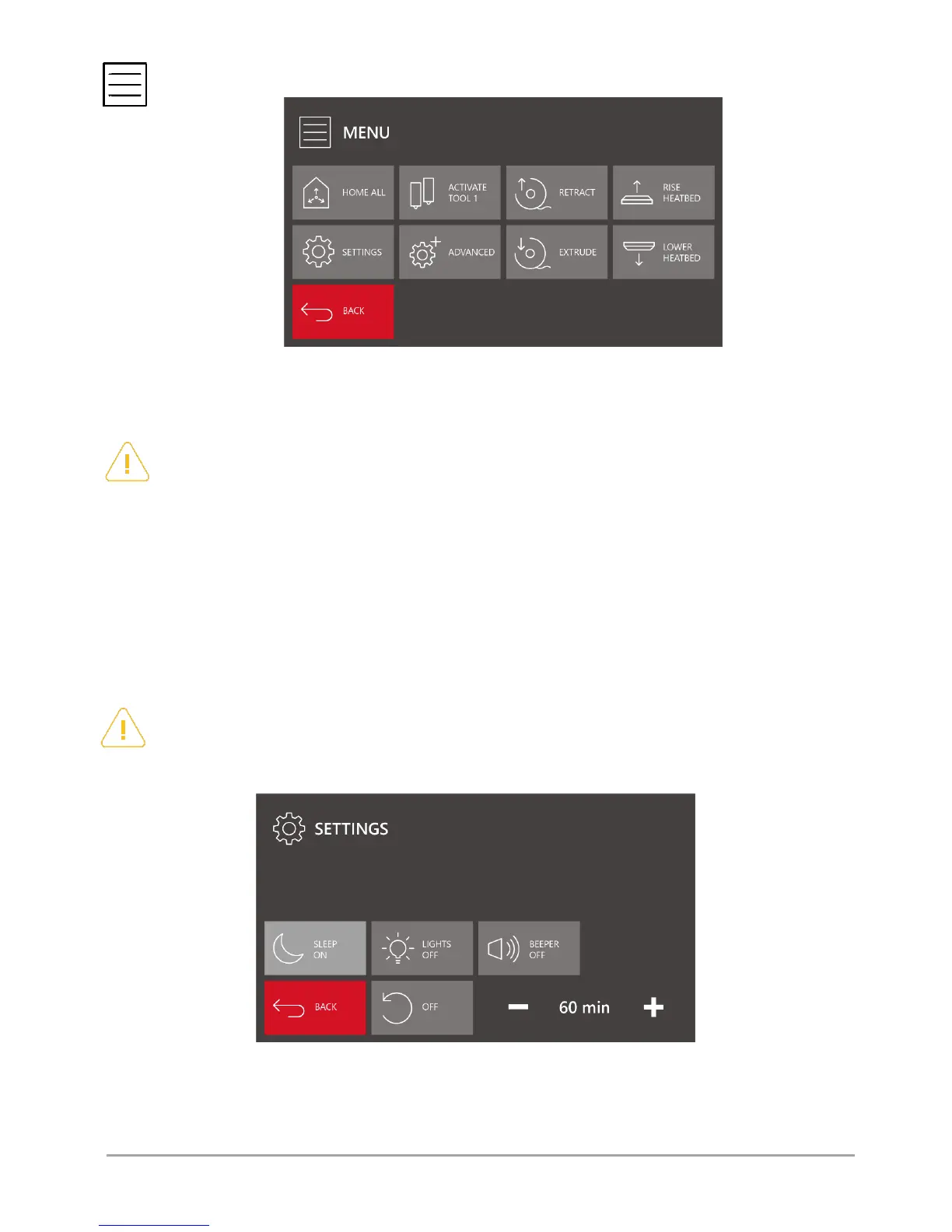
MENU – activates the advanced options screen of 3DGence DOUBLE P255 printer (fig. 23).
Fig. 23 Advanced options MENU screen
Home all – referencing (setting in zero position) all 3 axes of the printer. Point X = 0, Y = 0, Z = 0 is located at the left front
corner of the printer's heatbed.
ATTENTION: do not use HOME ALL option when there is a printout or another object on the heatbed. This may cause
damage to the printer!
Activate tool 0 / Activate tool 1 – choose this option to activate the hotend the number of which is on the key.
Example: If this option is selected when the key displays "ACTIVATE TOOL 0", the TOOL 0 hotend will be set in active position
and the key will display "ACTIVATE TOOL 1".
Retract – activates the material withdrawal movement. This option applies only to the hotend in active position and can be
activated only after the hotend has reached the minimum operating temperature.
Extrude – activates the material extrusion movement. This option applies only to the hotend in active position and can be
activated only after the hotend has reached the minimum operating temperature.
Rise heatbed – press and hold the key to move the heatbed smoothly up. Press the key once to move the heatbed at a short
distance.activates. The upward movement is limited by the Z axis endstop. If T1 hotend is active, first the hotend will be
changed to T0.
Lower heatbed – press and hold the keys to move the heatbed smoothly down. Press the key once to move the heatbed at a
short distance.
ATTENTION: the heatbed downward movement by means of LOWER HEATBED option is unlimited! Take special care
when using this option to prevent the collision of the heatbed with the printer's lower plate.
Settings – used for basic configuration of 3DGence DOUBLE P255 printer (fig. 24).
Fig. 24 SETTINGS menu screen
Sleep ON/OFF – settings of the printer's sleep mode. The time, set with the +/- buttons, determines the period of inactivity
after which the printer will go into the sleep mode. To switch off the sleep mode option, press "OFF" key. In the sleep mode,
the reduced power consumption mode is active and the working lights are off.



 To Next Page