Lights on/auto/off – settings of the lights of the printer's working field. By default, the lighting, in the form of an LED strip
placed above the heatbed, is on all the time. The exception is the sleep mode described above. The LIGHTS ON/OFF option
makes it possible to switch on/off the working field lights. The "LIGHTS ON" option activates only white light. Default colours
(tab. 1) can be set using the "LIGHTS AUTO" option.
Beeper on/off - the printer is equipped with a beeper that informs the operator that, for example, the heatbed scanning
procedure has been completed. The beeper also indicates errors that are described in detail in chapter VIII, point 3. The BEEPER
ON/OFF key makes it possible to switch on/off the sound signal.
Back – return to previous menu.
Advanced – management of the advanced options as well as calibration and diagnostics of 3DGence DOUBLE P255 printer
(fig. 25).
Fig. 25 ADVANCED menu screen
Hotend change - activates the hotend change manager. More information can be found in chapter VI, point 1.
Heatbed scan - this key starts the automatic heatbed calibration procedure. The procedure takes about 20 minutes. During this
time, the hotend will be positioned above approximately 100 measuring points in succession. The strain gauges installed in the
dual hotend module detect the heatbed surface and their readings are saved in the form of a calibration matrix in the printer
memory.
Flow rate monitor - defines the sensitivity of the material flow control system. Printing will be stopped if a discrepancy between
the actual amount of extruded material and the preset value is detected. The printer will display the "Material feed malfunction
detected" message. This problem and its solution are described in chapter VIII, point 3. The flow rate monitor value can be set
within the range from 0% (OFF) to 100%.
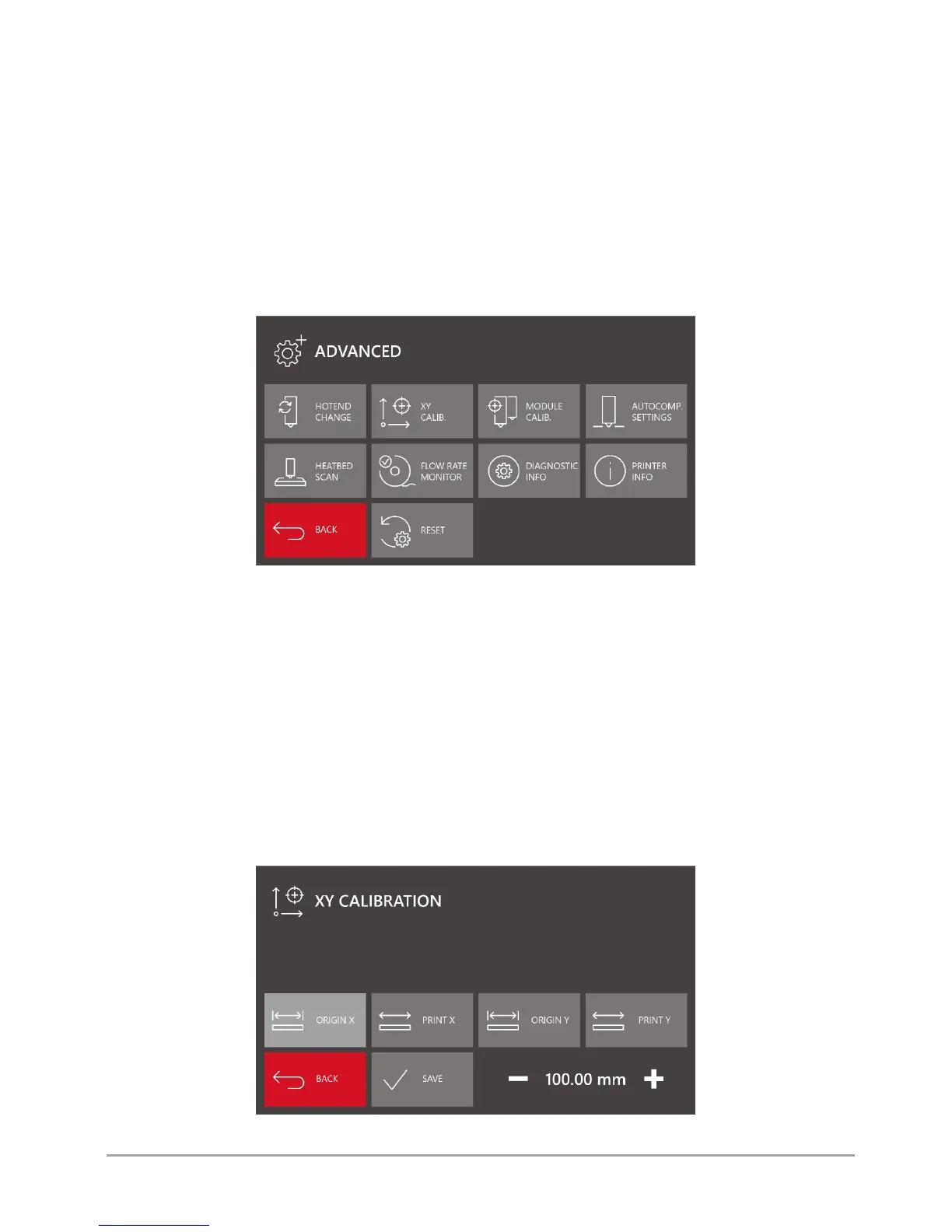
XY calib. - calibration of dimensional conformity along X axis and Y axis (fig. 26). The process is described in detail in chapter
VIII, point 2.1.
Fig. 26 XY CALIBRATION menu screen



 To Next Page