35
5.6 Joystick Control
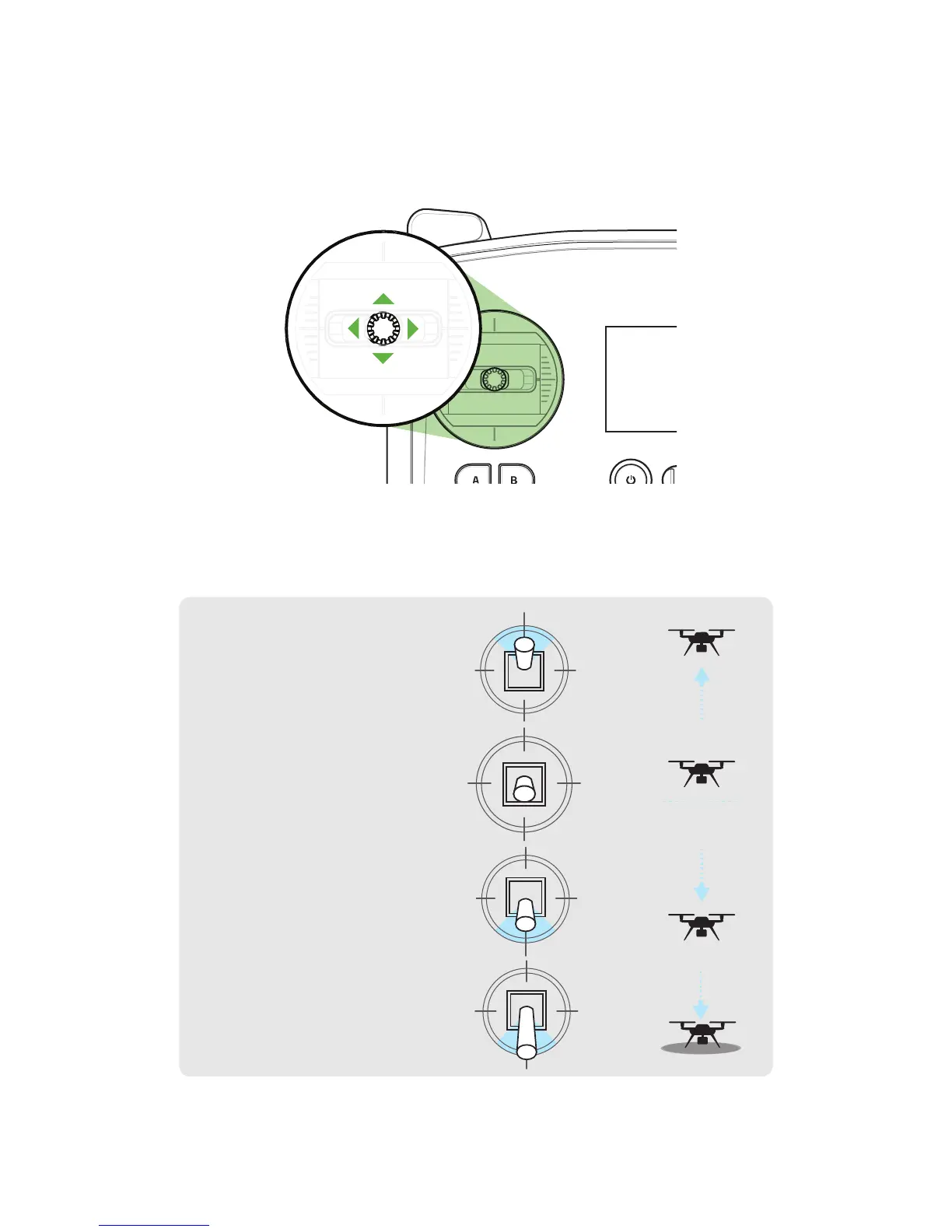
The controller’s two joysticks allow you to navigate Solo in flight. The left stick controls Solo’s altitude and rotation.
Figure 5.6.1: Controller Left Joystick
To control Solo’s altitude and acceleration, move the left stick vertically.
Figure 5.6.2: Throttle Joystick Behaviors
UP
DOWN
ROTATE
LEFT
ROTATE
RIGHT
Move the left stick back from
center to decrease altitude.
Set the left stick to center to
maintain the current altitude.
Set the left stick fully back to
land once Solo is a few inches
above the ground.
To take off and to gain altitude,
move the left stick slightly past
the center position.





 To Next Page