63
10.4.1 Leg #3
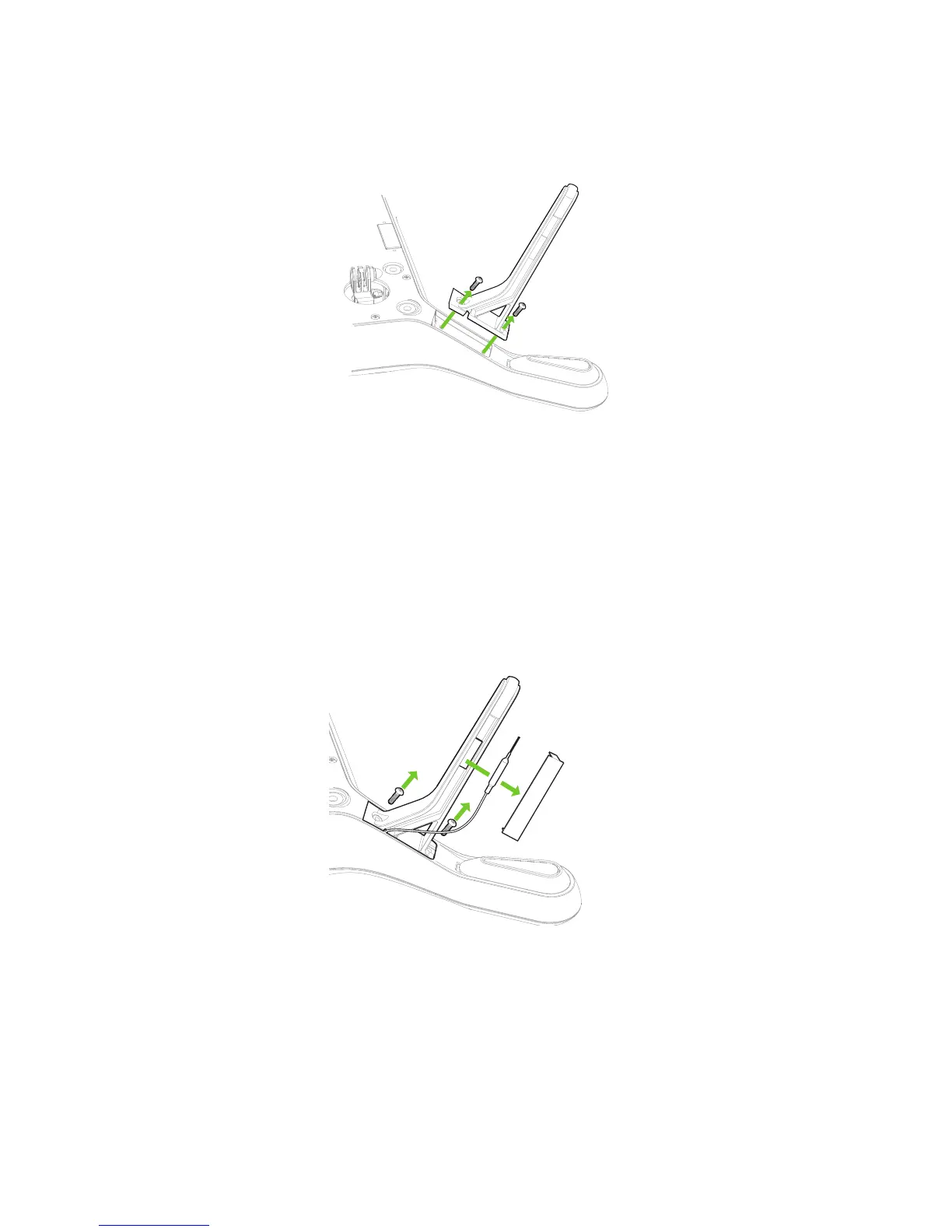
To replace a standard leg, use a #2 Phillips screwdriver to remove the two screws, detach the old leg, and attach
the new leg using the provided screws.
Figure 10.4.1.1: Standard Leg Replacement Process
10.4.2 Legs #1 and #2 with Antennas
To replace a leg with an antenna module where the existing antenna is physically intact, you’ll need to remove the
antenna from the old leg before replacing it.
To detach the antenna, remove the plastic sheet from the leg (1) and detach the antenna from the Velcro by carefully
pulling the cable (2). Follow the standard leg replacement procedure to detach the old leg (3).
Figure 10.4.2.1: Detaching the Anten
na from the Leg
Attach the new leg by threading the antenna cable through the notch in the top of the leg (1) and securing the leg
using the provide screws (2).





 To Next Page