65
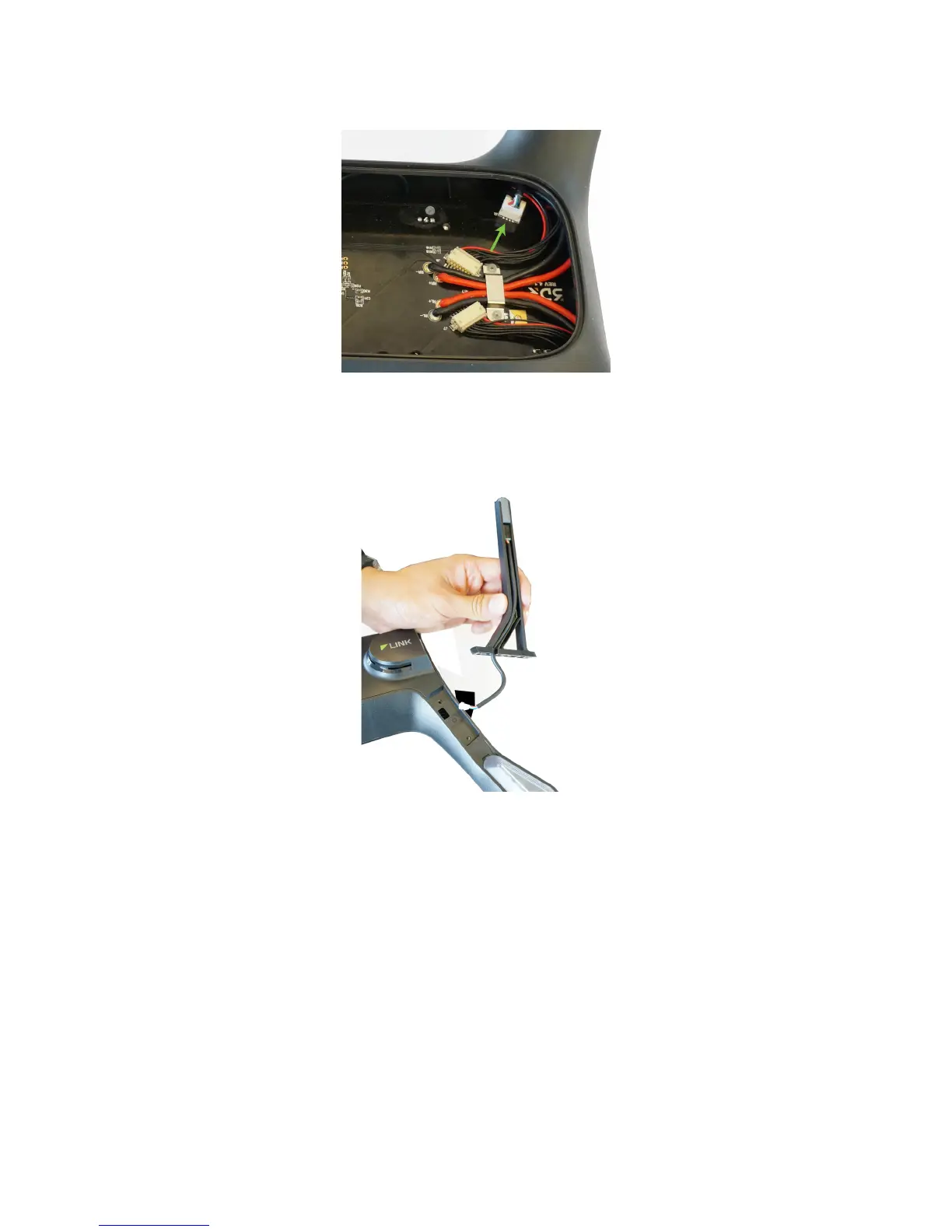
Figure 10.4.3.1: Compass Connector on Mainboard
With the compass disconnected, remove the old leg and cable from Solo. Place the new leg into position and thread
the new compass cable through the arm where it can connect to the board. Connect the compass connector in the
same place as the old compass.
Figure 10.4.3.2: Insert New Leg with Compass
Secure the new leg in place and replace the battery tray.





 To Next Page