42
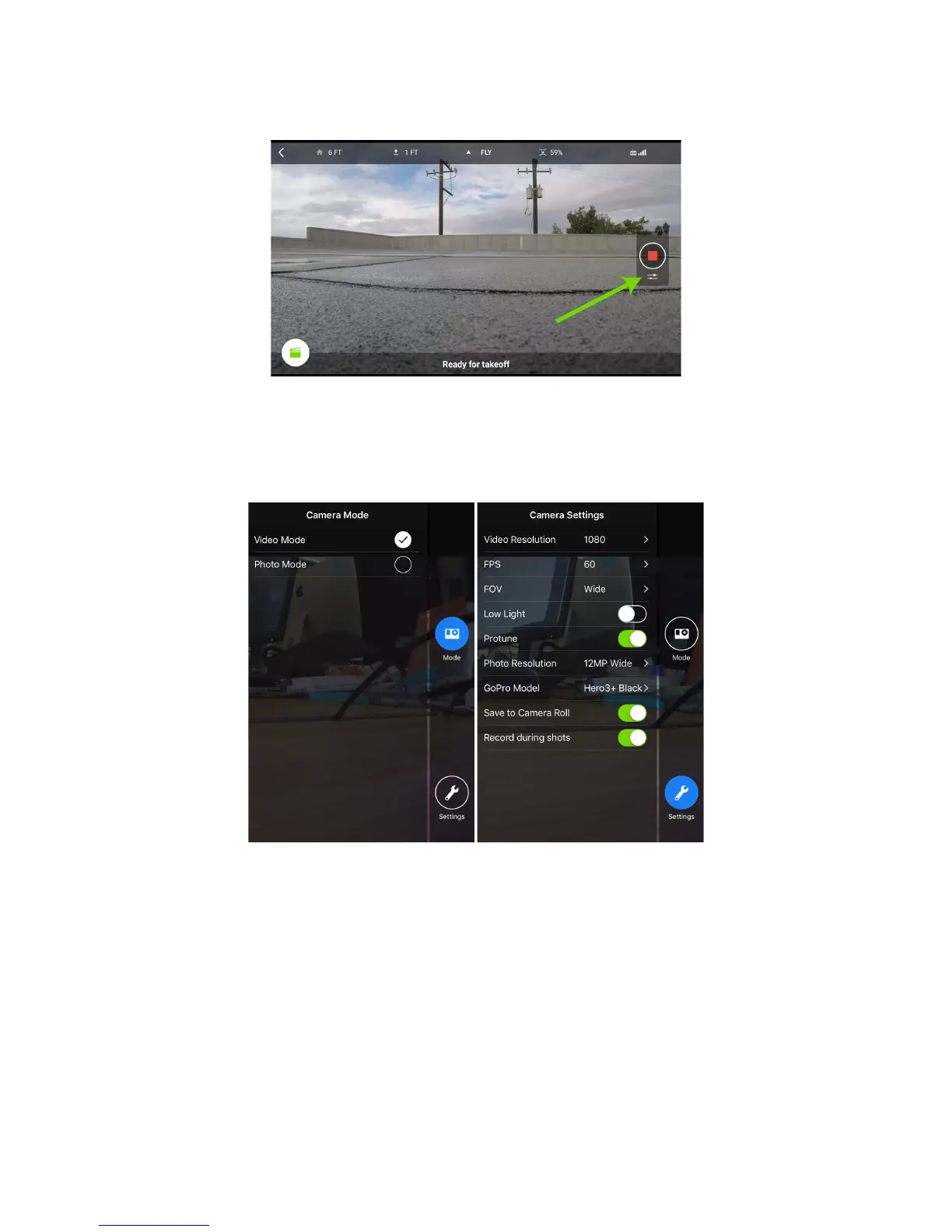
To access the camera settings, tap the sliders icon immediately below the record button:
Figure 6.1.3.2: Tap for Camera Settings
Tip: You can change camera settings while flying as long as you’re not recording.
The two camera-settings areas, available from the buttons on the right side of the screen, are Camera Mode and
Camera Settings:
Figure 6.1.3.3: In-App Camera Settings
• Camera Mode: Determines what happens when you tap the Record button on the main App screen.
Choose Video Mode for recording continuous video; choose Photo Mode for shooting stills.
• Camera Settings: Provides access to the following parameters. The available values for each parameter
vary depending on the GoPro model and other current parameter values. For details, consult your GoPro
manual. For recommended values, see the table in Section 3.2.9, Recommended GoPro Settings, on page
22.





 To Next Page