67
10.6 Motor Mods
Replacement motors are available as clockwise and counterclockwise Motor Pods. Use a counterclockwise Motor
Pod to replace motors #1 and #2, and use a clockwise Motor Pod to replace motors #3 and #4. Replace motor pods
after every 150 hours of flight or when they can no longer turn smoothly.
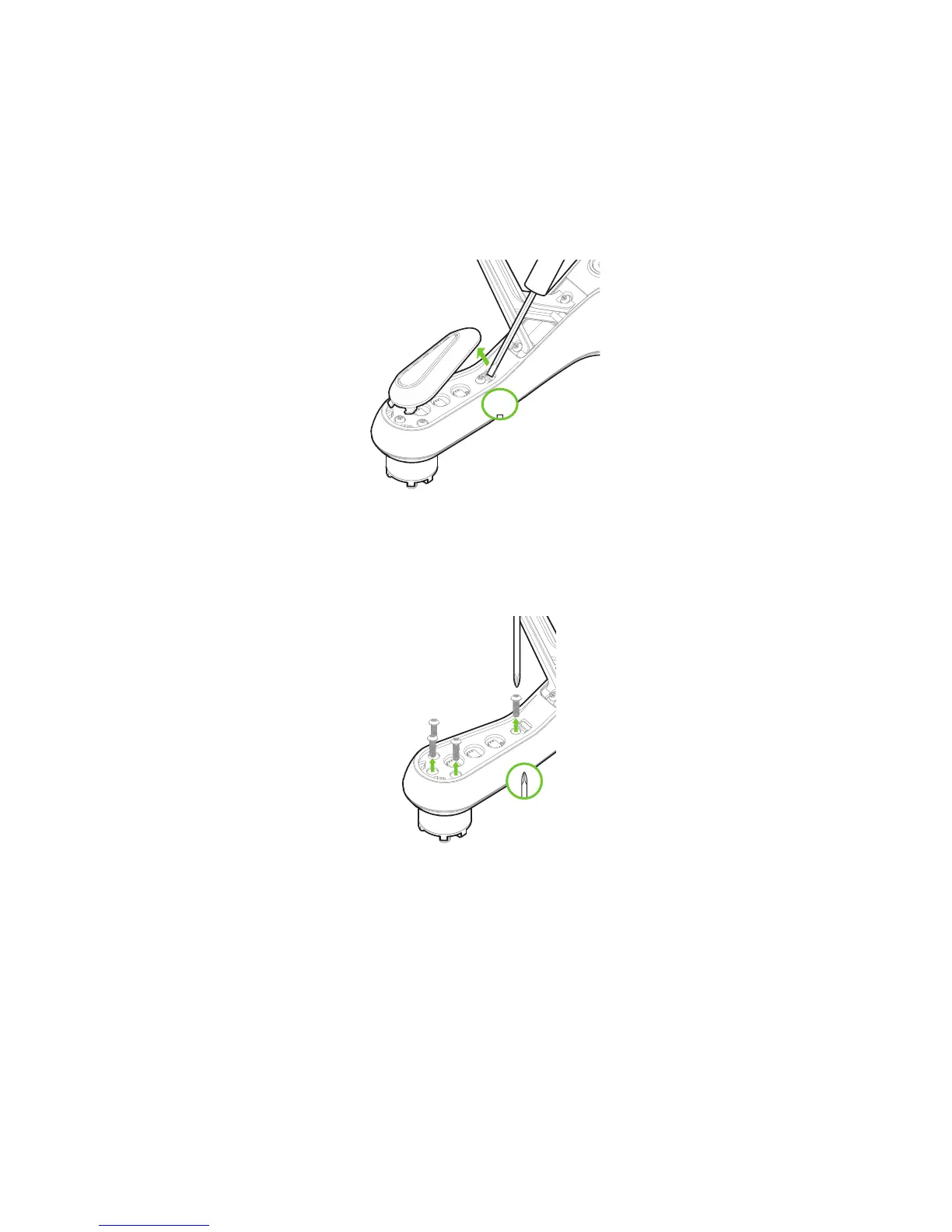
To replace a Motor Pod, first use a small, flat prying tool to remove the LED cover form the underside of the arm.
Figure 10.6.1: LED Cover Removal
Use a #2 Phillips screwdriver to remove the four screws securing the pod to the arm.
Figure 10.6.2: Motor Pod Removal
Disconnect the wide beige connector, the red wire and the black wire to remove the old motor pod. To remove the
wide beige connector (DF13), carefully lift the edges of the connector away from the pod until they pop out, then
remove the connector. Don’t pull on the wires! The connector can break easily you use force to remove it.





 To Next Page