36
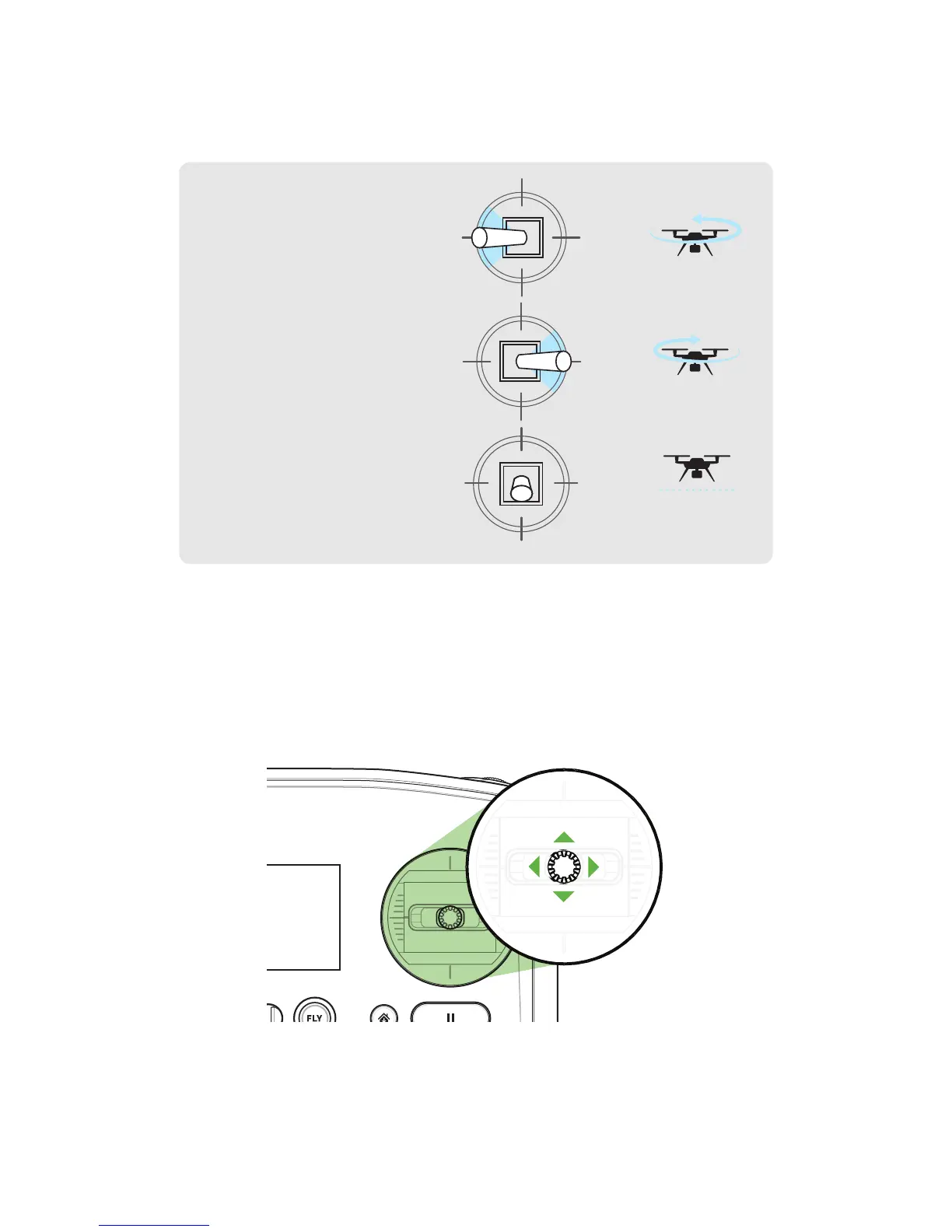
To rotate Solo and control orientation, move the left stick horizontally.
Figure 5.6.3: Yaw Joystick Behavior
Use the right stick to fly Solo forward, back, left, and right. These movements are relative to Solo’s current
orientation, so always maintain awareness of Solo’s forward-facing direction before using right-stick controls.
Figure 5.6.4: Controller Right Joystick Controls
Activate
Hold until propellers
start spinning.
Take-off + Lift
Raise just slightly
for take off
Hover + Land
Lower just slightly
to hover
Left Yaw
Left
Back
Forward
Right
Right Yaw
Deactivate
Hold until propellers
stop spinning
Activate
Hold until propellers
start spinning.
Take-off + Lift
Raise just slightly
for take off
Hover + Land
Lower just slightly
to hover
Left Yaw
Left
Back
Forward
Right
Right Yaw
Deactivate
Hold until propellers
stop spinning
Move the stick to the left to
rotate counterclockwise.
Move the stick to the right to
rotate clockwise.
Release the stick to stop
rotating and maintain the
current orientation
LEFT
RIGHT
FORWARD
BACK





 To Next Page