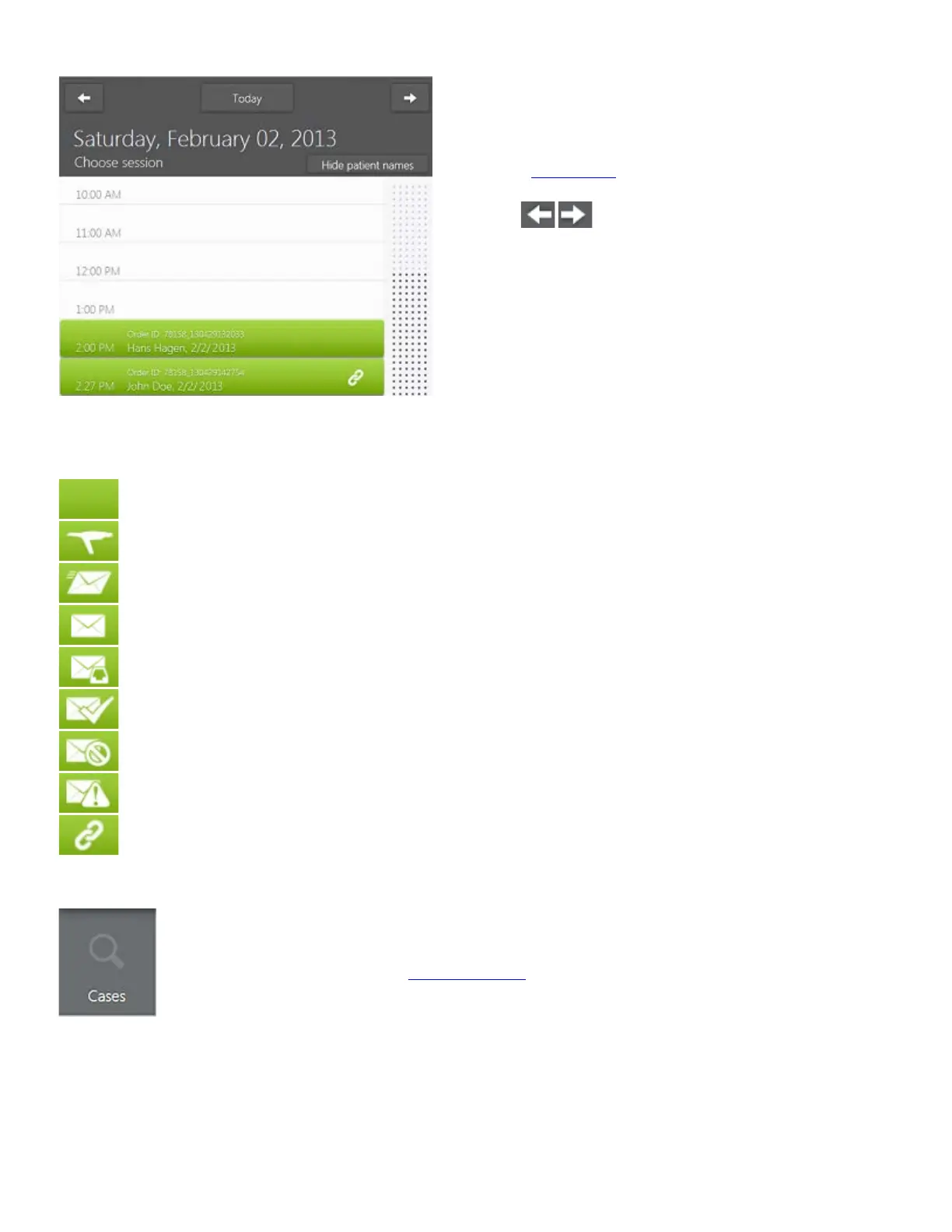
• Existing sessions are displayed as green
calendar slots showing session time,
order number, patient' name and the
order
status icon.
• T
he Left / Right buttons allow
you to scroll through the calendar dates.
• Th
e Today button brings you back to
the current day in the calendar if you
have navigated away.
Order status icons are explained below:
Created - An order has been created.
Scanned - All preparations have been marked.
Sending - Only seen if returning to the calendar page right after pressing Send on
the Send page.
Sent - The order has been sent.
Waiting Receive - The case has been received/downloaded by the lab, but neither
approved or rejected yet.
Received Approved - Dental Manager or 3Shape Communicate web site approved
the order.
Rejected - The lab has rejected the order.
Warning - The order sending has failed.
Linked - The order is a prepreparation copy and thus linked to the original order.
Viewing orders via Cases function
Cases button in the Service toolbar to open a list of all existing order
• The list displays orders status, patient names, numbers, delivery dates and labs.
• You can sort orders in the list by pressing the corresponding column headers.
16



 To Next Page