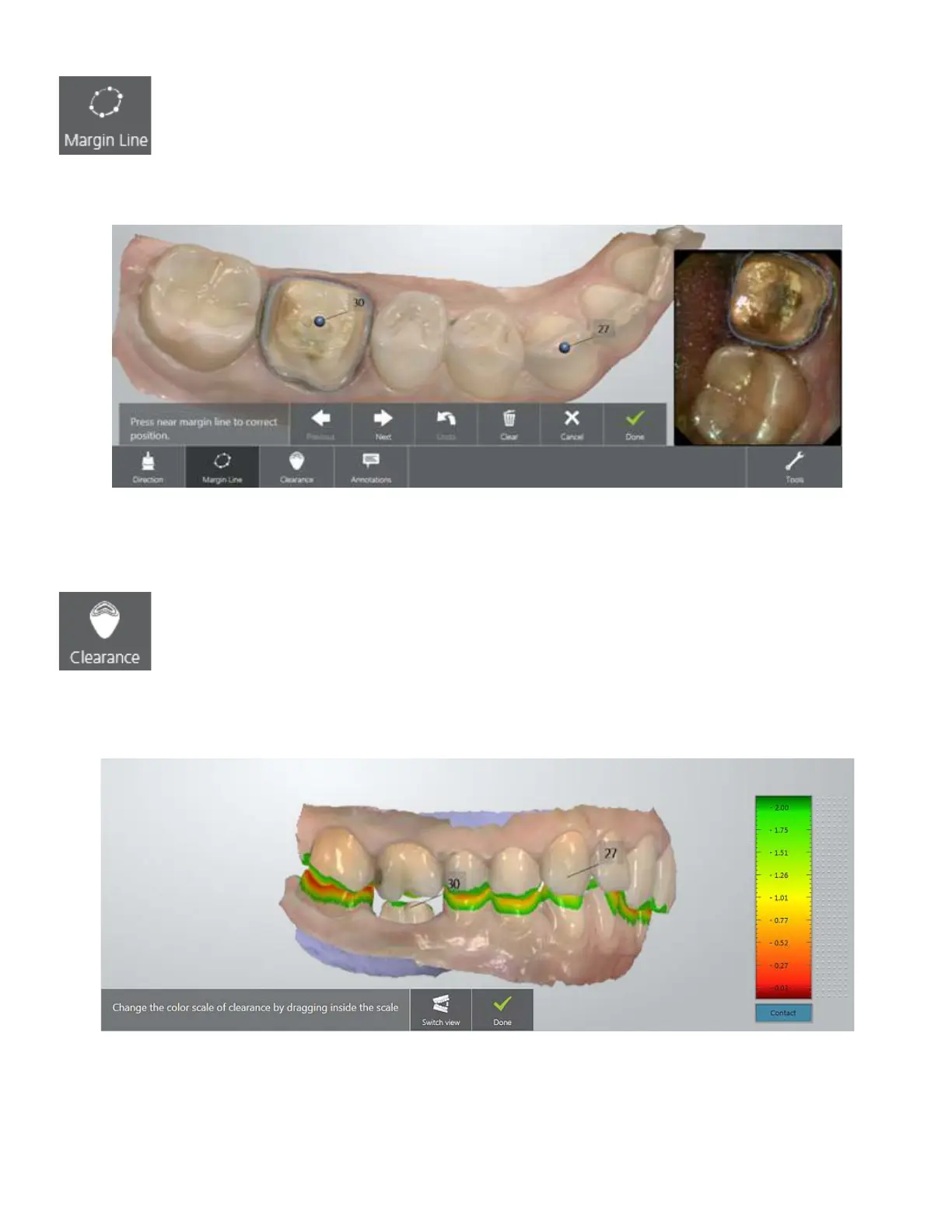
Placing the margin line
TRIOS automatically detects and presets the margin line. You can manually edit the margin line by
pointing or drawing its new position.
You can switch between margin lines when you have a few by pressing the Next/Previous buttons.
Press Done when finished.
Identifying distances between preparation and antagonist
To determine whether additional preparation of a tooth is required, open the Clearance tab by pressing
the button and viewing the color scale indicating a range of distances between the preparation and
antagonist. The distance values are shown in millimeters.
The clearance display is changed by dragging inside of the color scale. Switch view button lets you
toggle between opened and closed jaws views.
Press Done when finished.
32



 To Next Page