Powering On/Off
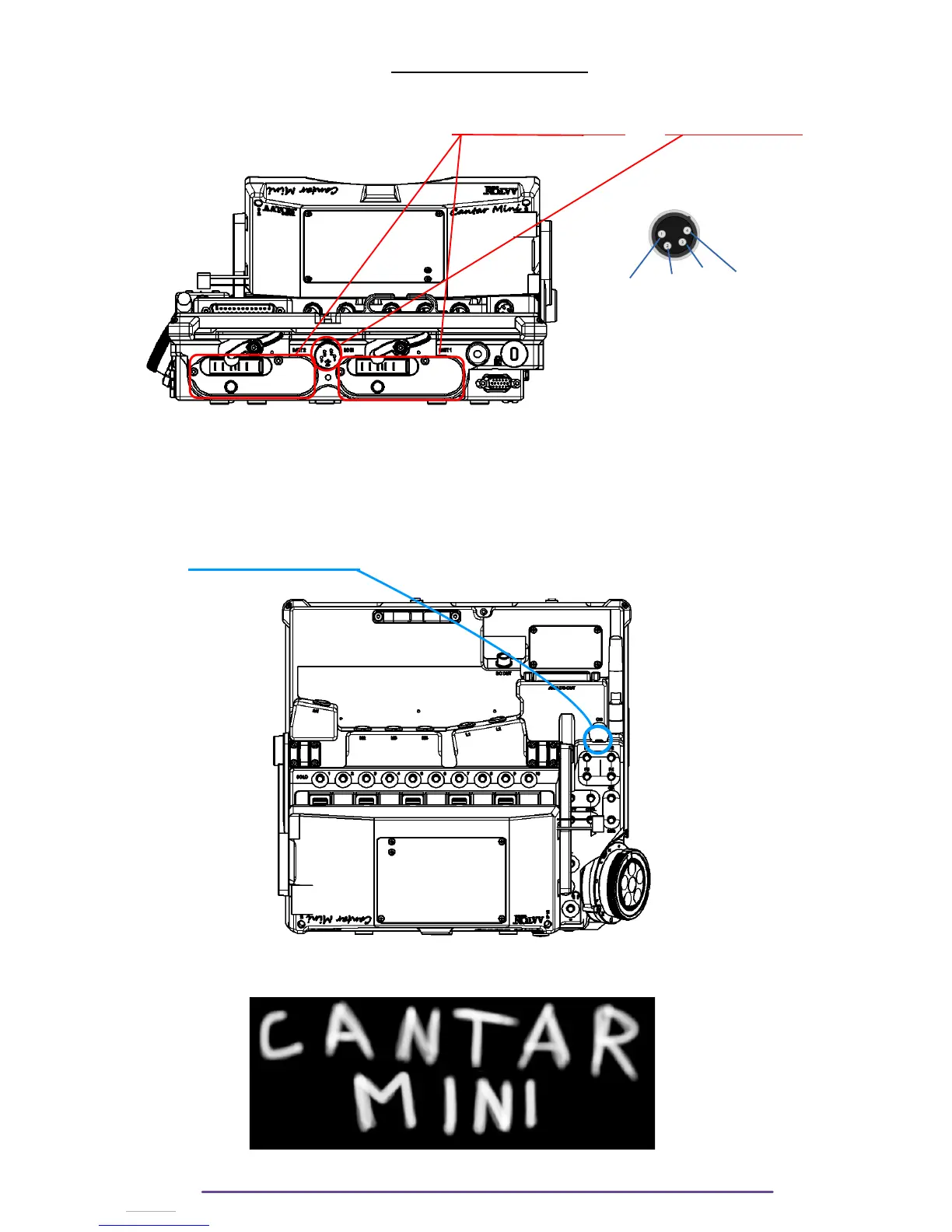
The Cantar may be powered by 3 sources : 2 internal smart batteries and an external source
(XLR-4 ; specs : 13 to 18 V – 4 Amps)
Ground – NC – NC – +Batt
(1) (2) (3) (4)
The power sources are hot swapable : the Cantar automatically switches instantly without power
break from one to another.
The Cantar draws power from the sources in this order : XLR-4 then Battery 1 then Battery 2.
I. Power ON
Press the Power ON/OFF button to power up your Cantar. A few LEDs should be illuminated
symbolising the startup sequence.
The Cantar X3 logo is then displayed above a progress bar indicating the status of the system
startup.
Cantar X3
12



 To Next Page