X. File Network access
Allows access to the internal SSD and to the SD cards using the Network connection.
If enabled, a computer can be connected to the Ethernet plug.
Disks are accessed by:
• On a Mac computer: Connecting to the adress smb://MINI_XXXXX
• On a Windows computer: Connecting to the adress \\MINI_XXXXX
XXXXXX being the full Cantar ID that may be found in the Stop Menu, in the top left corner.
(example : 16MP0001)
The credentials are: User=cantar and Password=
NB: • If the Cantar is directly connected to the computer without a DHCP server in between,
the Cantar will automatically be assigned an Auto-IP address (169.256.XX.XX).
° For a Windows computer, according to the OS version, it can take about 1
minute to toggle to Auto-IP. In the meantime, it is not possible to connect it to the
Cantar.
XI. Wifi
Set the Wifi connection On/Off and its parameters.
XII.Tech support
1. IP Adress
Displays Cantar's IP Addresses.
2. Diagnostic
Generates a diagnostic file on a designed media.
A diagnostic file is particularly useful in case of a problem on the Cantar, sent to the Cantar
support team, it will help to solve the issue.
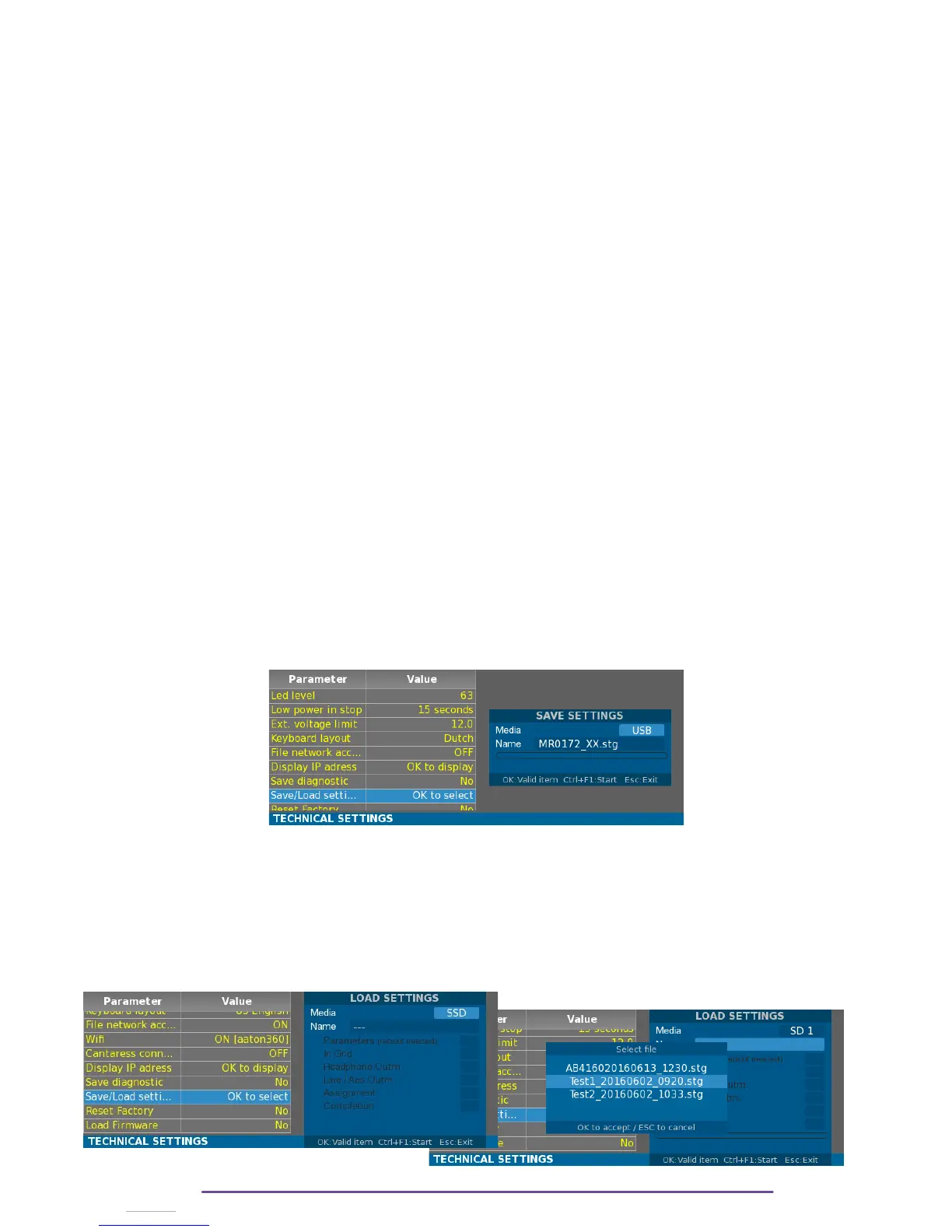
XIII.Save / Load settings
1. Save
Generates a configuration file ( extension .cfg) on a designed media.
Change the media by selecting the “Media” field with the Plus(+) and Minus(-) buttons and then
pressing the Left and Right buttons.
A name is automatically generated based upon the current Filetag followed by the date and
time, but it can be personalized by selecting the “Name” field with the Plus(+) and Minus(-)
buttons and then pressing the Ok button.
Press the Ctrl+F1 buttons to save the whole configuration of the Cantar.
2. Load
Cantar X3
61



 To Next Page