ii. Track with no actuator
Attenuation can be changed through 2 different ways :
- during Solo by rotating the Jog wheel.
Or
- While in the Ppr or Test positions, by displaying the Ingrid panel (by pressing the F1 button)
and then by selecting the desired track and then by holding the Shift pressed while rotating the
Jog Wheel.
Or
- While in the Play position, by Solo-ing the desired track and then by holding the Shift pressed
while rotating the Jog Wheel.
6. Corresponding Input Solo-ing
It is possible to do a Solo of the first routed input by pressing the Left or Right button (while the
EQ panel is not active and a field highlighted).
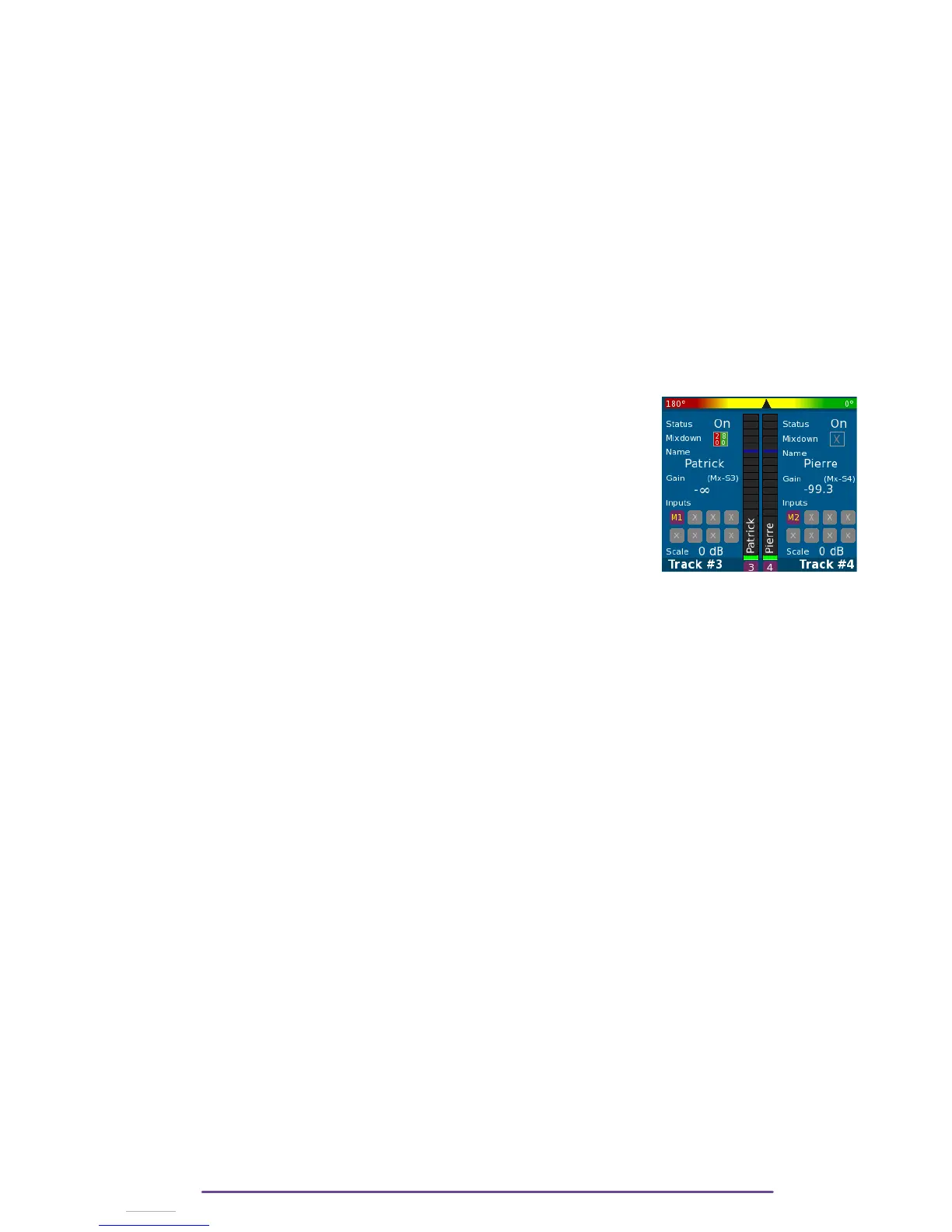
7. Double solo & Phase-Meter
In order to compare 2 Tracks, it is possible to have a double Solo by pressing and holding both
Solo buttons of the Tracks desired. (The firstly pressed button will determine which track is
monitored in the left ear, the second will be monitored in the right ear).
(Another way : engage the first Track Solo then press the other
desired Solo while holding the Shift button).
At the top of the Solo panel is displayed the phase-meter representing
the phase between the 2 tracks. The left side represents a phase of
180° and the right 0°.
Cantar X3
26



 To Next Page