V.Completion
1. Track Names
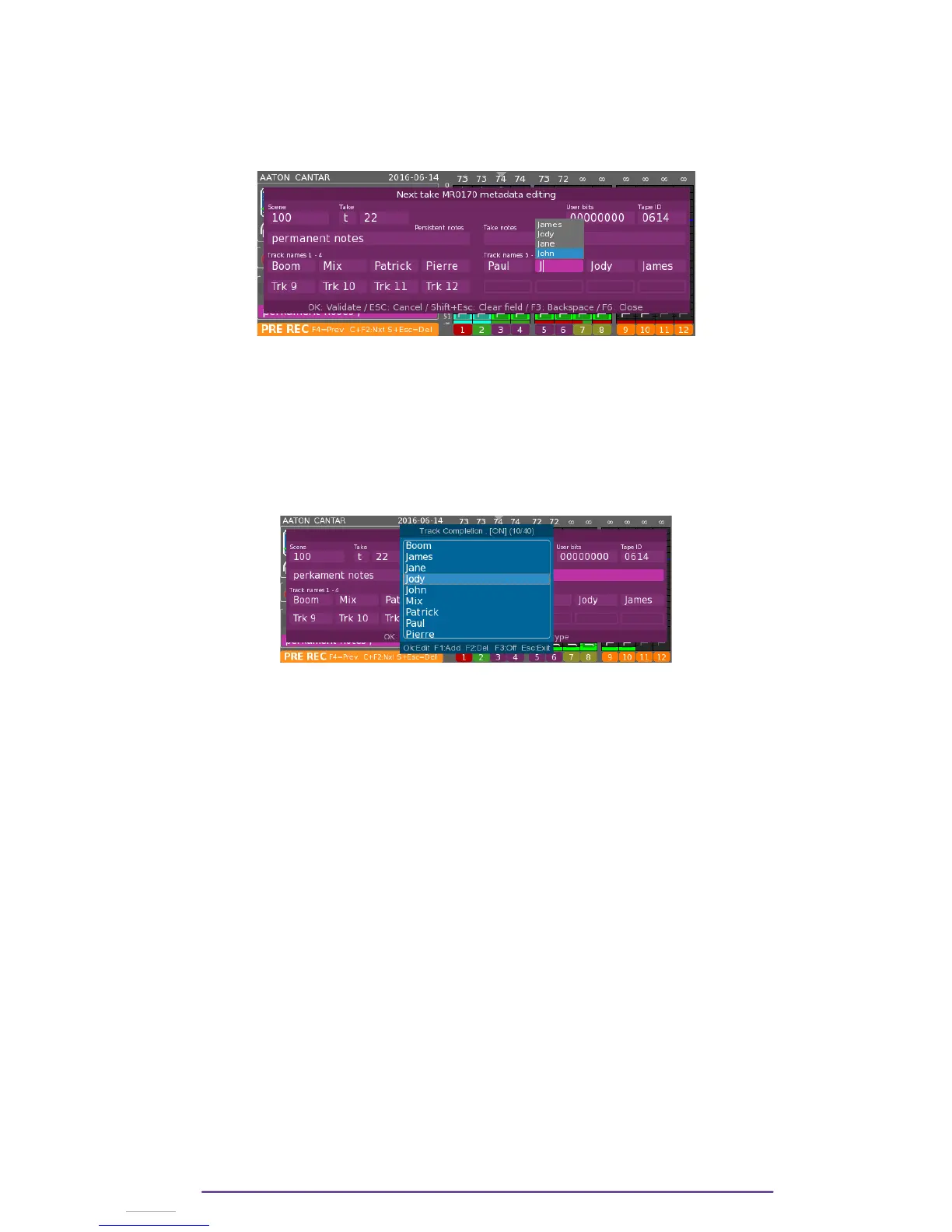
While typing tracknames, a list with previous entered tracknames is displayed according to the
first characters typed in.
Select the desired proposition using the Plus(+) and Minus(-) buttons and validate it by pressing
the Ok button.
By pressing the F2 key, the Track Completion Management is displayed.
Previous entries may be edited (select the desired entry with the Plus(+) and Minus(-) buttons and
press the Ok button) or deleted (select the desired entry with the Plus(+) and Minus(-) buttons and
press the F2 button) or new entries may be added (press the F1 button).
It is also possible to activate or deactivate the Track Completion feature by pressing the F3
button. Once deactivated, the completion list is not displayed while tracknames are typed in and
the Completion Management window is grayed.
Cantar X3
44



 To Next Page