General Mechanical description
The Cantar can be roughly divided into several main parts :
• The Linear Actioner panel : 10 linear faders, each having a corresponding solo Button.
On the back side of the panel are located the TA-3 corresponding to the analog inputs :
4 Mics and 2 Line inputs.
The analog outputs and HiRose connectors can also be found at the rear.
• The button panel : enabling to control the User interface throught :
▪ Function buttons (F1 to F4)
▪ Shift and Control modification buttons.
▪ Directional buttons : Left and Right, and below the Plus(+) and Minus(-) buttons
which are used to control the Headphone configurations in normal mode
(PPR/REC) or oftenly as Up and Down buttons.
▪ Ok and Escape buttons.
▪ Power On/Off at the back of the panel.
Below that panel, on the front side of the Cantar are located the jacks : a 6.35 mm
Headphone jack and a 3,5mm jack for Headphone/Slate.
On the left of the Front panel is the embedded Talk/ Slate mic.
• The Display panel : a large orientable LCD screen, foldable on the Linear actuator panel,
the screen may be orientable according to the work condition (shoulder, cart …).
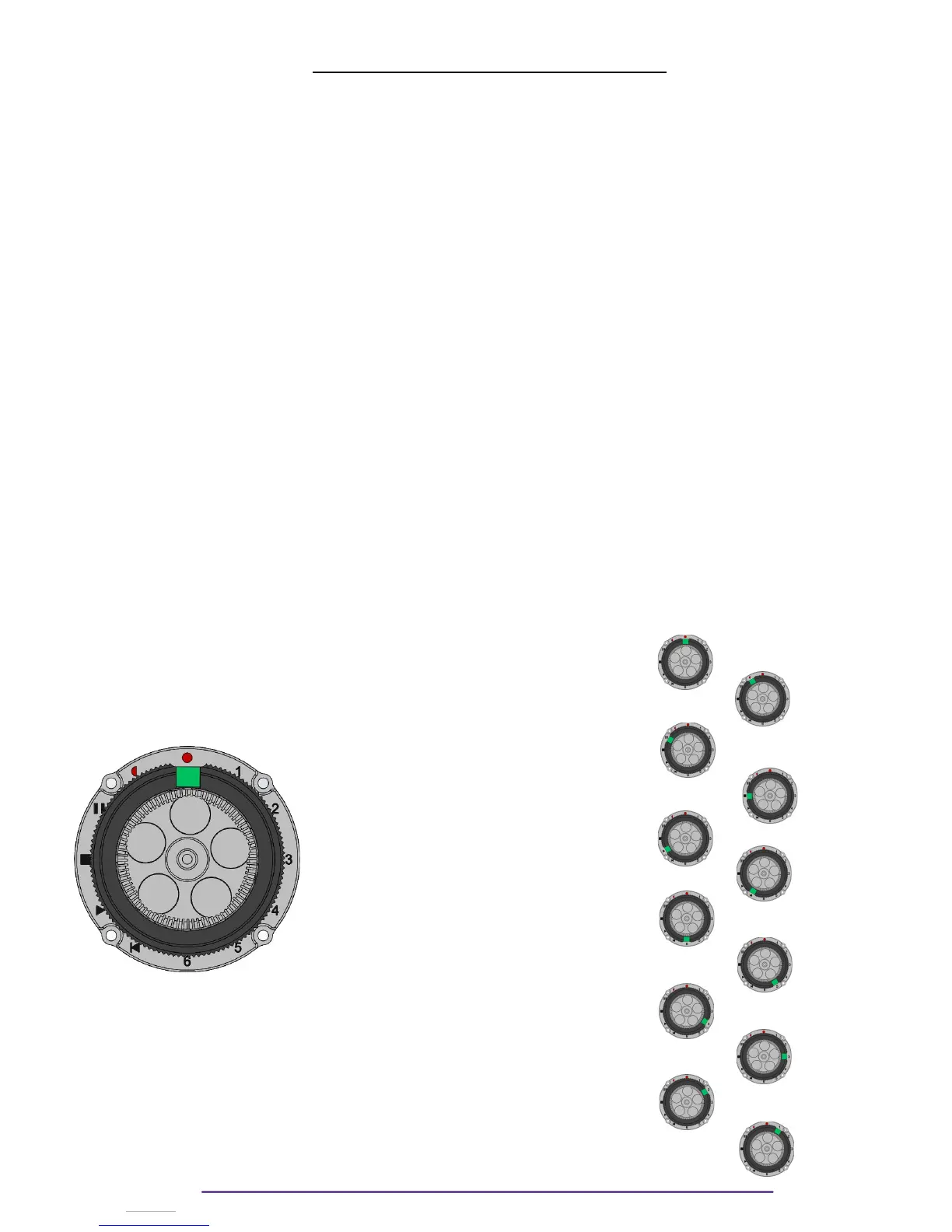
• The Selector : on the right side of the machine is the Main Selector.
It has 12 positions, to each position corresponds a Menu on the screen and a
functionality. It has a Jog wheel in its center.
The 12 positions are :
◦ Record (12 o’clock position)
◦ Pre-Record (11 o’clock position)
◦ Test (10 o’clock position)
◦ Stop (9 o’clock position)
◦ Play (8 o’clock position)
◦ Audio File Browser (7 o’clock position)
◦ Outmaps (6 o’clock position)
◦ InGrid (5 o’clock position)
◦ Audio & Timecode (4 o’clock position)
◦ Technical (3 o’clock position)
◦ Session (2 o’clock position)
◦ Backup (1 o’clock position)
Cantar X3
14



 To Next Page