TECHNICAL
Technical parameters are modified while the Main Selector is in the 3 o'clock position.
The Menu is made of items and their description on the right part of the screen. Use the Plus(+) or
Minus(-) buttons to select the appropriate item and press the OK button to edit it.
I. Scene & Take Template
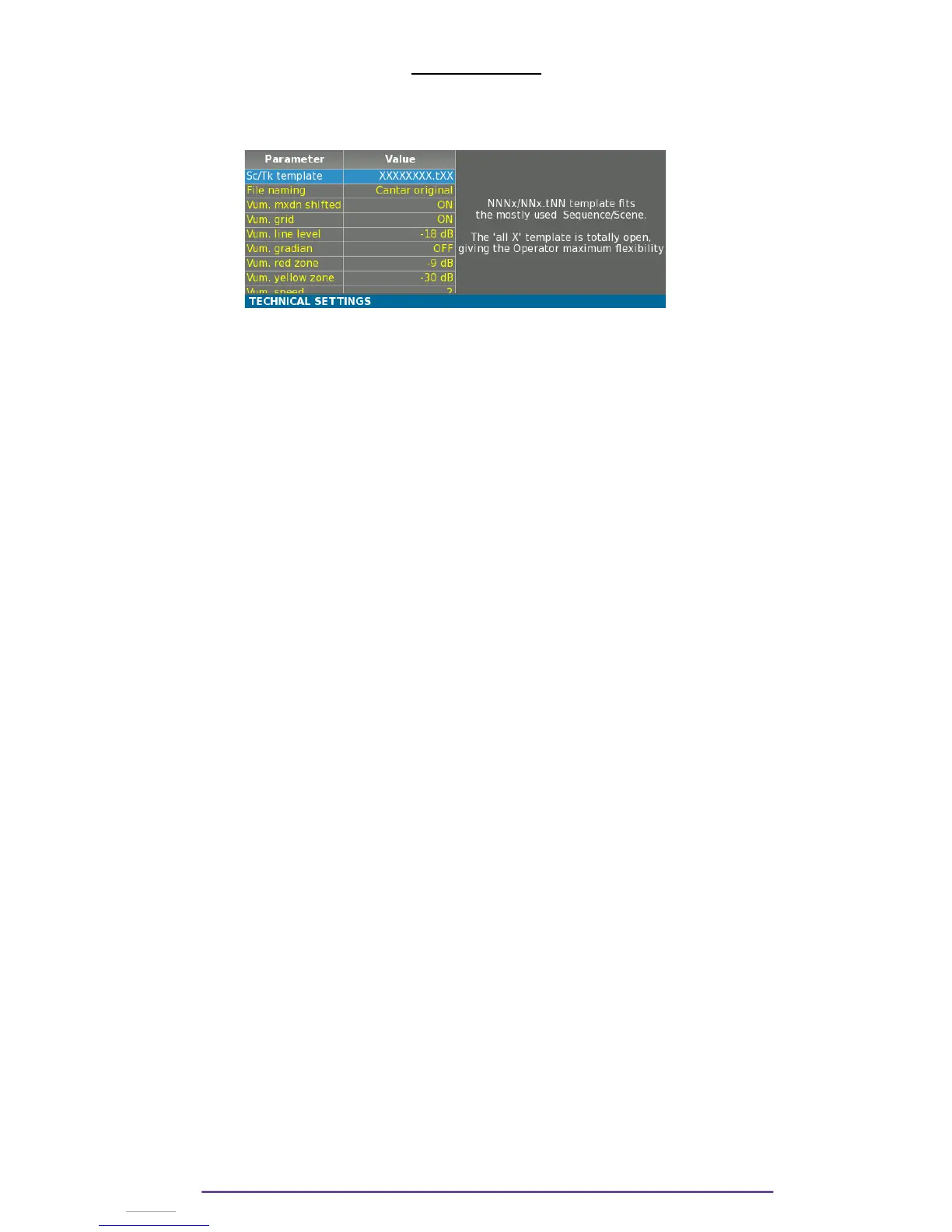
NNNx/NNx.tNN template fits the mostly used Sequence/Scene.
The 'all X' template is totally open, giving the Operator maximum flexibility.
The default template is nnnA/nnA.nn for 'sequence, scene, Take Type and Take Number'.
• Sequence: three digits, followed by one character*.
• Scene: two digits, followed by one character*.
• Take Type: 't' = time sync; 'p' = pick-up ; 'w' = wild take ; 'a' = announce ; 'n' = no good
(keeps the take # for the next file); 'r' = rehearsal ; 'g' = sound guide.
• Take Number: two digits.
NB: Both templates are available with or without the Take Type indicator. If without is chosen,
the Take indicator will still be available but won’t appear in the filename or in the Sc&Take
metadata (Bext chunk, iXML).
II. File naming
Sets the way Cantar names audio-files: • Cantar original: XXnnnn==SSSSSSSStNN==_TT
• Underscore only: every '=' and space characters
are replaced by a '_' character.
III.Vumeter Settings
1. Mxdn Shifted
Display all mixdown tracks vumeter at the right of the screen.
2. Grid
Toggle the horizontal scale ON/OFF.
3. Line Level
Sets the level of the blue line.
4. Gradian
Vumeters are displayed with a smooth color gradient from green to red.
When ON, red zone and yellow zone have no more effect.
5. Red Zone
Sets the level above which the Vumeter is painted in red.
6. Yellow Zone
Sets the level above which the Vumeter is painted in yellow.
7. Scale
Sets the scale of the Vumeters between Original (X1/X2 dB scale) ; Expanded (Zoomed scale).
8. Speed
Sets the update speed of the Vumeters, 1 is the slowest, 5 the fastest.
Cantar X3
59
*:'space', 'A' to 'Z', 'a' to 'z', '0' to '9'.



 To Next Page