KNOWING THE INSTRUMENT PANEL
76
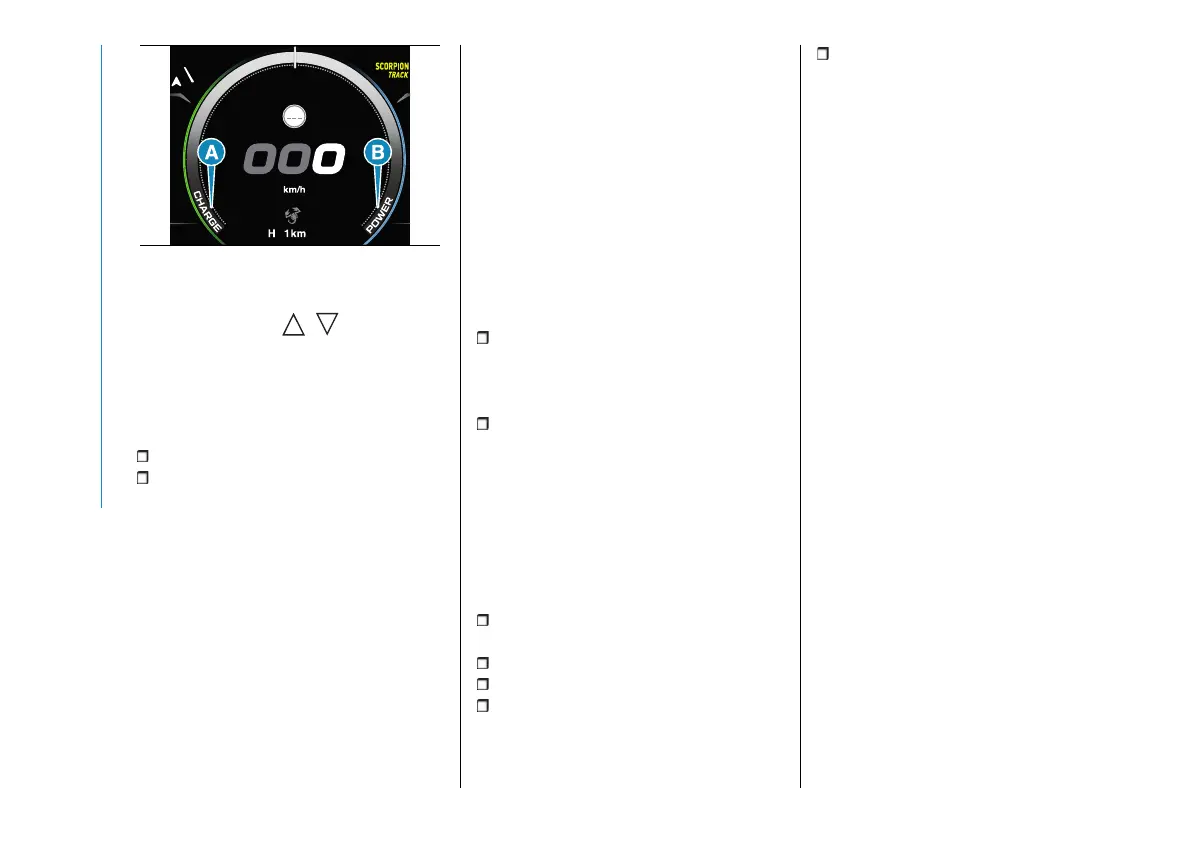
90 AB0A0536
Pressing and releasing the controls on
the steering wheel / will open
an alternative display that indicates the
driving mode instead of speed. The
driving style is indicated in real-time by
a cursor that can be positioned in the
following areas (see fig. 90):
(A) "CHARGE": regeneration mode.
(B) "POWER": more energy-efficient
performance driving.
F - Odometer
Kilometres or miles travelled
(depending on the display settings) are
displayed in position (H) fig. 87.
G - Speedometer
The instantaneous speed of the car
(in km/h or mph) is displayed in this
position, which can also be displayed
at the top of the display.
H - Time
The time is displayed in this position.
I - Amber notification or failure
indication icons
The amber notification icons (e.g. brake
pedal pressure request) or failure signal
icons are displayed in succession (in
case of several notifications) in position
(I) fig. 87.
L - Energy management
Through the display customisation
functions (see "Settings" paragraph),
the energy management can be
displayed on the graduated scale (L)
fig. 87:
"POWER": the left side of the
indicator turns orange in proportion to
the power required by the electric
motor.
"CHARGE": the right side of the
indicator turns turquoise in proportion
to the amount of regeneration of the
high-voltage battery.
M - Gear engaged notifications,
headlight alignment and SBR (Seat
Belt Reminder)
In position (M) fig. 87 the following
information is displayed:
driving modes ("SCORPION TRACK",
"SCORPION STREET", "TURISMO");
gear engaged (D, N, R, P);
headlight alignment;
electrical system readiness at start-
up ("READY") warning;
SBR (Seat Belt Reminder) system
notifications. Refer to the “SBR system”
chapter in the “Safety” section for more
information.
N - TSR and ISA system indication
(where provided)
Traffic Signal Recognition (TSR) speed
limit alerts set on the Intelligent Speed
Assist (ISA) system are shown in
position (N) fig. 87.
O - Cruise Control / Adaptive
Cruise Control / Speed Limiter
/ Intelligent Speed Assist target
speed setting (where provided)
The desired speed signal, set on Cruise
Control, Adaptive Cruise Control,
Speed Limiter and Intelligent Speed
Assist systems is displayed in position
(O) fig. 87.
Notifications bar
The lower part of the display is
reconfigurable via the display menu.
The following information can be
displayed on the left hand side: external
temperature (default setting), time,
date, compass (where provided) and
car speed repeat (where provided).
In the centre zone: odometer (default
setting), Audio information (where
provided), Phone information (where
provided), time, external temperature,
date, compass (where provided) and
car speed repetition (where provided).



 To Next Page