79
Phone repeat
(where provided)
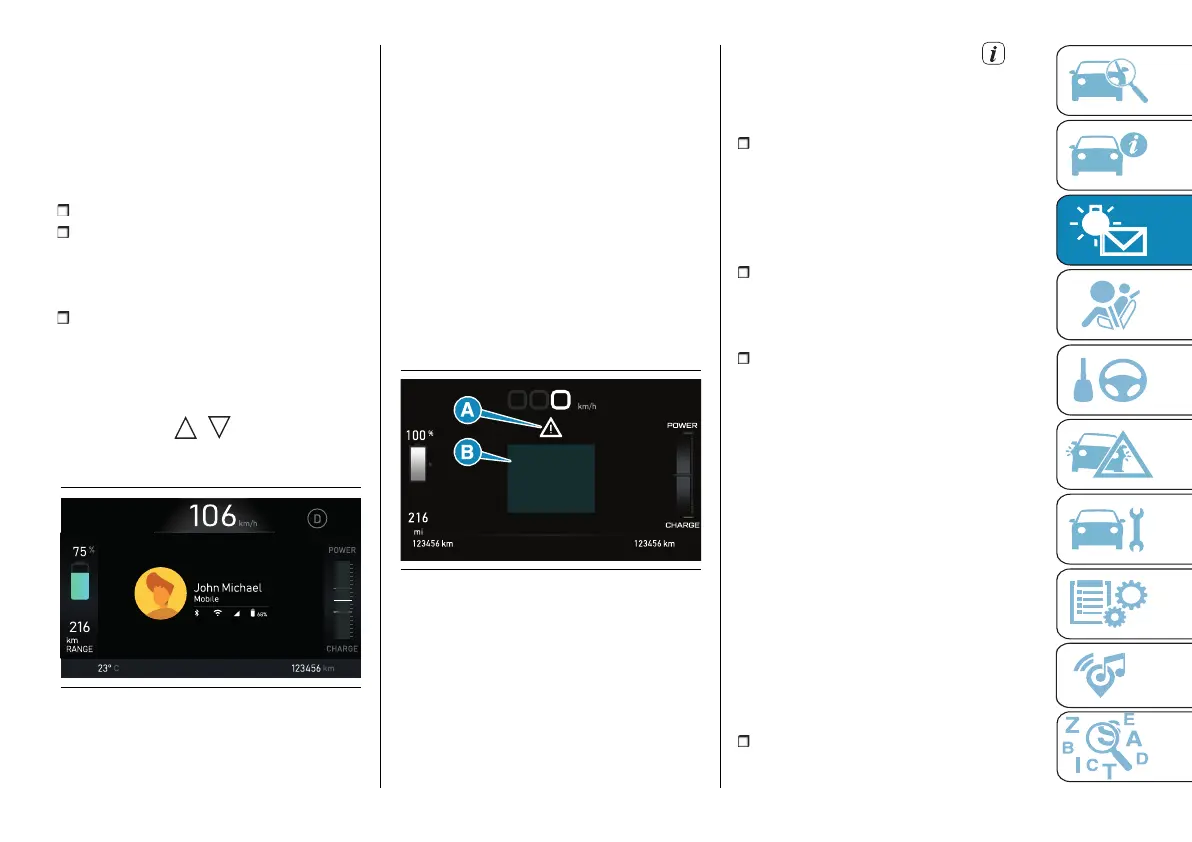
This screen repeats the information
displayed on the Uconnect™ system
while interacting with a paired phone
(see example screen in fig. 95). The
following information is shown:
Call status;
connected phone status (battery
state of charge, network reception,
incoming/outgoing call notification,
received text messages notification);
recent call list.
The system stores the last 10
received messages marked "read"
or "unread". The user can select the
desired message using the steering
wheel controls / and open it by
pressing the OK button on the steering
wheel.
95 F0S1083
Refer to the "Multimedia" section for
more information.
Repeat navigation
(where provided)
This screen repeats the instructions
provided by the Uconnect™ system
navigator. The display can be
pictogram or map.
Refer to the "Multimedia" section for
more information.
Recorded messages
This screen displays the recorded
messages and pop-ups previously
displayed by the user (fig. 96).
(A) Symbol (where provided)
(B) Message
96 AB0A0601
Tutorials
The Tutorials function is available on
the car to obtain essential information
on some of its features. The Tutorials
also provides tips in the form of pop-
ups shown on the instrument panel
display during the journey.
By selecting the corresponding icon
in the instrument panel menu, you can
access an environment where the user
will be able to:
activate/deactivate the display
suggestions; the activation/deactivation
is done by ticking the item
corresponding to the type of
suggestions you want to receive from
the system;
view stored suggestions: selecting
this item will allow you to view the
suggestions previously proposed to the
user while driving;
view in-depth information (not
available with the car in motion):
through this menu you will be able to
consult the in-depth information on the
functions available on board.
Settings
This screen allows you to customise
the displays and notifications on the
display and the various functions of the
car.
NOTE The tachograph components are
illustrated below. The menus may vary
depending on the equipment of the car.
NOTE Some settings may be managed
using the Uconnect™ system (see
"Settings" in the "Vehicle mode"
paragraph in the "Multimedia" section).
Display



 To Next Page