• Push the Back key to cancel a setting or return to the previous view.
■
Home view
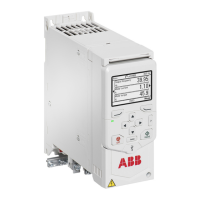
The Home view shows the reading of one of three measured signals. Select the
page with the left and right arrow keys.
The status bar at the top of the Home view shows:
• the control location (Off and Hand for local control, Auto for external control)
• the status icon
• the reference target value.
From the Home view, push the Back key to open the Options view and push the
OK key to open the Menu.
Adjust the current reference value with the up and down arrow keys.
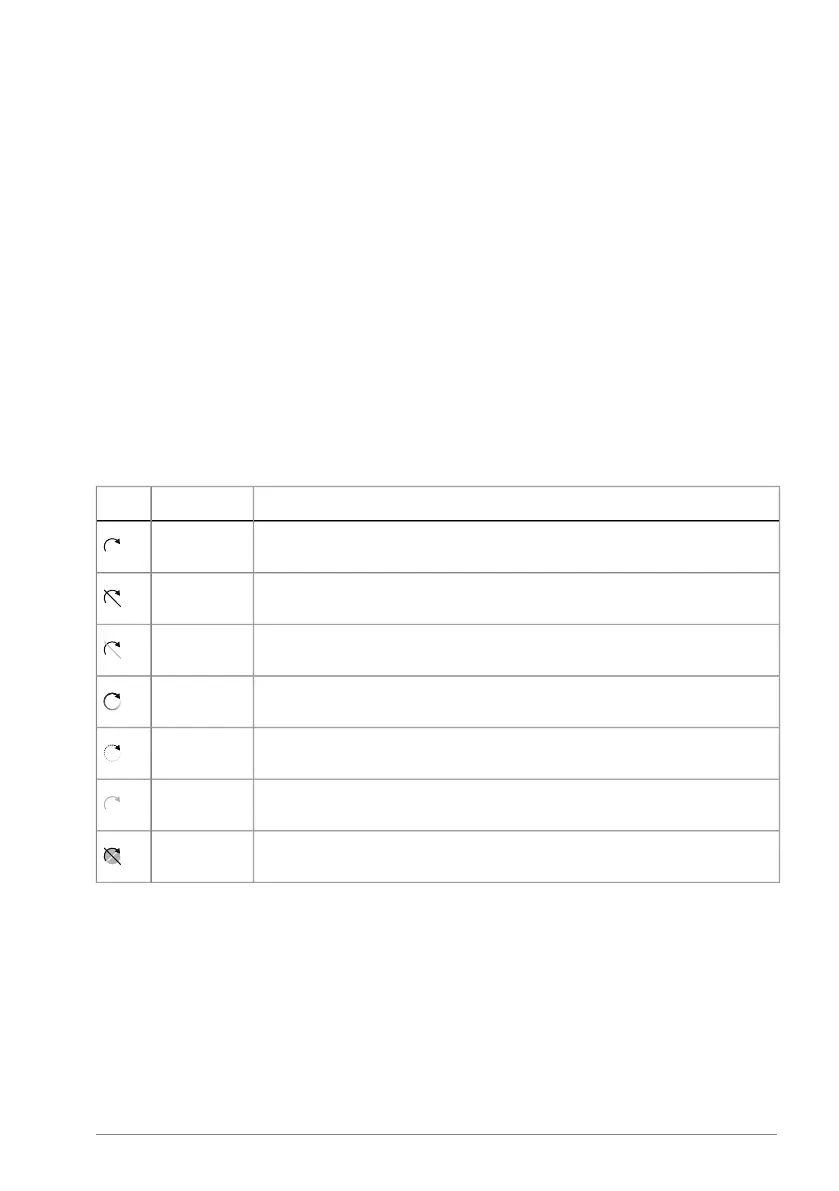
Status icon
DescriptionAnimationIcon
StoppedNone
Stopped, start inhibitedNone
Stopped, start commanded but inhibitedBlinks
Running at referenceRotates
Running but not at referenceRotates
Running at reference, but reference = 0Blinks
Drive faultBlinks
■
Message view
The Message view shows fault and warning messages. If there is an active fault
or warning, the panel shows the Message view directly.
For fault and warning information, refer to ACH180 Firmware manual
(3AXD50000955893 [English]).
To reset a fault, push the OK key (with the soft-key label Reset?).
Operation principle and hardware description 35


 To Next Page