CentriMag
TM
Circulatory Support System Operation Manual (US) Page 64 of 126
© 2019 Abbott – Document No PL-0047, Rev 11 (December 2019)
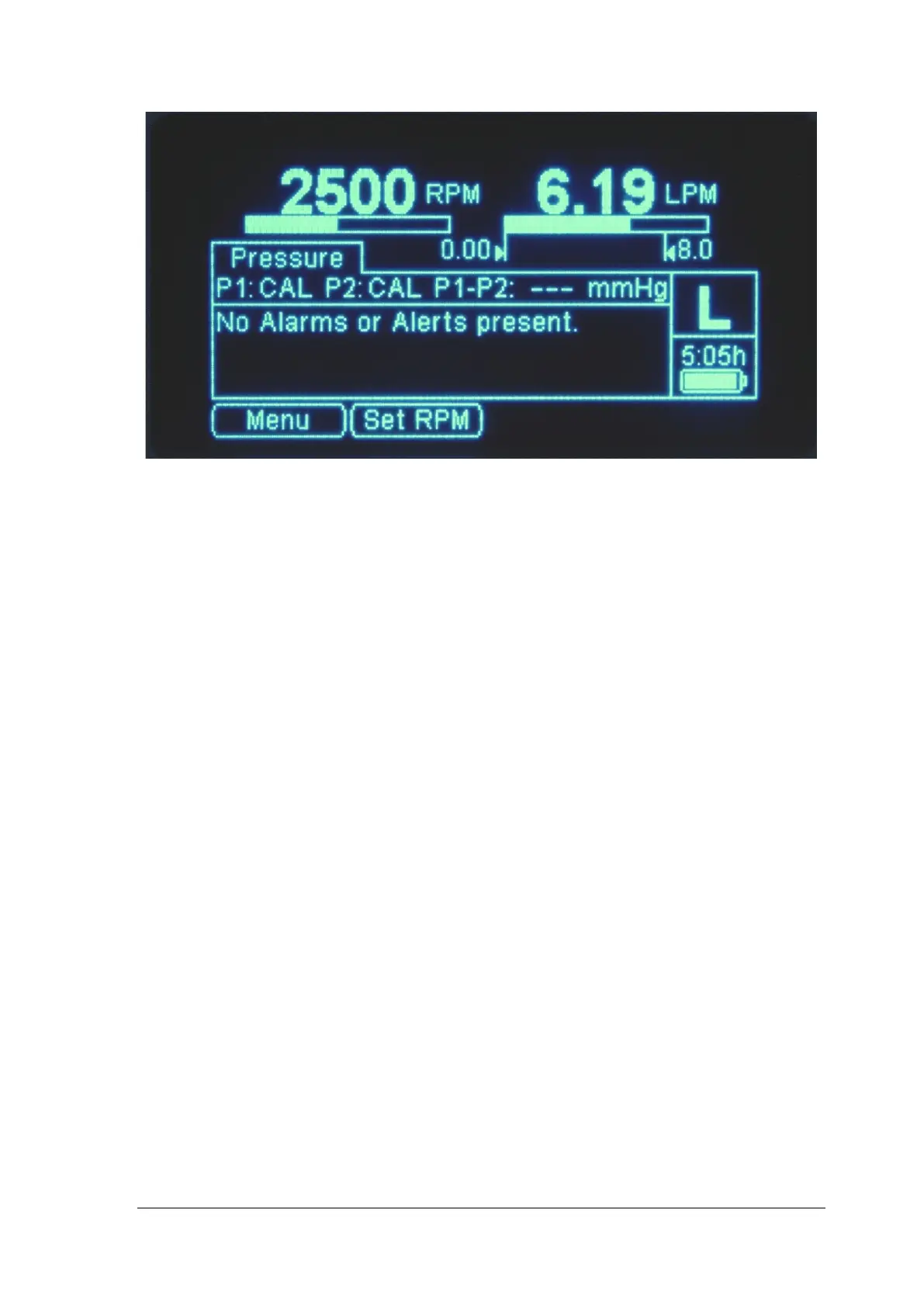
Figure 34: Console – Close up of the Display
Depressing the SET RPM keypad allows the user to increase or decrease the speed of
the Pump using the UP and DOWN ARROWS.
Depressing the MENU keypad leads to different user options that can be accessed by
scrolling through the options:
• MINIMUM FLOW ALERT SETTING
• MAXIMUM FLOW ALERT SETTING
• PRESSURE MENU
- PRESSURE CALIBRATION
- MINIMUM PRESSURE (P1) ALERT SETTING
- MAXIMUM PRESSURE (P1) ALERT SETTING
- MINIMUM PRESSURE (P2) ALERT SETTING
- MAXIMIUM PRESSURE (P2) ALERT SETTING
• STOPWATCH (Monitor only)
• EXTENDED MENU
- PRESSURE DISPLAY (for one or two pressure probes)
- SPEED STEP RESOLUTION
- FLOW RANGE SELECTION
- FLOW LIMIT SENSITIVITY
- FLOW RECORDER SPEED (Monitor only)
- SUPPORT TYPE
- LANGUAGE SELECTION
- DATA LOGGER (Monitor only)
- COPY DATA (Monitor only)
- MANAGEMENT (Monitor only)














 To Next Page