CentriMag
TM
Circulatory Support System Operation Manual (US) Page 67 of 126
© 2019 Abbott – Document No PL-0047, Rev 11 (December 2019)
7.10 Setting the Console Min Flow Alert
Main Menu
Minimum Flow Alert
Maximum Flow Alert
Pressure Menu
Stopwatch*
Extended Menu
Set RPM
Exit
Menu
Increase
Decrease
Set RPM
Set RPM
Set RPM
Set RPM
Set RPM
Set RPM
Menu
Menu
Menu
Menu
Menu
Menu
Increase
Decrease
Enter
Enter
[Start|Stop|Reset]
Stop Watch 2
[Start|Stop|Reset]
Stop Watch 1
* Monitor only
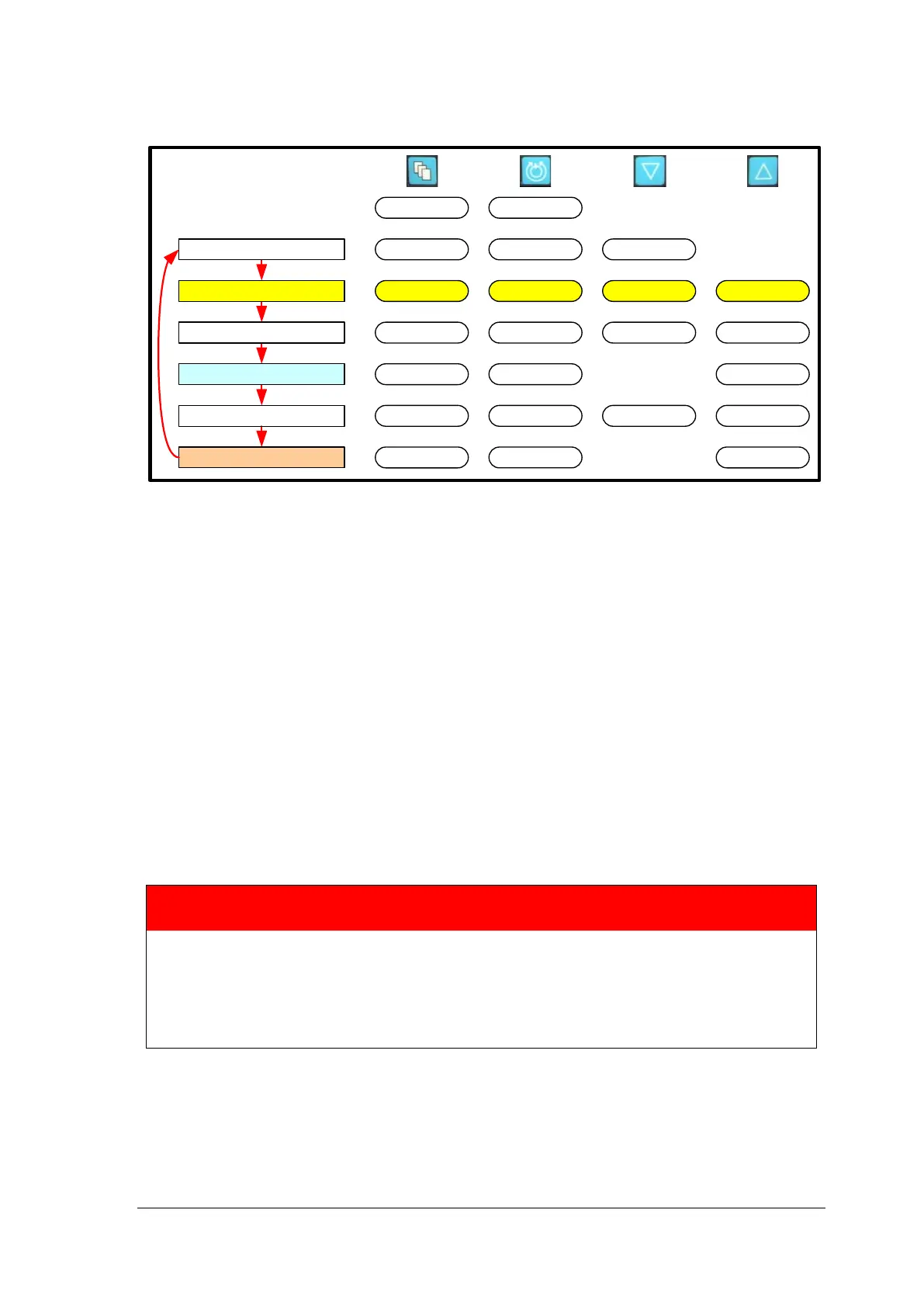
Figure 37: Monitor MENU Structure
Setting Minimum Flow Alert
The MINIMUM FLOW ALERT should not be set until after the Pump is started. If the value
of the MINIMUM FLOW ALERT is set before the Pump is started, a continuous alert will
sound indicating FLOW BELOW MINIMUM. The default value for the MINIMUM FLOW
ALERT is factory set to 0.00 LPM. As soon as practical after initiation of support the
MINIMUM FLOW ALERT must be set to the minimal acceptable flow appropriate for the
patient’s size, clinical condition, and physiologic needs. To change the MINIMUM FLOW
ALERT value, depress the MENU keypad until the MINIMUM FLOW ALERT option is
displayed. Use the DECREASE or INCREASE arrow keys to decrease or increase the
alert setting. The actual MINIMUM FLOW ALERT threshold is continuously displayed in
the upper part of the display.
Retrograde flow of up to 2.0 LPM will be displayed as a negative number such as “-0.65
LPM”. Retrograde flow greater than 2.0 LPM is displayed as downward arrows “vv.vv
LPM”. A disconnected or malfunctioning probe will result in display of dashes “--.--“.
WARNING
Minimum flow levels must
be chosen carefully with respect to anticoagulation
status of the patient, the patient’s hemodynamic status, and clinical condition.
During weaning and periods of sustained low flow it may be necessary to
reevaluate and consider increasing the level of anticoagulation.
Clinical Reference Manual for details.














 To Next Page