CentriMag
TM
Circulatory Support System Operation Manual (US) Page 72 of 126
© 2019 Abbott – Document No PL-0047, Rev 11 (December 2019)
7.15 Stopwatches
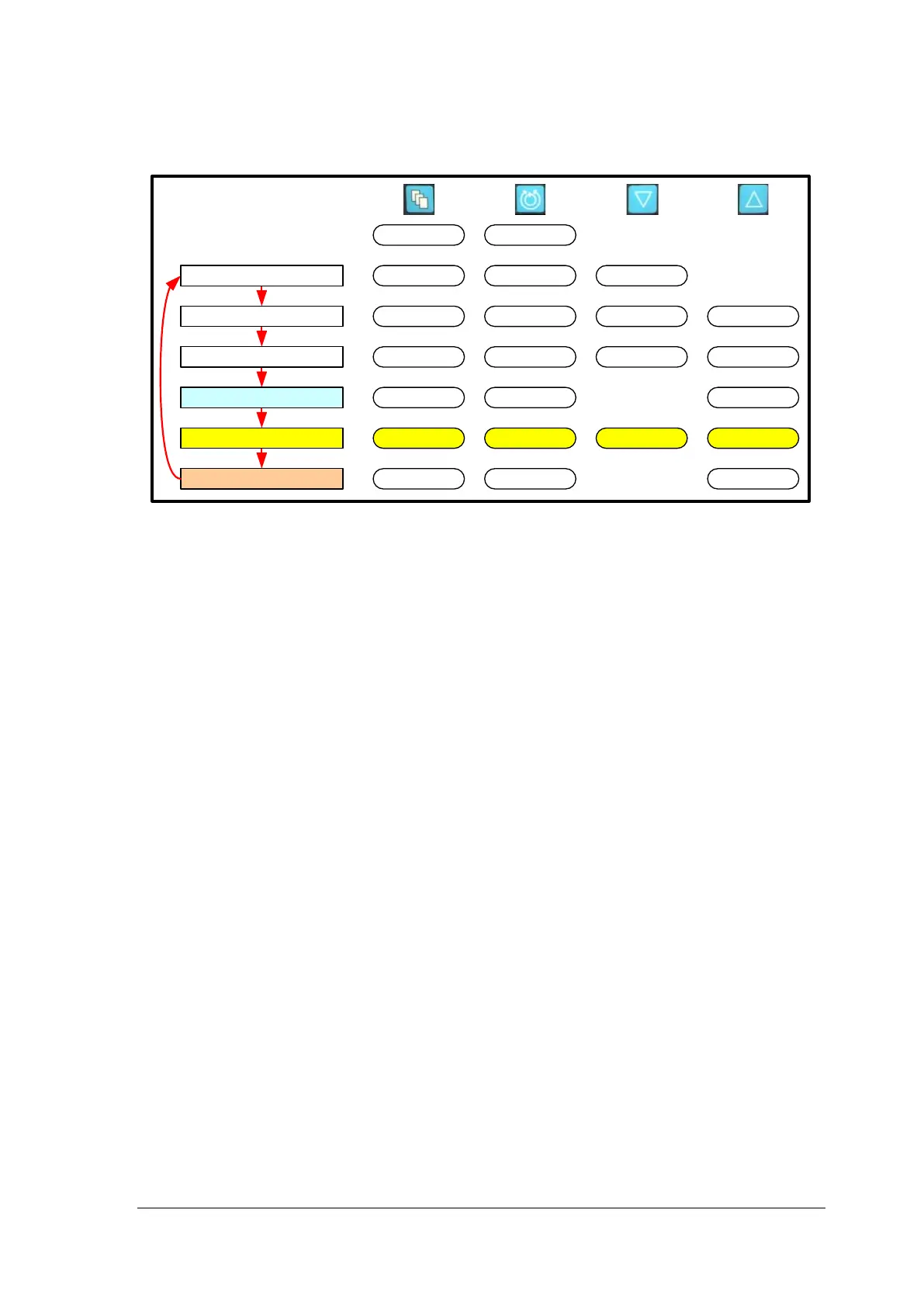
The Stopwatch function is only available via the Monitor.
Main Menu
Minimum Flow Alert
Maximum Flow Alert
Pressure Menu
Stopwatch*
Extended Menu
Set RPM
Exit
Menu
IncreaseDecrease
Set RPM
Set RPM
Set RPM
Set RPM
Set RPM
Set RPM
Menu
Menu
Menu
Menu
Menu
Menu
IncreaseDecrease
Enter
Enter
[Start|Stop|Reset]
Stop Watch 2
[Start|Stop|Reset]
Stop Watch 1
* Monitor only
Figure 43: Monitor MENU Structure
Stopwatches
The stopwatches are provided for measuring times associated with the System. They
measure to the nearest second.
To start the timer, depress the MENU button until the STOPWATCH option is displayed.
To start the stopwatch, depress the START button. To stop the stopwatch, press the
STOP button. Once the timer has been stopped, the System will offer the option to
RESET, which will clear the timer.














 To Next Page