CentriMag
TM
Circulatory Support System Operation Manual (US) Page 65 of 126
© 2019 Abbott – Document No PL-0047, Rev 11 (December 2019)
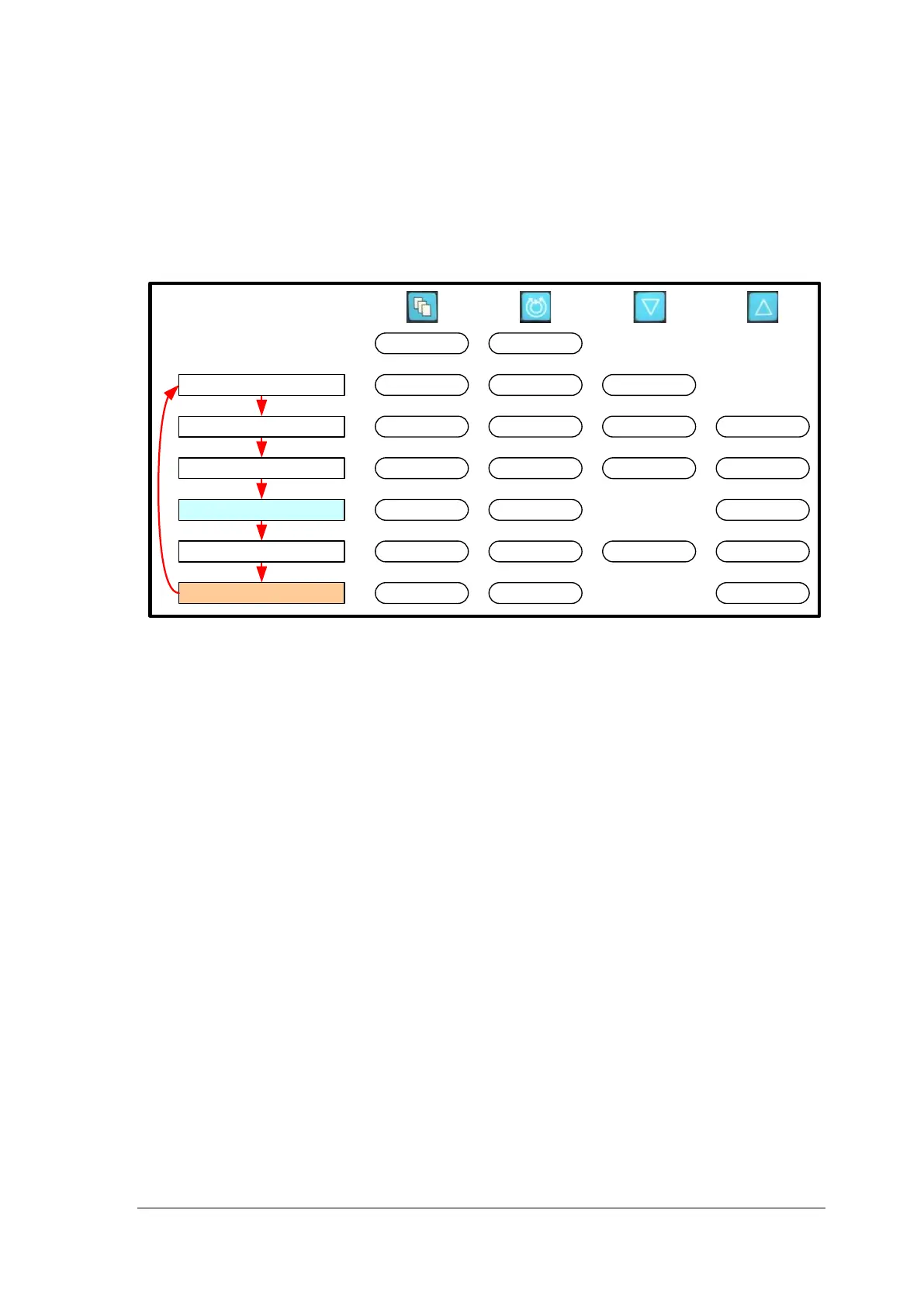
The procedure for how to navigate the MENU options, as well as an explanation for the
purpose of each option, is shown below. In general, the MENU scheme allows the user to
scroll through a series of options. Messages associated with each MENU option are
displayed on the Console display to assist the user in making selections. As the user
scrolls through the MENU, the current setting for each option is displayed in the mid region
of the screen. The UP and DOWN arrows are used to change a value or option. The
resultant change in the value or option is updated and displayed in the mid region of the
screen.
Main Menu
Minimum Flow Alert
Maximum Flow Alert
Pressure Menu
Stopwatch*
Extended Menu
Set RPM
Exit
Menu
IncreaseDecrease
Set RPM
Set RPM
Set RPM
Set RPM
Set RPM
Set RPM
Menu
Menu
Menu
Menu
Menu
Menu
IncreaseDecrease
Enter
Enter
[Start|Stop|Reset]
Stop Watch 2
[Start|Stop|Reset]
Stop Watch 1
* Monitor only
Figure 35: Monitor’s Top level MENU Structure
7.8 Console BIOS
Note: The System cannot be used while the Console BIOS is being accessed. If the
Monitor is attached, it will only display the company logo while the BIOS is being
accessed.
The Console BIOS contains engineering information about the Console. For additional
information on the Monitor Management, see Section 7.25.
To access the Console BIOS, hold the MENU button on the Console during power on self-
test (not on the Monitor). The start-up screen will display the word BIOS in the top right
hand corner. Once the power on self-test has completed the BIOS information will be
displayed.
The BIOS contains four pages of information. Access each page by pressing the UP key.
These four information pages are described below:
1) BATTERY MAINTAINANCE
This page contains information about the battery charge and displays information relating
to ongoing battery maintenance, if applicable.
The battery maintenance procedure is accessed by pressing the DOWN ARROW key. For
full information about the battery maintenance procedure, see Section 9.4.
2) FACTORY DEFAULT SETTINGS
This page contains the user option of returning the Console to the factory default settings
which are also listed on this page of the BIOS.
3) SERIAL NUMBER / SOFTWARE VERSION (FOR SERVICE PURPOSE ONLY)














 To Next Page