Chapter 1 3
System Components
This section is a virtual tour of the system’s interior and exterior components.
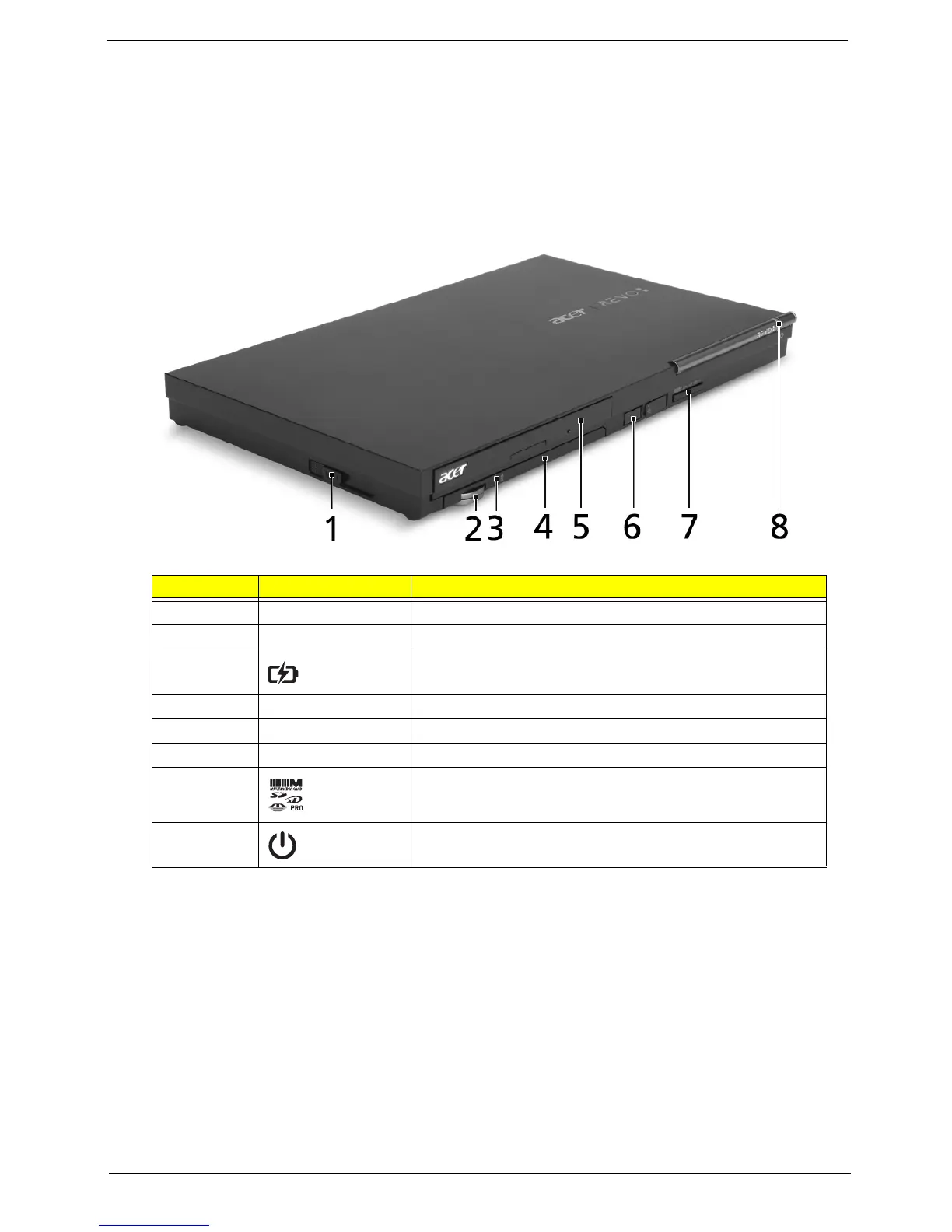
Front Panel
No. Icon Component
1 Wireless touchpad eject button
2 Volume wheel
3 Wireless touchpad battery indicator*
4 Wireless touchpad (mouse mode and keyboard mode)
5 Optical disc drive
6 USB RF 2.4 GHz receiver
7 Media card reader (selected models only)
8 Power button












 To Next Page