38 Chapter 3
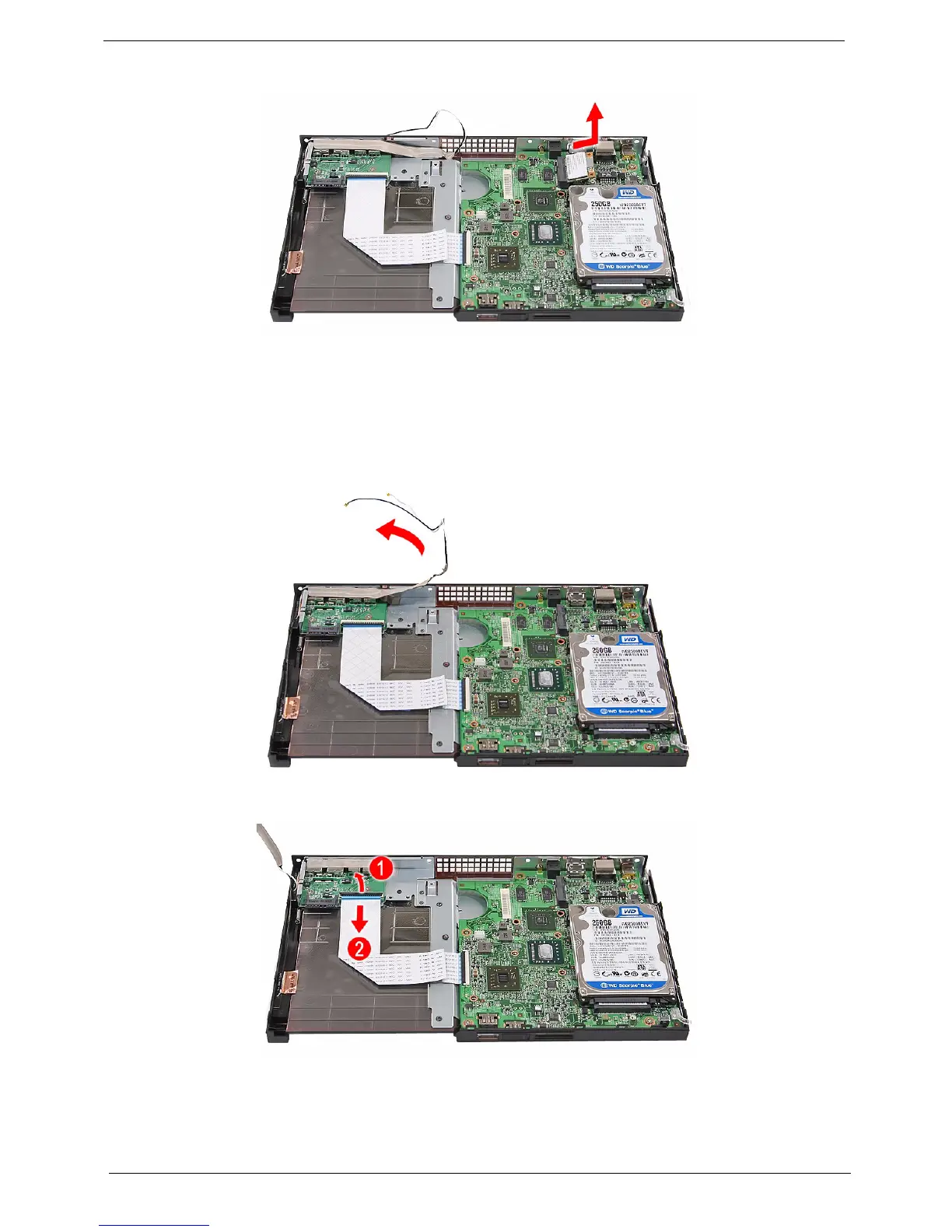
4. Detach the module out of the slot.
NOTE: When attaching the antennas back to the WLAN module, make sure the cables are arranged properly.
Removing the I/O Board
1. See “Removing the Top Cover” on page 32.
2. Peel the tape off the I/O board and move the antenna cables away from the board.
3. Open the I/O board cable connector and disconnect the cable.












 To Next Page