Chapter 2 19
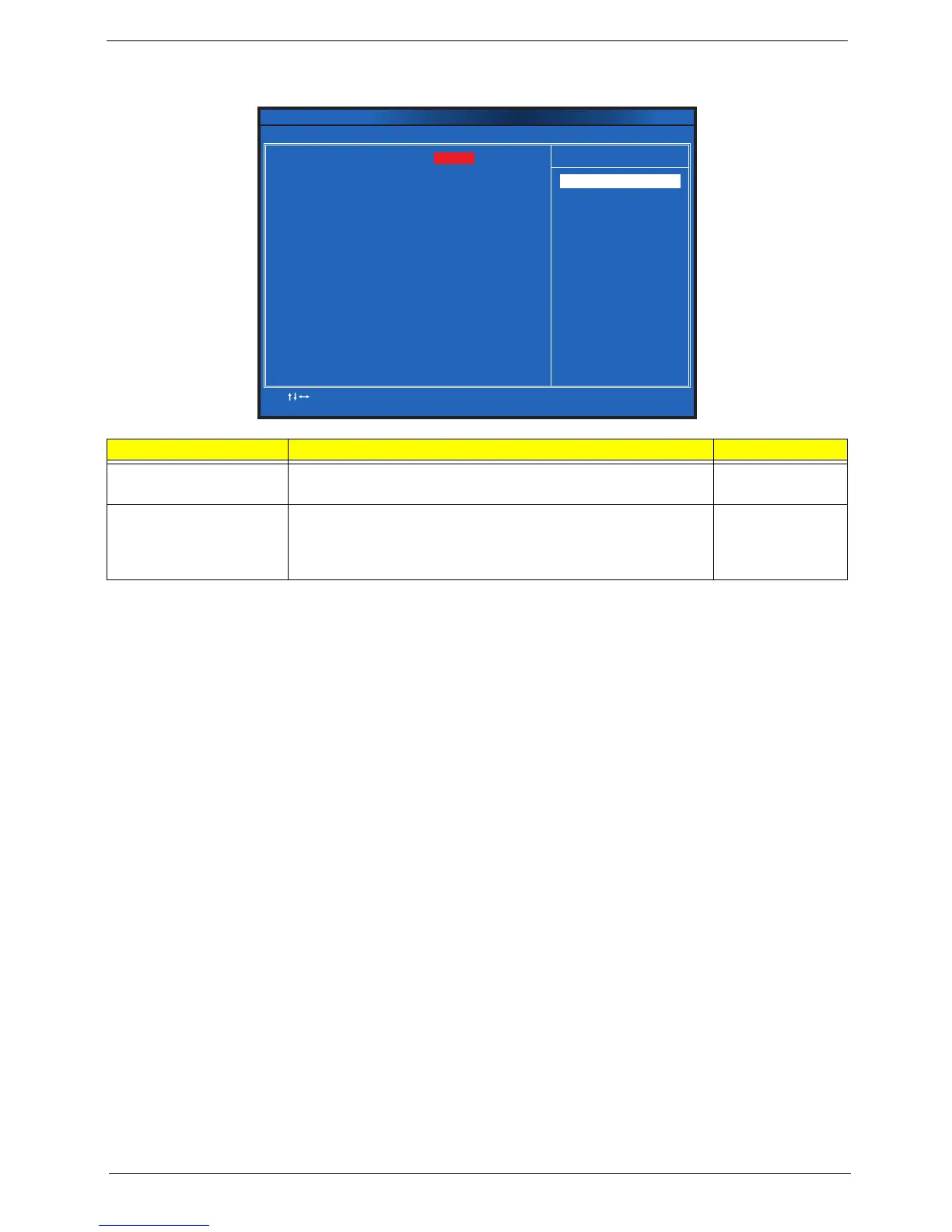
Frequency/Voltage Control
Parameter Description Option
Clock to All DIMM/PCI/PCIE Enables or disables clock to all DIMMs, PCI, or PCIE. Enabled
Disabled
Spread Spectrum Enables or disables the reduction of the mainboard’s EMI.
Note: Remember to disable the Spread Spectrum feature if you are
overclocking. A slight jitter can introduce a temporary boost in clock
speed causing the overclocked processor to lock up.
Enabled
Disabled
Clock to All DIMM/PCI/PCIE
Spread Spectrum
:Move Enter:Select
F1:General Help F9:Load Default Settings
+ :Value//- ESC Exit:
F10:Save & Exit Setup
Help Item
[Enabled]
[Enabled]
CMOS Setup Utility - Copyright (C) 1985-2010, American Megatrends, Inc.
Frequency/Voltage Control
Enable Clock to All
DIMM/PCI/PCIE
Options:
Disabled
Enabled
Options













 To Next Page