Chapter 3 33
Removing the Optical Drive
1. Remove the top cover. Refer to the previous section for instructions.
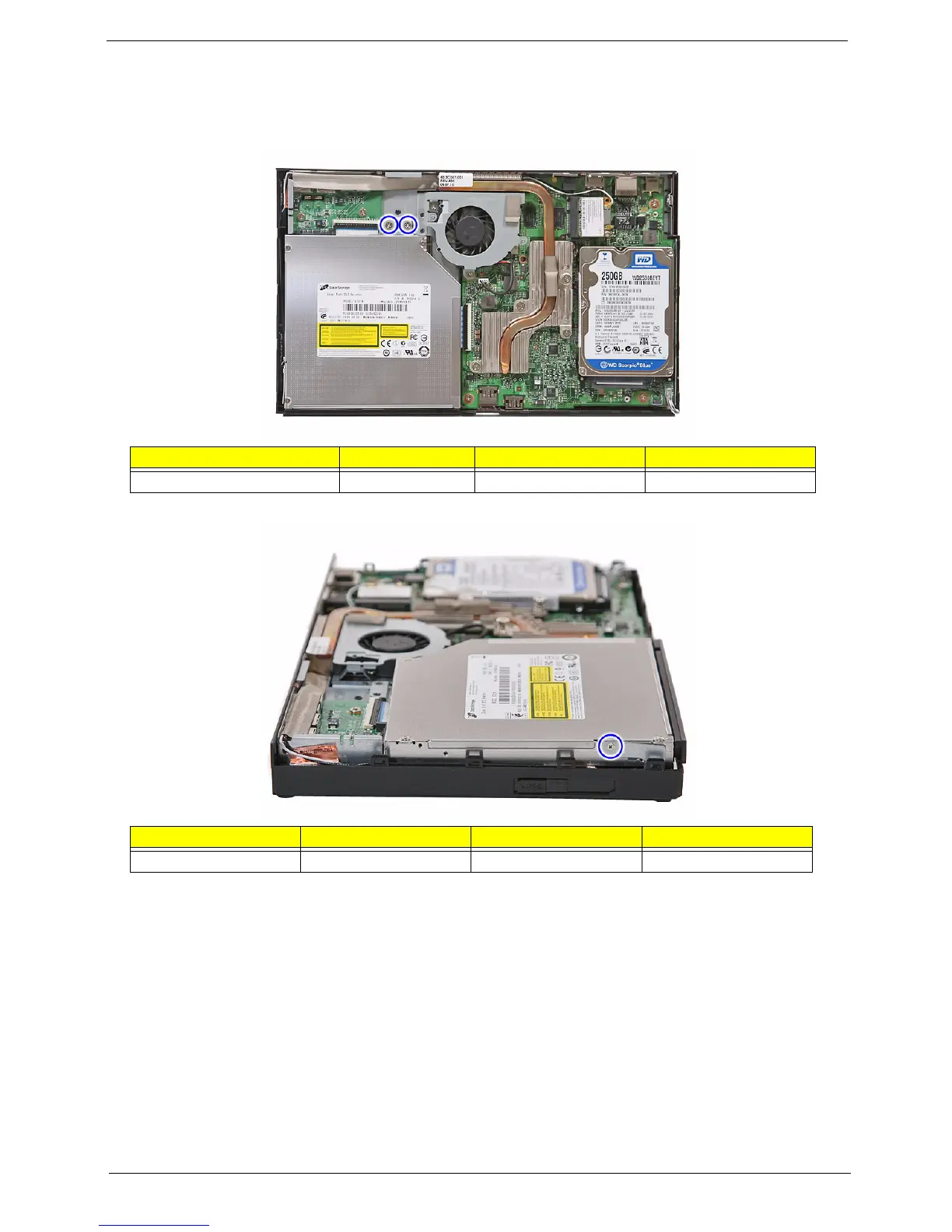
2. Remove the two screws (B) securing the optical drive.
3. Remove the screw (C) that holds the bracket to the optical drive and system.
Screw (Quantity) Color Torque Part No.
MECH TRUSS M3*L4 NI (2) Silver 4.5 0.3 kgf-cm 86.3A534.4R0
Screw (Quantity) Color Torque Part No.
M2*2 (1) Silver 1.5 0.2 kgf-cm 86.9AJ32.2R0












 To Next Page